Best Blank BD-R Discs Under $200 (2026)
We selected discs under $200 by scoring price-per-disc, disc capacity (25GB vs 50GB/dual-layer), brand reliability, printable/archival features, and rated burn speeds
The Verdict
- Best Overall: Verbatim BD-R 25GB Blu-ray Discs, 16X, 25-pack — pick for everyday backups: 25GB single-layer discs offering 16X speed for standard video and data burns
- Best Value: Verbatim BD-R 50GB 8X Blu-ray Disc Double Layer (10Pack) — Best for higher-capacity archives: 50GB dual-layer discs that balance larger storage with reliable brand media quality
This roundup covers reliable blank BD-R and BD-R DL Blu-ray discs under $200, selected for value, capacity (25GB vs 50GB/dual-layer), and real-world durability features like printable surfaces and archival M-Disc compatibility. Picks were ranked by a value score that balances price per disc, disc capacity, brand reputation, and useful features such as inkjet/thermal printable surfaces and archival claims
Top Picks
-
1

Best Overall Verbatim BD-R 25GB Blu-ray Discs, 16X, 25-pack
pick for everyday backups: 25GB single-layer discs offering 16X speed for standard video and data burns
Blu-ray recordable media discs with 25GB capacity and 16X speed. Hard Coat protection resists scratches and dust; archival life claimed. Customers report reliable playback and good value, with some coasters noted
- 25GB per disc
- hard coat protection
- 16X write speed
-
2

Best Value Verbatim BD-R 50GB 8X Blu-ray Disc Double Layer (10Pack)
Best for higher-capacity archives: 50GB dual-layer discs that balance larger storage with reliable brand media quality
Blu-ray recordable media discs, 50GB capacity, 8x speed, double layer. Hard Coat protection reduces scratches and dust. Customers report reliable playback and good value for backing up large data
- 50GB double-layer capacity
- Hard Coat scratch resistance
- 10-pack reliability and value
-
3

Verbatim BD-R 25GB 16X Blu-ray Discs, 50 Pack
Best for bulk 25GB needs: 50-pack single-layer spindle that keeps per-disc cost low for frequent use
BD-R discs with 25GB capacity and up to 16x write speed. Includes a 50-disc spindle and archival life guidance. Customers note reliable quality and good storage capacity for backups
- 25GB per disc
- up to 16x write speed
- archival life
-
4

Verbatim BD-R DL 50GB 6X 5 Pack
Best compact dual-layer pack: 50GB DL discs in a small pack for occasional higher-capacity burns
BD-R DL discs, 50 GB capacity, 6x write speed, 5-pack in jewel cases. Suitable for data backups and archival storage. Customer insight indicates no specific sentiment provided
- 50 GB per disc
- 6x speed
- 5-pack with jewel cases
-
5

Verbatim BD-R 50GB Blu-ray Discs 25-pack Double Layer
Best mid-size dual-layer bundle: 25-pack of 50GB DL discs for sustained projects needing larger capacity
Verbatim BD-R discs with 50GB capacity, 8X speed, and hard coat for scratch resistance. One hundred year archival life. Customers report reliable performance and good value for money
- 50GB per disc
- 100-year archival life
- hard coat scratch resistance
-
6
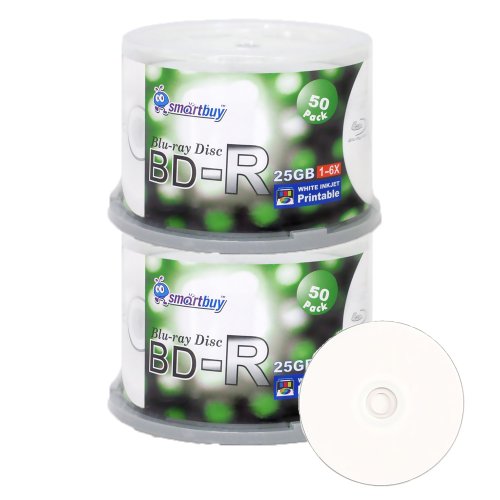
Smartbuy 100-pack BD-R 25GB 6X Printable Discs (White Inkjet)
Best for printable labeling: 100-pack of 25GB discs with white inkjet surfaces ideal for mass-produced media
Printable BD-R discs in a 100-pack spindle. 25GB capacity per disc, 6X recording speed, compatible with most BD-R writers. AAA grade quality for video, photo, and data storage. Customer noted positive sentiment on quality
- 25GB discs
- 6X write speed
- printable white surface
-
7

Verbatim M Disc BD-R DL 50GB White Inkjet Hub Printable 10pk
Best for archival printing: M-Disc BD-R DL discs with hub-printable white surface for long-term storage and labeling
Archival-grade BD-R DL discs with a patented inorganic write layer and white inkjet hub printable surface. Engraved storage claims resilience to light, temperature, and humidity; includes rapid-dry ink absorption for clear text and images. Customer insight notes reliable long-term storage with mixed disc functionality experiences
- 50GB per disc capacity
- inorganic archival write layer
- hub printable surface
-
8

BD-R DL Dual-Layer 50GB Disc 6x, 25pk
Best budget dual-layer spindle: 25-pack 50GB DL discs offering lower per-disc cost for dual-layer needs
Blu-ray discs with 50GB capacity and 6x writing speed. Some customers report good quality value, while others note playback compatibility issues
- 50GB capacity
- dual-layer 6x write
- 2-3 customer-insight mix on quality
-
9

PlexDisc 50 GB Blu-ray BD-R DL 6X 25-Disc Spindle
Best branded DL spindle: 25-disc 50GB BD-R DL spindle that balances brand consistency with bulk value
Blu-ray recordable discs with 50 GB capacity for data, photos, and HD video. Provides good storage and color/contrast, with mixed burn results per customers
- 50 GB per disc
- BD-R DL double layer
- inkjet printable surface
-
10

Smartbuy 50GB 6X Blu-ray BD-R DL Dual Layer Blank Discs (30-Disc)
Best balanced DL pack: 30-disc 50GB dual-layer set providing a middle ground between pack size and per-disc cost
Dual-layer Blu-ray discs with 50GB capacity for high-definition data storage. Suitable for video, photo, and data backups with 1080p quality output. Customers note solid functionality and value, with mixed feedback on burn rate
- 50GB capacity
- dual-layer for more storage
- printable surface