Best Computer Internal Components (2026 Guide)
We selected components based on combined product rating, review volume, interface types (NVMe/SATA/HDD), capacity options, and real-world suitability for desktops and laptops
The Verdict
- Best Overall: Kingston NV3 500GB NVMe SSD M.2 2280 PCIe 4.0 — Best NVMe system drive: compact M.2 PCIe 4.0 option offering fast boot and app load performance for modern desktops and laptops
- Best Value: FX815 512GB 2.5" SATA SSD for laptops and desktops — Best laptop SATA upgrade: slim 2.5" SSD geared toward older laptops and desktops needing a straightforward speed boost
This guide rounds up top-rated internal computer components chosen by aggregate product rating and review volume to help with storage and upgrade decisions. Picks emphasize proven reliability, capacity and interface type across NVMe, SATA SSD and HDD options
Top Picks
-
1

Best Overall Kingston NV3 500GB NVMe SSD M.2 2280 PCIe 4.0
Best NVMe system drive: compact M.2 PCIe 4.0 option offering fast boot and app load performance for modern desktops and laptops
NVMe SSD for high-speed storage with PCIe 4.0 x4. Up to 5000 MB/s read speeds and low power usage. Customers note easy installation and cool operation
- PCIe 4.0 x4 performance
- up to 5000 MB/s read
- low power, cool operation
-
2

Seagate BarraCuda 4TB Internal HDD 3.5" SATA 6 Gb/s
Best bulk desktop storage: large 3.5" SATA HDD designed for general file storage and backup in desktop builds
Seagate BarraCuda 4TB internal hard drive for desktop PCs with 190 MB/s max transfer. Users note reliable functionality and substantial storage for games, with mixed opinions on noise and durability
- large capacity for desktops
- sata 6 gb/s interface
- BarraCuda reliability heritage
-
3

Seagate BarraCuda 2TB Internal HDD (3.5" SATA 6Gb/s, 7200 RPM, 256MB Cache)
Best high-capacity desktop HDD: 3.5" SATA drive pairing higher RPM with large cache for responsive desktop file access
Seagate BarraCuda internal hard drive for desktops with large storage and reliable performance. Users note easy installation and high capacity, with mixed speed feedback and durability concerns
- high capacity desktop HDD
- widely compatible SATA interface
- frustration-free packaging
-
4
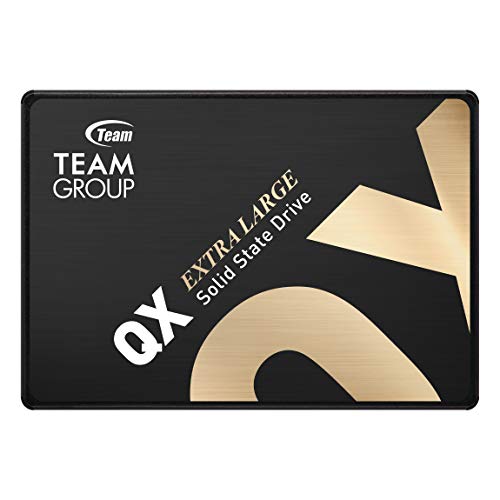
TEAMGROUP QX 1TB SATA III SSD
Best budget SATA SSD option: 2.5" SATA III drive suited for affordable system and laptop upgrades where NVMe isn't required
SATA III internal SSD with up to 560/500 MB/s read/write speeds and SLC caching technology. Customers note good value and quick performance, with some reliability concerns mentioned
- 560/500 MB/s speeds
- 3D NAND QLC with caching
- easy compatibility and installation
-
5

Kingston NV3 1TB NVMe SSD M.2 2280 PCIe 4.0
Best higher-capacity NVMe: roomy M.2 PCIe 4.0 drive that balances large capacity with high-speed OS and app performance
Kingston NV3 1TB NVMe SSD for M.2 slots, enabling Gen 4x4 PCIe performance with low power use. Customers note fast boot times and easy installation
- PCIe 4.0 NVMe performance
- 1TB capacity
- Easy installation
-
6

Best Value FX815 512GB 2.5" SATA SSD for laptops and desktops
Best laptop SATA upgrade: slim 2.5" SSD geared toward older laptops and desktops needing a straightforward speed boost
2.5" SATA SSD, up to 560MB/s, 3D NAND cache for faster boot and app loading. Customers report reliable speed and easy installation
- up to 560MB/s read speed
- 3D NAND SLC cache
- 7mm slim design for ultrabooks
-
7

TEAMGROUP T-Force Vulcan Z 1TB SATA SSD
Best reliable SATA performance: 2.5" SSD aimed at gamers and creators seeking consistent SATA III read/write performance
Solid-state drive with 1TB capacity and SATA III interface. Enhances gaming storage with solid read/write performance; customers note ease of installation and value for money, though durability concerns exist
- 1TB capacity
- easy installation
- decent read/write speeds
-
8

FX550 NVMe SSD 512GB M.2 PCIe 3.0 drive
Best PCIe 3.0 NVMe value: M.2 NVMe drive that delivers solid boot and load times on systems limited to PCIe 3.0 lanes
NVMe M.2 2280 SSD with up to 3,200 MB/s read. Easy installation and solid value, per user feedback. One customer notes Dell XPS 15 9560 compatibility
- up to 3,200 MB/s read
- M.2 2280 form factor
- compatibility across desktops and laptops
-
9

LinkMore XE300 SE 512GB NVMe M.2 SSD
Best midrange NVMe: balanced M.2 SSD combining good sustained speeds and capacity for everyday PC storage upgrades
NVMe M.2 2280 SSD with read speeds up to 2100MB/s and write up to 1500MB/s. Supports desktop and laptop with M.2 2280 slot. Includes ample OS, app, and game storage. "Customers say it’s easy to install and performs fast."
- PCIe Gen3 NVMe speeds
- M.2 2280 compatibility
- multiple capacity options
-
10

WD Black 320 GB 2.5" 7200 RPM SATA II HDD
Best legacy laptop HDD: 2.5" 7200 RPM drive for older laptops or secondary storage where mechanical capacity is acceptable
WD Scorpio Black 2.5-inch HDD delivers desktop-class performance and power efficiency for laptops. Notable for 7200 RPM speed and 16 MB cache. Customer notes fast backups and easy installation
- 7200 RPM speed for laptops
- 16 MB cache for desktop-like performance
- low power, quiet operation