Best Computer Memory Under $200 (2026)
We ranked modules under $200 by a value score combining capacity, form factor fit, clock speed, and kit configuration for common laptop and desktop use cases
The Verdict
- Best Overall: Crucial 16GB DDR4 SODIMM memory 260-pin 2666 MT/s — Best for laptop upgrades: 16GB DDR4 SO-DIMM offering balanced capacity and 2666 MT/s speed for modern notebooks
- Best Value: Corsair Vengeance LPX 8GB DDR4 3000 (1x8GB) RAM — Best single-module budget pick: 8GB DDR4 3000 stick for simple desktop upgrades and compact builds
Top Picks
-
1

Best Overall Crucial 16GB DDR4 SODIMM memory 260-pin 2666 MT/s
Best for laptop upgrades: 16GB DDR4 SO-DIMM offering balanced capacity and 2666 MT/s speed for modern notebooks
Crucial 16GB DDR4 SODIMM memory module (260-pin) enabling higher bandwidth and lower power. Customers note easy installation and faster laptop performance
- higher bandwidth potential
- power efficiency
- easy setup
-
2
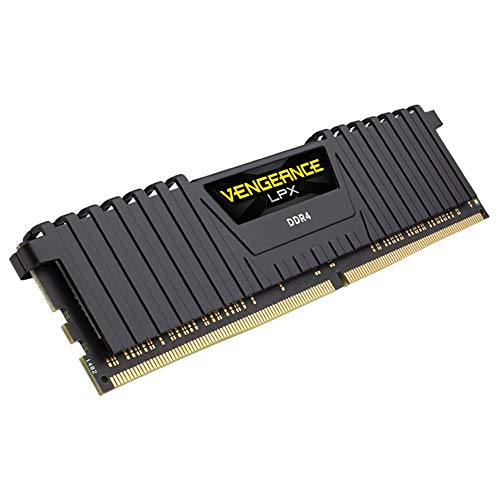
Best Value Corsair Vengeance LPX 8GB DDR4 3000 (1x8GB) RAM
Best single-module budget pick: 8GB DDR4 3000 stick for simple desktop upgrades and compact builds
DDR4 desktop memory with aluminum heatspreader and wide motherboard compatibility. Customers report it runs at full speed and is easy to install
- low-profile 34mm height
- hand-sorted chips for performance
- XMP 2.0 for simple setup
-
3

Crucial 8GB DDR4 SODIMM 260-pin memory
Best compact upgrade: 8GB DDR4 SO-DIMM in 260-pin format ideal for small laptops and ultrabooks
DDR4 SODIMM memory module for laptops with 8GB capacity. Improves bandwidth and reduces power consumption; compatible with next-gen processors. Customer note: easy 10-minute install with positive speed improvements
- 8GB capacity
- DDR4 2666 MT/s efficiency
- low power consumption
-
4

Timetec 16GB DDR3L/DDR3 SODIMM RAM kit (2x8GB) 1600MHz
Best legacy laptop kit: 16GB (2x8GB) DDR3/DDR3L 1600MHz for older notebooks needing a capacity boost
Timetec 16GB kit (2x8GB) DDR3L/DDR3 1600MHz unbuffered laptop RAM. Dual-rank, 204-pin SODIMM, 1.35V/1.5V, CL11. Compatible with DDR3 laptop PCs. Customers report easy installation and faster performance
- 2x8GB kit for 16GB total
- DDR3L/DDR3 1600MHz support
- unbuffered 204-pin SODIMM
-
5

Corsair 32GB DDR4 Vengeance LPX memory 2x16GB 2400 C16 black
Best for high-capacity desktops: 32GB (2x16GB) DDR4 kit suited for content workstations requiring ample RAM
DDR4 memory kit with hand-sorted chips and aluminum heatspreader for stable high-speed operation. Compatible with Intel and AMD systems; low-profile design fits in compact builds. Customer notes easy installation and solid value, with some reports of mixed reliability
- low-profile 34mm height
- hand-sorted chips
- XMP 2.0 support
-
6

Timetec 32GB DDR3L/DDR3 1600MHz SODIMM RAM kit
Best DDR3 laptop capacity: 32GB (2x16GB) DDR3L SODIMM kit for older systems that need large memory pools
Timetec 32GB kit (4x8GB) DDR3L/DDR3 1600MHz unbuffered memory for laptops. Dual-rank, 1.35V/1.5V capable, 204-pin SODIMM. One customer notes easy installation and good speed boost
- 32GB total kit in 4x8GB modules
- DDR3L/DDR3 1600MHz compatibility
- unbuffered, non-ECC memory
-
7
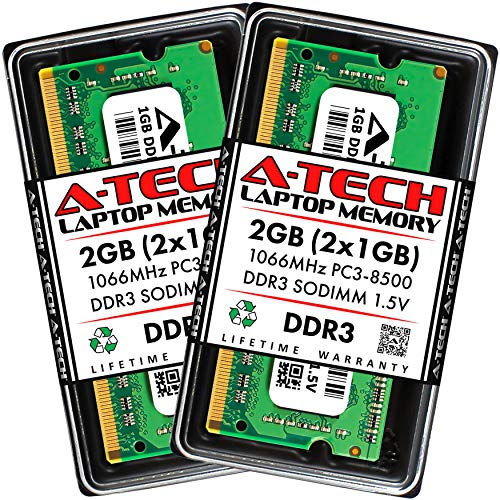
A-Tech 2GB DDR3 SO-DIMM RAM 204-Pin 1066MHz
Best low-capacity legacy option: 2GB DDR3 SO-DIMM for very old laptops or basic legacy repairs
DDR3 SO-DIMM memory module kit (2 x 1GB) for laptops and notebooks. Improves boot and overall performance with easy installation. Customers note quick setup and noticeable memory upgrade benefits
- 2 x 1GB DDR3 SO-DIMM
- 1066MHz clock speed
- easy installation
-
8

Timetec 16GB (2x8GB) DDR3L 1600MHz for Mac (2011-2015)
Best Mac upgrade kit: 16GB (2x8GB) DDR3L 1600MHz matched to mid-2010s MacBook models requiring replacement RAM
Timetec 16GB kit (2x8GB) DDR3L 1600MHz PC3L-12800 unbuffered memory. Improves speed and responsiveness with Macs; easy to install, compatible with multiple Mac models
- 2x8GB DDR3L 1600MHz kit
- Apple-compatible for multiple models
- Unbuffered, non-ECC 1.35V
-
9

Timetec 32GB (4x8GB) DDR3 1600MHz UDIMM Memory
Best desktop DDR3 kit: 32GB (4x8GB) DDR3 UDIMM for older desktop motherboards needing larger memory sets
DDR3 desktop memory kit, 32GB (4x8GB) 1600MHz, non-ECC unbuffered, 1.5V, CL11. Compatible with Intel and AMD systems; easy to install. Customer note: easy installation and improved app responsiveness
- 32GB total capacity
- DDR3-1600 with CL11
- lifetime warranty
-
10

CORSAIR VENGEANCE RGB PRO DDR4 RAM 16GB (2x8GB) 3200MHz
Best for gaming aesthetics: 16GB (2x8GB) DDR4 RGB kit at 3200MHz for systems wanting both speed and lighting
DDR4 memory kit with addressable RGB lighting and iCUE control. Supports synchronized lighting across CORSAIR products. Customers note fast performance and easy installation, with some durability concerns
- per-module RGB LEDs
- iCUE synchronization
- dual 8GB modules