Best Computer Memory Under $50 (2026)
We selected modules under $50 and ranked them by a value score combining capacity, form factor, frequency, and compatibility with common desktop and laptop systems
The Verdict
- Best Overall: Corsair Vengeance LPX 8GB DDR4 3000 (1x8GB) RAM — Best for compact desktops: 8GB LPX stick that fits low-profile builds while offering 3000MHz DDR4 performance
- Best Value: Timetec 16GB DDR3L/DDR3 SODIMM RAM kit (2x8GB) 1600MHz — Best budget laptop kit: 2x8GB DDR3L SODIMMs delivering 16GB dual-channel capacity for older laptops
This roundup highlights computer memory modules priced under $50, covering desktop DIMMs and laptop SO-DIMMs across DDR3 and DDR4 generations. Picks were ranked by value score using capacity, form factor, frequency, and cross-compatibility for common systems
Top Picks
-
1
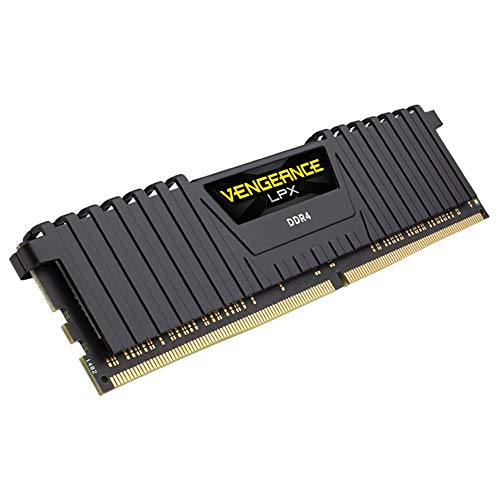
Best Overall Corsair Vengeance LPX 8GB DDR4 3000 (1x8GB) RAM
Best for compact desktops: 8GB LPX stick that fits low-profile builds while offering 3000MHz DDR4 performance
DDR4 desktop memory with aluminum heatspreader and wide motherboard compatibility. Customers report it runs at full speed and is easy to install
- low-profile 34mm height
- hand-sorted chips for performance
- XMP 2.0 for simple setup
-
2

Best Value Timetec 16GB DDR3L/DDR3 SODIMM RAM kit (2x8GB) 1600MHz
Best budget laptop kit: 2x8GB DDR3L SODIMMs delivering 16GB dual-channel capacity for older laptops
Timetec 16GB kit (2x8GB) DDR3L/DDR3 1600MHz unbuffered laptop RAM. Dual-rank, 204-pin SODIMM, 1.35V/1.5V, CL11. Compatible with DDR3 laptop PCs. Customers report easy installation and faster performance
- 2x8GB kit for 16GB total
- DDR3L/DDR3 1600MHz support
- unbuffered 204-pin SODIMM
-
3
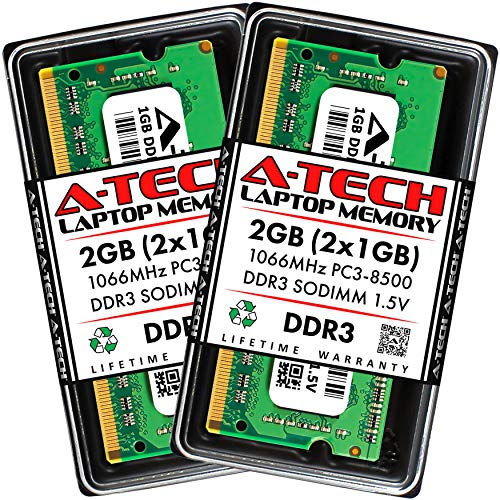
A-Tech 2GB DDR3 SO-DIMM RAM 204-Pin 1066MHz
Best ultra-low capacity upgrade: 2GB DDR3 SO-DIMM option for very old laptops requiring 1066MHz modules
DDR3 SO-DIMM memory module kit (2 x 1GB) for laptops and notebooks. Improves boot and overall performance with easy installation. Customers note quick setup and noticeable memory upgrade benefits
- 2 x 1GB DDR3 SO-DIMM
- 1066MHz clock speed
- easy installation
-
4

Timetec 16GB (2x8GB) DDR3L 1600MHz for Mac (2011-2015)
Best Mac laptop upgrade kit: 16GB DDR3L matched for older Mac models requiring 1600MHz SO-DIMMs
Timetec 16GB kit (2x8GB) DDR3L 1600MHz PC3L-12800 unbuffered memory. Improves speed and responsiveness with Macs; easy to install, compatible with multiple Mac models
- 2x8GB DDR3L 1600MHz kit
- Apple-compatible for multiple models
- Unbuffered, non-ECC 1.35V
-
5

A-Tech 16GB DDR3 SO-DIMM Kit for MacBooks/iMacs (2x8GB) 204-Pin
Best Mac desktop/laptop kit: 16GB DDR3 SO-DIMMs tailored for MacBooks and iMacs with 204-pin slots
DDR3 1600MHz SO-DIMM memory kit (2x8GB) for MacBook Pro, iMac, and Mac mini. Improves multitasking and responsiveness; customers report easy installation and noticeable speed increase
- 2x8GB kit for dual-channel upgrade
- DDR3 1600MHz PC3-12800 compatibility
- Mac-compatible model coverage
-
6

Samsung 4GB DDR3 laptop memory module 204-pin SODIMM 1600MHz
Best single-module legacy option: 4GB DDR3 1600MHz SO-DIMM for incremental memory boosts in older notebooks
Samsung 4GB DDR3 PC3-12800 SODIMM memory module for laptops. Improves speed and boot times, easy to install and compatible across various laptops
- 4GB DDR3 memory module
- 1600MHz speed
- easy installation
-
7

DDR4 2666MHz 16GB (8GBx2) UDIMM RAM 288-pin
Best affordable desktop 16GB kit: 2x8GB DDR4 UDIMMs at 2666MHz for modern motherboards supporting dual-channel
DDR4 memory kit, 16GB (8GBx2), non-ECC unbuffered 1.2V, 288-pin DIMM for desktops. Noted for value and ease of installation, with some users reporting system performance improvements after restart
- 16GB kit (8GBx2) DDR4
- 2666MHz speed PC4-21300
- non-ECC unbuffered DIMM
-
8

DDR4 16GB SODIMM RAM 2666MHz 1.2V 260-pin Laptop Memory
Best DDR4 laptop upgrade: 16GB SODIMM 2666MHz module option built for recent notebooks with 260-pin slots
DDR4 SODIMM memory module 16GB, 2666MHz (PC4-21300) 1.2V, unbuffered non-ECC, single rank. Improves system performance and is easy to install; users report smooth operation and immediate recognition in some setups
- 16GB DDR4 SODIMM
- 2666MHz (PC4-21300)
- 1.2V, non-ECC, unbuffered
-
9
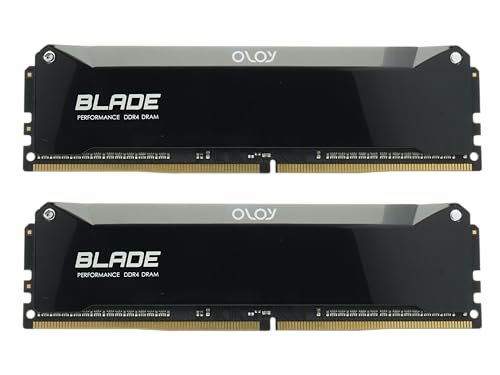
OLOy DDR4 RAM 16GB (2x8GB) 3600MHz
Best higher-frequency kit under (price varies): 2x8GB DDR4 kit at 3600MHz for users seeking faster memory within budget
DDR4 16GB (2x8GB) UDIMM with 3600 MHz CL18-22-22-42, 1.35V. Supports Intel XMP 3.0 automated overclocking; compatible with Intel and AMD. Customer note: smooth operation at 3266 MHz and easy installation
- 16GB dual-channel kit
- 3600 MHz with XMP 3.0
- lifetime warranty
-
10

Kingston 8GB DDR3 1333MHz DIMM Memory - non-ECC
Best legacy desktop stick: 8GB DDR3 1333MHz non-ECC DIMM for older desktop systems needing standard upgrades
8GB 1333MHz DDR3 memory module, unbuffered 240-pin DIMM. Compatibility tested and backed by lifetime warranty with free technical support. Customers note value for money and easy installation
- 8GB density module
- 1333MHz DDR3
- lifetime warranty