Best Computer Networking Modems Under $200 (2026)
We ranked modems under $200 by value score using DOCSIS generation, channel bonding, gigabit support, combo vs. modem-only design, and price-to-performance
The Verdict
- Best Overall: Motorola MB7621 Cable Modem for up to 900 Mbps — Best for straightforward gigabit plans: a DOCSIS 3.0 modem with solid channel bonding for reliable home connections
- Best Premium: ARRIS SB8200 Cable Modem (DOCSIS 3.1) 1 Gbps — Best DOCSIS 3.1 value for users needing 1 Gbps capability in a straightforward modem-only package
Top Picks
-
1
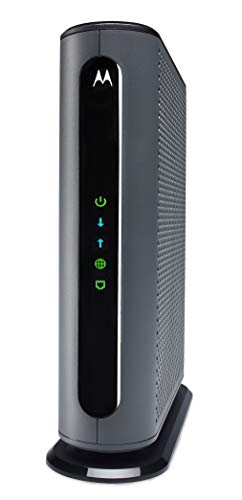
Best Overall Motorola MB7621 Cable Modem for up to 900 Mbps
Best for straightforward gigabit plans: a DOCSIS 3.0 modem with solid channel bonding for reliable home connections
Motorola MB7621 cable modem with 1 Gigabit Ethernet port for router connectivity. Enables faster and more reliable internet with a Full-Band Capture Digital Tuner. One customer notes it pays for itself in 7 months
- gigabit ethernet to router
- provider-approved compatibility
- capture tuner for reliability
-
2
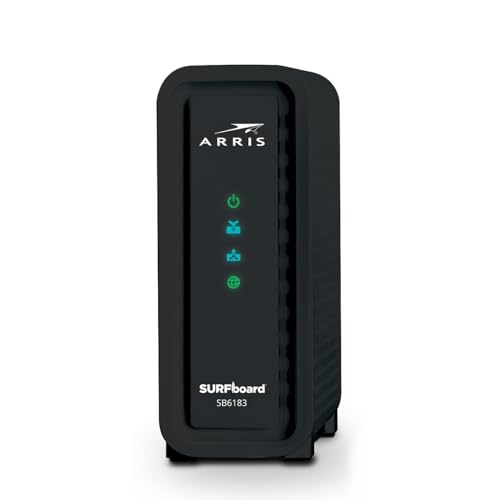
ARRIS SB6183 Cable Modem - DOCSIS 3.0 16x4 Gigabit
Best budget DOCSIS 3.0 option for basic cable internet with essential 16x4 channel bonding and gigabit Ethernet
DOCSIS 3.0 cable modem with 16 downstream and 4 upstream channels for gigabit speeds. Supports IPv4/IPv6 and is compatible with many US providers. Users note easy setup and value, with some reliability concerns over time
- DOCSIS 3.0 with 16x4 bonding
- Gigabit Ethernet port
- IPv4/IPv6 support
-
3

ARRIS SB6183-RB Cable Modem (DOCSIS 3.0) 16x4
Best ultra-budget pick when you need a simple DOCSIS 3.0 16x4 modem with a single gigabit port for wired devices
Cable modem with 1 Gbps port for multiple providers and easy setup. Customers note it works out of the box and delivers solid performance, with some experiencing failures after several months
- gigabit Ethernet port
- DOCSIS 3.0 16x4
- broad provider compatibility
-
4

NETGEAR CM500 Cable Modem (DOCSIS 3.0) for Xfinity, Cox
Best ISP-friendly choice for Xfinity/Cox customers seeking a tried-and-true DOCSIS 3.0 modem with gigabit support
DOCSIS 3.0 cable modem compatible with major providers, enabling rental-fee savings when paired with a router. Customers report reliable setup and good speed, though some compatibility notes exist
- rental-fee savings
- easy setup
- router compatibility
-
5

ARRIS SBG10 Cable Modem Router Combo
Best compact combo for simple setups that want a combined cable modem and basic Wi‑Fi router in one unit
DOCSIS 3.0 modem/router combo with 16x4 speeds and AC1600 WiFi. Helps reduce cable bill by owning your modem and supports multiple ISPs. Customer note cites mixed compatibility with Comcast/Xfinity
- two-in-one device (modem + router)
- compatible with many US providers
- saves on cable modem rental fees
-
6

NETGEAR Nighthawk AC1900 DOCSIS 3.0 Modem Router Combo
Best for basic AC1900 Wi‑Fi needs where an integrated modem-router reduces gear and simplifies home networking
All-in-one cable modem and WiFi router for major providers with easy setup via Nighthawk app. Customers note solid speed and broad coverage, with some connectivity issues mentioned
- works with major cable providers
- easy setup via app
- all-in-one modem router
-
7
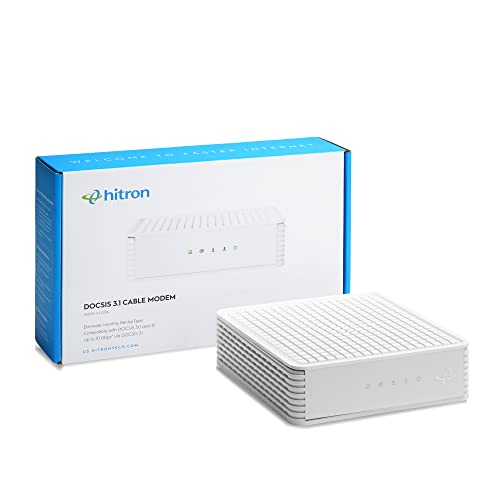
Hitron cable modem (DOCSIS 3.1) with 1 Gbps max speed
Best for modern gigabit plans: a DOCSIS 3.1 modem that supports 1 Gbps lines with a modem-only setup for router flexibility
Cable modem only, requires a separate WiFi router. Single Gigabit Ethernet port; compatibility check with provider recommended. Customer insight notes easy setup and speed, with mixed connectivity experiences
- DOCSIS 3.1 modem
- gigabit Ethernet
- provider compatibility guidance
-
8

Best Premium ARRIS SB8200 Cable Modem (DOCSIS 3.1) 1 Gbps
Best DOCSIS 3.1 value for users needing 1 Gbps capability in a straightforward modem-only package
DOCSIS 3.1 cable modem for high-speed internet, compatible with major providers. Easy setup with no built-in Wi-Fi. Customer feedback notes solid performance and reliability with some connectivity issues
- DOCSIS 3.1 tech
- 1 Gbps max speed
- certified for major providers
-
9

4G LTE USB WiFi Dongle & Mobile Hotspot Router
Best portable connectivity: a 4G LTE USB Wi‑Fi dongle and hotspot router for travel and backup internet access
Compact USB-powered dongle that creates a mobile WiFi hotspot from 4G LTE networks for laptop, tablet, or phone. Quick setup with portability for travel and business use
- pre-installed SIM card
- 4G LTE hotspot capability
- USB-powered portable modem
-
10

NETGEAR 32x8 DOCSIS 3.1 Cable Modem for Xfinity/Cox
Best midrange DOCSIS 3.1 option offering 32x8 channel support and compatibility with major cable providers
DOCSIS 3.1 cable modem compatible with major providers, enabling up to 1 Gbps plans. easy setup and reliable connectivity noted by users, with some reports of mixed performance
- DOCSIS 3.1 hardware
- up to 1 Gbps compatibility
- broad provider compatibility