Best Computer Networking Wireless Access Points Under $200 (2026)
We ranked APs by a value score combining wireless standard, features (PoE, outdoor rating, controller support), antenna/radio design, and user-manageability for under-(price varies) units
The Verdict
- Best Overall: TP-Link Omada Outdoor Access Point EAP225-Outdoor — Best outdoor option: weatherproof dual‑band design for extended external coverage and Omada management support
This roundup covers wireless access points suited for home and small-business networks priced under $200, prioritized by overall value across performance, features, and manageability. Selections emphasize dual-band or Wi‑Fi 6 support, PoE capability, and controller/enterprise management where available
Top Picks
-
1

Best Overall TP-Link Omada Outdoor Access Point EAP225-Outdoor
Best outdoor option: weatherproof dual‑band design for extended external coverage and Omada management support
Outdoor dual-band access point with MU-MIMO delivering up to 1200 Mbps. Supports multiple SSIDs and remote management for scalable deployments. Customers note easy setup and reliable coverage, with some reports of occasional connectivity drops
- outdoor-ready IP65 enclosure
- MU-MIMO with 1200 Mbps total throughput
- multiple SSIDs up to 16
-
2

TP-Link EAP225 Omada AC1350 Wireless AP
Best balance: dual‑band AC1350 radios and Omada controller compatibility for solid performance and manageability
Dual-band wireless access point supporting MU-MIMO with 1350 Mbps total speed. Integrates with Omada SDN for centralized cloud management and remote access via Omada app. Customers note easy setup and reliable performance
- MU-MIMO wireless speeds
- Omada SDN integration
- Cloud access and centralized management
-
3

TP-Link EAP610 Omada WiFi 6 AX1800 Access Point
Best Wi‑Fi 6 value: AX1800 performance and Omada integration for higher throughput and modern device support
Omada cloud-managed WiFi 6 access point with PoE+, supports mesh, OFDMA, MU-MIMO, and seamless roaming. Customers note easy setup and solid signal, with some reports of occasional connectivity drops
- cloud management
- WiFi 6 performance
- mesh and roaming support
-
4

Ubiquiti UniFi 802.11ac Dual-Radio PRO Access Point (UAP-AC-PRO-US)
Best for denser environments: dual‑radio 802.11ac design delivers strong multi‑client performance and enterprise features
Dual-radio WiFi access point for network management from a single control plane. Includes remote firmware upgrades and guest portal support. Users comment on broad range and stable setup, with some connectivity mixed for Apple devices
- wide coverage and throughput potential
- centralized management
- guest portal support
-
5
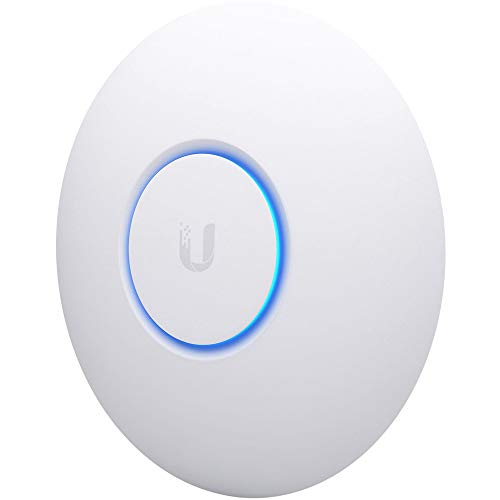
Ubiquiti UniFi nanoHD Enterprise AP (UAP-NANOHD-US)
Best compact enterprise option: small form factor with MU‑MIMO and centralized UniFi management for tight spaces
Compact 802.11ac Wave2 enterprise access point with MU-MIMO and PoE compatibility. Noted for solid range and multi-user connectivity in home and small office setups
- Wave2 MU-MIMO capability
- high client concurrency support
- PoE compatibility for easy installation
-
6

TP-Link EAP650 Ultra-Slim Wireless Access Point
Best slim Wi‑Fi 6 unit: low‑profile design with AX capabilities suited to offices seeking modern throughput without bulk
Ultra-slim Wi‑Fi 6 AX3000 access point with cloud management via Omada. Seamless roaming, WPA3, MU‑MIMO, and PoE+ power. Customer note: easy setup and strong signal, though some report occasional connectivity issues
- Omada cloud management
- Wi‑Fi 6 AX3000 performance
- mesh and roaming capability
-
7

TP-Link EAP110-Outdoor N300 Wireless AP (V3) with PoE
Best budget outdoor pick: PoE support and rugged N300 design for simple point‑to‑point or coverage extension tasks
Outdoor wireless access point with N300 speed and weatherproof design. Supports secure WPA/WPA2-enterprise and centralized management via Omada SDN; includes a PoE injector for flexible installation. Customers note easy setup and good range, with mixed signal strength reports
- N300 wireless performance
- outsider-friendly mounting & PoE
- Omada SDN cloud/app management
-
8

TP-Link AC1200 Wireless Gigabit Access Point
Best simple AP: AC1200 dual‑band option for basic bridge or access point use with straightforward setup
Dual‑band AC1200 access point with MU‑MIMO and four fixed antennas for multi‑mode operation. Customers note easy setup and solid range, though some report variable signal strength
- MU‑MIMO dual‑band up to 1200 Mbps
- 4 in 1: client, SSID, range extender, AP
- easy setup and reliable range for some users
-
9
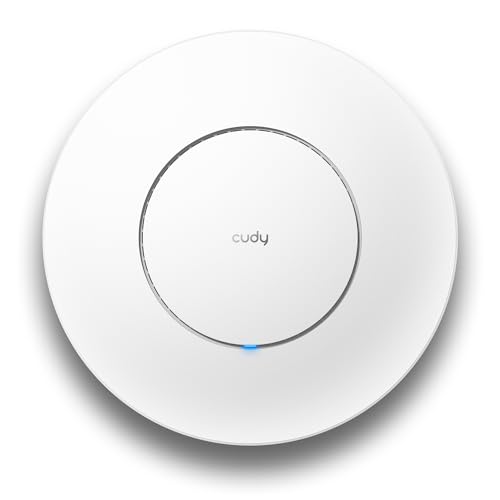
Cudy AP1300 AC1200 Wireless Access Point
Best midrange feature set: AC1200 dual‑band with PoE and MU‑MIMO for flexible small‑site deployments
Cudy AP1300 is an AC1200 dual-band wireless access point with MU-MIMO and PoE/DC power options. It supports seamless roaming and can connect 100+ devices, delivering reliable coverage across spaces. Customers find setup easy and note strong signal range
- MU-MIMO with dual-band throughput
- PoE or DC power options
- Mesh/roaming capable
-
10
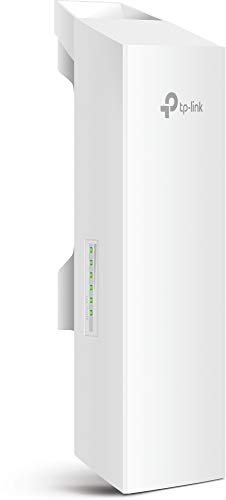
TP-Link 2.4GHz N300 Outdoor CPE for PtP/ PtMP
Best point‑to‑point outdoor: 2.4GHz N300 CPE built for long‑range PtP/PtMP links in outdoor installations
Outdoor 2.4 GHz CPE with 9dBi dual-polarized antenna for long-range wireless links. Provides TP-Link Pharos TDMA tech for improved throughput. Customer note: good WiFi performance and range, with setup and stability mixed feedback
- 9dBi dual-polarized antenna
- long-range with 5km+ capability
- Pharos TDMA technology