Best Computer Screen Protectors (2026 Guide)
Selections were based on aggregated star ratings and review volume, across different monitor sizes, emphasizing blue-light filtering, build quality, and installation ease
The Verdict
- Best Overall: VizoBlueX Anti-Blue Light Screen Protector 21-22 inch — Best for larger 21–22" displays: reliable blue-light filtering and straightforward installation for extended desktop use
- Best Value: VINTEZ blue light screen protector for 15.6" monitor & laptop — Best for 15.6" laptops: compact blue-light filtering with a focus on eye comfort for mobile workstations
Top Picks
-
1
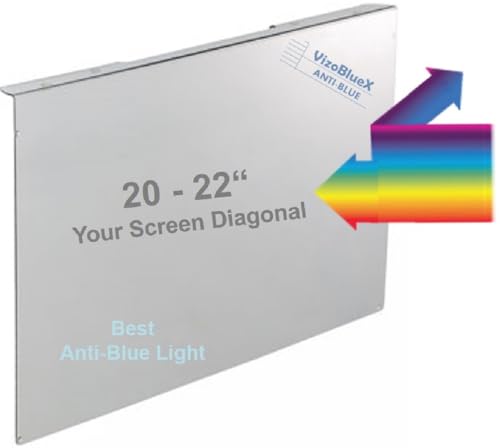
Best Overall VizoBlueX Anti-Blue Light Screen Protector 21-22 inch
Best for larger 21–22" displays: reliable blue-light filtering and straightforward installation for extended desktop use
Anti-blue light screen protector for 20–22 inch monitors. Blocks HEV light to reduce eye strain with clear display and easy top-hang installation
- anti-blue light protection
- top-hang installation
- screen-diagonal fit 21–22 inch
-
2
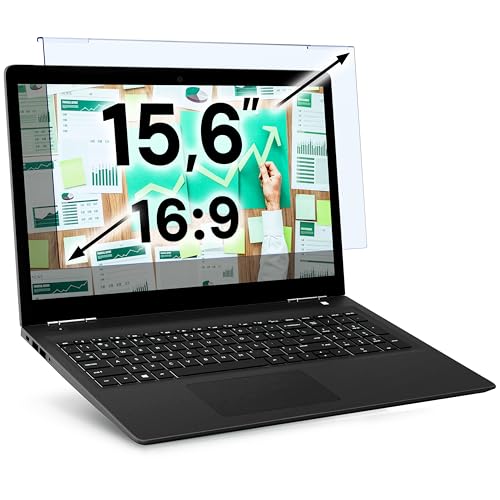
Best Value VINTEZ blue light screen protector for 15.6" monitor & laptop
Best for 15.6" laptops: compact blue-light filtering with a focus on eye comfort for mobile workstations
Blue light blocking film for 15.6" screens. Reduces eye strain and fits monitors precisely; users report easy installation and a good fit with several brands
- blue light blocking for eye protection
- precise 14.2 x 8.7 in filter size
- fits 15.6" monitors
-
3

VINTEZ blue light screen protector for 14" monitor & laptop
Best for 14" laptops: sized for smaller laptops with blue-light reduction suited to close-up viewing
Blue light screen protector filters eye strain for 14" screens. Improves comfort with blue light blocking; customers report easy installation and good fit for various brands
- eye strain relief
- blue light blocking
- fits 14" screens
-
4

VizoBlueX Anti-Blue Light Screen Protector 23-24 in
Best for 23–24" monitors: broad coverage and blue-light blocking aimed at sustained desktop productivity
Anti-blue light screen protector for 23–24 inch monitors. Blocks blue light and HEV, reduces eye strain without compromising clarity. Users report easy installation and secure hanging from monitor top
- blue light blocking 380-480nm
- multi-layer protection
- easy installation
-
5

VizoBlueX Anti-Blue Light Screen Protector (25-26 inch) 23.6 x 14.4 in
Best for 25–26" ultrawide-style screens: large-format coverage with blue-light filtering to reduce eye fatigue
Anti-blue light monitor screen protector blocks 380–495 nm to reduce eye strain while maintaining clarity. Users report easy installation and secure hanging from the top of monitors
- blocks 380–480 nm blue light
- multi-layer protection
- fits 25–26 inch diagonals
-
6
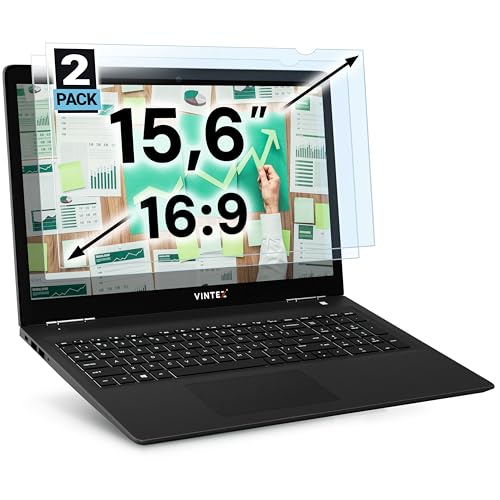
VINTEZ blue light screen protector for 15.6" monitors and laptops
Best for 15.6" monitor setups: balanced blue-light protection and easy fit for common laptop displays
Blue light screen protector for 15.6" monitors and laptops. Reduces eye strain and serves as a blue light filter; easy to install with a note on mixed adhesion feedback
- eye strain relief
- blue light blocking filter
- fit for multiple brands
-
7

VINTEZ blue light screen protector for 24" monitor
Best for 24" monitors: purpose-sized protector offering blue-light reduction for standard desktop screens
Blue light blocking film designed for 24" monitors and laptops. Provides eye protection and easy installation with a fit for multiple brands
- blue light reduction
- eye comfort
- fits 24 inch screens
-
8

VINTEZ blue light screen protector for 17-19in monitors
Best for 17–19" monitors: mid-size protector delivering blue-light relief with attention to monitor privacy and clarity
Blue light screen protector for 17-19 inch monitors and laptops. Reduces eye strain and serves as a blue light filter; many users report easy installation with a good fit, though adhesion varies
- blue light filtering
- fits multiple 17-19 inch sizes
- eye protection benefit
-
9

Anti Blue Light Screen Protector for 23-24 inch monitors
Best for 23–24" desktop users wanting anti-blue-light protection with durable surface treatment
Anti-blue light screen protector for 23–24 inch desktops. reduces eye strain and glare while fitting most widescreen monitors. customers note easy installation and good fit, with mixed clarity feedback
- eye-strain reduction
- wide-size compatibility
- anti-blue light protection
-
10

ZYY 23-24 inch anti blue light screen protector for monitor
Best for 23–24" iMac-style displays: anti-blue-light coverage tailored to preserve screen clarity on glossy panels
Blue light and UV blocking screen protector designed for 23-24 inch displays, including iMac 24 and curved monitors. Provides eye strain relief and anti-glare features, with easy installation and a precise fit for 23-24 inch screens
- anti blue light and UV blocking
- fits 23-24 inch range
- compatible with iMac 24 and curved monitors