Best Digital Pens Under $200 (2026)
We ranked candidates by value score using compatibility, feature set (pressure/tilt/Bluetooth), build quality, and user-focused price-to-performance balance
The Verdict
- Best Overall: Microsoft Surface Pen - Burgundy — Best for Surface users: reliable stylus performance and strong integration with Surface device features
This roundup identifies high-value digital pens under $200 that balance responsiveness, features, and compatibility for tablets and laptops. Picks were chosen by comparing pressure/tilt support, compatibility with major device ecosystems, build quality, and overall value scores
Top Picks
-
1

Best Overall Microsoft Surface Pen - Burgundy
Best for Surface users: reliable stylus performance and strong integration with Surface device features
The Surface Pen offers natural writing and sketching with 4,096 pressure points and real-time ink flow. It works with apps like OneNote, Microsoft Office, and Adobe Suite. Customers note smooth writing and magnetic attachment, with mixed views on value and durability
- 4096 pressure points for precision
- low-latency real-time ink
- magnetic attachment
-
2

Lenovo Digital Pen 2 for IdeaPad/Yoga
Best budget pick for Lenovo owners: affordable basic stylus functionality built for IdeaPad and Yoga devices
Digital pen with 4,096 pressure levels and elastometer tip for natural feel. Compatible with select IdeaPad Flex and Yoga models; mixed feedback on compatibility and connectivity plus durable concerns noted in customer insights
- 4096 pressure levels
- natural elastometer pen tip
- extended battery life
-
3

Lenovo Digital Pen 3 for Laptops with Tilt Recognition
Best midrange Lenovo option: adds tilt recognition for improved drawing and shading control on compatible laptops
Lenovo Digital Pen 3 supports multiple protocols and advanced tilt recognition for natural pen-on-paper feel. Useful with drawing and editing apps; some users praise compatibility with Photoshop but report mixed connectivity and durability concerns
- tilt recognition for precision
- supports WGP, MPP2.0, AIT
- pen with versatile connectivity
-
4

Metapen Air8 Pro X Stylus for iPad
Best low-cost iPad stylus alternative: lightweight option focused on everyday note-taking and sketching
A lightweight stylus with retro-inspired design and quiet, smooth writing. Includes an all-new air-flex tip for quiet operation and fast charging. Customers note smooth glide and quietness, with some mixed feedback on battery life and functionality
- retro-inspired design
- quiet operation
- fast charging
-
5

SAMSUNG Galaxy Tab S9 FE S Pen with IP68 water resistance
Best for rugged use: water resistance plus S Pen compatibility designed for Galaxy Tab S9 FE workflows
S Pen designed for Galaxy Tab S9 FE for precise writing and navigation. IP68 water resistance adds durability; customers note solid pen quality and reliable performance
- precision writing
- pressure-sensitive tip
- water resistant design
-
6

Microsoft Surface Slim Pen 2 — Matte Black with Bluetooth 5.0
Best for Surface with Bluetooth features: slim Bluetooth pen with enhanced input modes and haptic-aware design
Slim pen with 4,096 pressure points and real-time inking for natural notes on screen. Haptic feedback simulates writing on paper. Mixed feedback on connectivity and charging accessories from user insights
- haptic writing feedback
- high-pressure sensitivity
- real-time inking experience
-
7

Lenovo Slim Pen: Magnetic Stylus for Laptops, 4096 pressure
Best for pressure-sensitive input: magnetic laptop stylus offering 4096 pressure levels for precise strokes
Lenovo Slim Pen provides precise writing with 4096 pressure levels and tilt detection, plus magnetic attachment for convenient storage. Some users report compatibility issues and battery/connection concerns
- high-precision input
- tilt-aware
- magnetic storage
-
8

M Pen Black Active Stylus for Surface and more
Surface-compatible alternative: active stylus providing core pen functions for Surface and similar devices
Active stylus with 4096 pressure levels for precise sketching and writing. Palm rejection allows natural resting on screen; tilt support enhances shading. Customers note good functionality but mixed lag and connectivity feedback
- 4096 pressure levels
- palm rejection
- tilt support
-
9
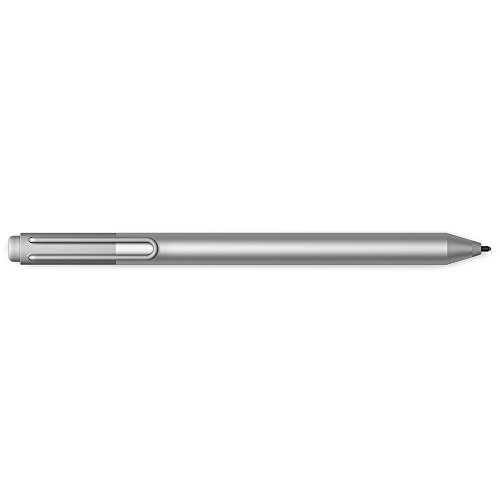
Microsoft Surface Pen for Surface 3/Pro 3/4/Book (Silver)
Best legacy Surface support: straightforward stylus choice for older Surface 3/Pro-era devices needing compatibility
Surface Pen with Windows Ink compatibility for Surface 3, Pro 3/4, and Surface Book. Interchangeable tips and precise writing experience highlighted by users
- windows ink compatibility
- tip variety
- multi-device compatibility
-
10

Huion PW517 Battery-Free Pen for Kamvas tablets
Best for drawing tablets: battery-free EMR pen optimized for Kamvas displays with consistent line response
Pen Tech 3.0 battery-free stylus with EMR, 8192 pressure levels and 60 tilt. Stable drawing with lower nib position. Customer insight notes durability with mixed functionality
- battery-free stylus
- high pressure sensitivity
- tilt sensing