Best Digital Pens Under $50 (2026)
We selected products under $50 and ranked them by a composite value score combining compatibility, feature set (pressure/tilt), build quality, and user-focused conveniences
The Verdict
- Best Overall: Lenovo Digital Pen 2 for IdeaPad/Yoga — Best for Lenovo laptop users: solid elastomer tip and laptop-focused compatibility for precise note-taking and navigation
- Best Value: Dell Premium Active Pen PN579X stylus for Windows ink compatible devices — Best for Windows Ink workflows: compatible active pen aimed at note-taking and annotation on Windows devices
This roundup highlights digital pens under $50 chosen for practical value, compatibility, and feature balance for tablets, laptops, and drawing displays. Products were ranked by a value score that weights build quality, input responsiveness, and useful features like tilt, pressure, and battery design
Top Picks
-
1

Best Overall Lenovo Digital Pen 2 for IdeaPad/Yoga
Best for Lenovo laptop users: solid elastomer tip and laptop-focused compatibility for precise note-taking and navigation
Digital pen with 4,096 pressure levels and elastometer tip for natural feel. Compatible with select IdeaPad Flex and Yoga models; mixed feedback on compatibility and connectivity plus durable concerns noted in customer insights
- 4096 pressure levels
- natural elastometer pen tip
- extended battery life
-
2

Lenovo Digital Pen 3 for Laptops with Tilt Recognition
Best for tilt-aware input: includes tilt recognition for more natural drawing and shading on compatible laptops
Lenovo Digital Pen 3 supports multiple protocols and advanced tilt recognition for natural pen-on-paper feel. Useful with drawing and editing apps; some users praise compatibility with Photoshop but report mixed connectivity and durability concerns
- tilt recognition for precision
- supports WGP, MPP2.0, AIT
- pen with versatile connectivity
-
3

Metapen Air8 Pro X Stylus for iPad
Best budget iPad stylus: lightweight option tailored for tablet drawing with responsive input for sketches and notes
A lightweight stylus with retro-inspired design and quiet, smooth writing. Includes an all-new air-flex tip for quiet operation and fast charging. Customers note smooth glide and quietness, with some mixed feedback on battery life and functionality
- retro-inspired design
- quiet operation
- fast charging
-
4

SAMSUNG Galaxy Tab S9 FE S Pen with IP68 water resistance
Best for rugged use: water resistance and a pen design suited to Galaxy Tab devices for reliable everyday use
S Pen designed for Galaxy Tab S9 FE for precise writing and navigation. IP68 water resistance adds durability; customers note solid pen quality and reliable performance
- precision writing
- pressure-sensitive tip
- water resistant design
-
5

M Pen Black Active Stylus for Surface and more
Best cross-device Surface alternative: active stylus that balances compatibility with 2-in-1 laptops and tablets
Active stylus with 4096 pressure levels for precise sketching and writing. Palm rejection allows natural resting on screen; tilt support enhances shading. Customers note good functionality but mixed lag and connectivity feedback
- 4096 pressure levels
- palm rejection
- tilt support
-
6

Huion PW517 Battery-Free Pen for Kamvas tablets
Best for tablet artists: battery-free EMR pen offering precise strokes and compatibility with Kamvas drawing displays
Pen Tech 3.0 battery-free stylus with EMR, 8192 pressure levels and 60 tilt. Stable drawing with lower nib position. Customer insight notes durability with mixed functionality
- battery-free stylus
- high pressure sensitivity
- tilt sensing
-
7

M Pen Grey Active Stylus for Surface/2-in-1s
Best for Surface-style workflows: active stylus with palm-rejection and tilt support for productivity and sketches
Active stylus with 4,096 pressure sensitivity and palm rejection for precise writing and drawing. Mixed customer feedback on battery life and connectivity
- 4096 pressure levels
- palm rejection
- compatible with multiple devices
-
8

Best Value Dell Premium Active Pen PN579X stylus for Windows ink compatible devices
Best for Windows Ink workflows: compatible active pen aimed at note-taking and annotation on Windows devices
Dell Premium Active Pen offers multi-protocol compatibility for selected 2-in-1 Dell devices with Windows Ink. It supports MPP 1.51, Wacom AES 1.0/2.0 via multimode controller. Customer insight notes mixed compatibility and durability concerns
- multi-protocol compatibility
- Windows Ink compatible
- Bluetooth connectivity
-
9
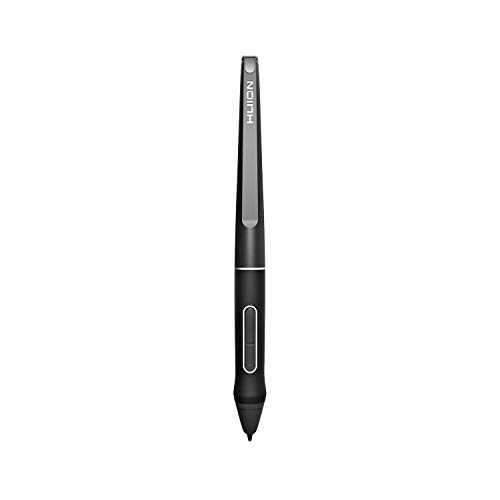
HUION PW507 Battery-Free Stylus for Kamvas Pro/Kamvas models
Best Kamvas compatible alternative: battery-free stylus that delivers accurate pen input for graphic tablet users
Battery-free stylus compatible with specific Huion Kamvas displays; features 8192 levels of pressure and high report rate for precise drawing. Customer feedback is mixed on functionality and durability
- battery-free stylus
- 8192 pressure levels
- 266 PPS report rate
-
10
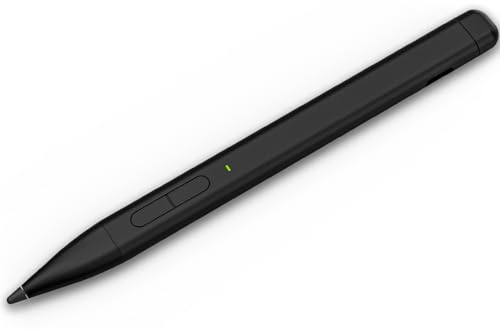
Stylus Pen for Microsoft Surface – HATOKU Slim Pen with 60H Battery
Best battery life for Surface use: slim rechargeable pen with long runtime and pressure sensitivity suited to sketching
HATOKU Slim Pen connects directly to Surface devices for instant note-taking and document markups with 4096-level pressure and 55 tilt. Features long battery life and USB-C recharge for on-the-go use. Customer insight: mixed feedback on setup experience
- zero setup for quick start
- 60-hour runtime
- secure magnetic attachment