Best Digital Pens (2026 Guide)
We selected pens by aggregating product star ratings and review volume, then prioritized cross-device compatibility, core features (pressure, tilt, latency), and unique attributes like water resistance or battery-free operation
The Verdict
- Best Overall: Microsoft Surface Pen - Burgundy — Best for Surface users: precise pen input with strong Surface compatibility and pressure-aware control
This guide covers top-rated digital pens for tablets, laptops, and graphic tablets, selected by combined star rating and review volume to surface widely used, well-reviewed options. Picks prioritize compatibility, input responsiveness, and standout features like tilt recognition, pressure sensitivity, and water resistance
Top Picks
-
1

Best Overall Microsoft Surface Pen - Burgundy
Best for Surface users: precise pen input with strong Surface compatibility and pressure-aware control
The Surface Pen offers natural writing and sketching with 4,096 pressure points and real-time ink flow. It works with apps like OneNote, Microsoft Office, and Adobe Suite. Customers note smooth writing and magnetic attachment, with mixed views on value and durability
- 4096 pressure points for precision
- low-latency real-time ink
- magnetic attachment
-
2

Lenovo Digital Pen 2 for IdeaPad/Yoga
Best budget Lenovo pick: affordable active stylus with an elastomer tip suited for IdeaPad and Yoga models
Digital pen with 4,096 pressure levels and elastometer tip for natural feel. Compatible with select IdeaPad Flex and Yoga models; mixed feedback on compatibility and connectivity plus durable concerns noted in customer insights
- 4096 pressure levels
- natural elastometer pen tip
- extended battery life
-
3

Lenovo Digital Pen 3 for Laptops with Tilt Recognition
Best for sketching on Lenovo laptops: tilt recognition provides smoother shading and natural strokes
Lenovo Digital Pen 3 supports multiple protocols and advanced tilt recognition for natural pen-on-paper feel. Useful with drawing and editing apps; some users praise compatibility with Photoshop but report mixed connectivity and durability concerns
- tilt recognition for precision
- supports WGP, MPP2.0, AIT
- pen with versatile connectivity
-
4

Metapen Air8 Pro X Stylus for iPad
Best iPad value: lightweight active stylus designed for iPad use with responsive tip behavior
A lightweight stylus with retro-inspired design and quiet, smooth writing. Includes an all-new air-flex tip for quiet operation and fast charging. Customers note smooth glide and quietness, with some mixed feedback on battery life and functionality
- retro-inspired design
- quiet operation
- fast charging
-
5

SAMSUNG Galaxy Tab S9 FE S Pen with IP68 water resistance
Best for rugged use: water-resistant S Pen rated for IP68 with reliable Galaxy Tab S9 FE compatibility
S Pen designed for Galaxy Tab S9 FE for precise writing and navigation. IP68 water resistance adds durability; customers note solid pen quality and reliable performance
- precision writing
- pressure-sensitive tip
- water resistant design
-
6

Microsoft Surface Slim Pen 2 — Matte Black with Bluetooth 5.0
Best Surface accessory for workflow: slim Bluetooth pen with enhanced input features and a compact design
Slim pen with 4,096 pressure points and real-time inking for natural notes on screen. Haptic feedback simulates writing on paper. Mixed feedback on connectivity and charging accessories from user insights
- haptic writing feedback
- high-pressure sensitivity
- real-time inking experience
-
7

Lenovo Slim Pen: Magnetic Stylus for Laptops, 4096 pressure
Best for pressure-sensitive work on Lenovo devices: magnetic stylus offering 4096 levels of pressure for detailed control
Lenovo Slim Pen provides precise writing with 4096 pressure levels and tilt detection, plus magnetic attachment for convenient storage. Some users report compatibility issues and battery/connection concerns
- high-precision input
- tilt-aware
- magnetic storage
-
8

M Pen Black Active Stylus for Surface and more
Best versatile third-party Surface option: active stylus compatible with Surface devices and a familiar pen form factor
Active stylus with 4096 pressure levels for precise sketching and writing. Palm rejection allows natural resting on screen; tilt support enhances shading. Customers note good functionality but mixed lag and connectivity feedback
- 4096 pressure levels
- palm rejection
- tilt support
-
9
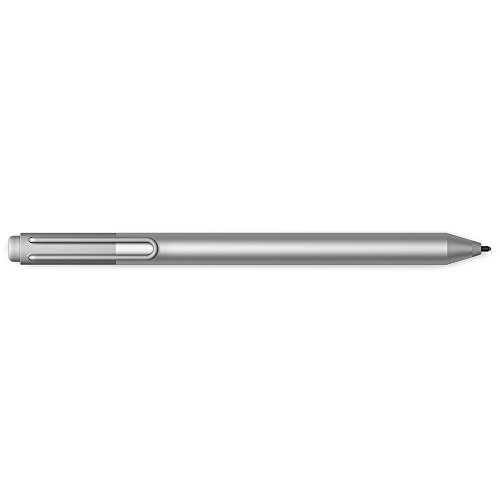
Microsoft Surface Pen for Surface 3/Pro 3/4/Book (Silver)
Best legacy Surface support: compatible with older Surface models and provides consistent pen input for those devices
Surface Pen with Windows Ink compatibility for Surface 3, Pro 3/4, and Surface Book. Interchangeable tips and precise writing experience highlighted by users
- windows ink compatibility
- tip variety
- multi-device compatibility
-
10

Huion PW517 Battery-Free Pen for Kamvas tablets
Best pen for graphics tablets: battery-free EMR stylus offering reliable performance with Kamvas displays
Pen Tech 3.0 battery-free stylus with EMR, 8192 pressure levels and 60 tilt. Stable drawing with lower nib position. Customer insight notes durability with mixed functionality
- battery-free stylus
- high pressure sensitivity
- tilt sensing