Best Laptop Screen Filters Under $100 (2026)
We selected models under $100 and ranked them by a composite value score using size compatibility, attachment method, privacy/glare features, and verified product specifications
The Verdict
- Best Overall: Magnetic Privacy Screen for 14 inch laptops — Best for quick magnetic mounting: solid privacy and glare reduction for 14-inch laptops with easy attach/remove
- Best Value: Magnetic Laptop Privacy Screen 14 Inch (16:10) — Best for 16:10 14-inch users who want a simple magnetic privacy filter that maintains clean installation
Top Picks
-
1

Best Overall Magnetic Privacy Screen for 14 inch laptops
Best for quick magnetic mounting: solid privacy and glare reduction for 14-inch laptops with easy attach/remove
Removable privacy filter with instant magnet attachment for laptops. Improves side-view privacy and reduces glare; users report easy installation and good fit on 14-inch models
- magnetic attachment
- privacy protection from side views
- glare resistance
-
2

Best Value Magnetic Laptop Privacy Screen 14 Inch (16:10)
Best for 16:10 14-inch users who want a simple magnetic privacy filter that maintains clean installation
Removable privacy filter attaches magnetically to the top of a laptop to block side views. Easy on/off with a 14-inch fit; some users note mixed magnet strength and glare handling
- magnetic attach/detach
- privacy from side views
- matte glare resistance
-
3

Magnetic Privacy Screen for MacBook Pro 14"
Best for 14-inch MacBook Pro owners seeking a magnetic privacy filter that adheres to precise Mac dimensions
Magnetic privacy screen attaches to the top of MacBook Pro 14" via magnets, offering side-view blocking and easy snap-on removal. Users note good fit and ease of installation, with mixed feedback on magnet strength and brightness reduction
- magnet-based attachment
- precise 14" MacBook Pro fit
- easy removal and reattachment
-
4

Magnetic Laptop Privacy Screen 15.6in (SightPro)
Best for 15.6-inch laptops needing a magnetic privacy screen that balances privacy and daily usability
Magnetic privacy screen filter for 15.6" laptops with top-mounted attachment. Provides side-view blocking and easy snap-on/off attachment; some users note reduced brightness and variable stickiness
- top-edge magnetic attachment
- privacy from side views
- easy on/off without tools
-
5

ZOEGAA 15.6 inch Privacy Screen with Magnetic Attachment
Best magnetic 15.6-inch option for users who want a removable privacy screen with basic glare control
Privacy screen for 15.6" laptops with magnetic, removable design. Improves privacy and fits both narrow and wide bezels; users praise easy installation and solid build, with mixed feedback on magnet strength and glare
- magnetic, removable design
- wide bezel compatibility
- self-developed optical film tech
-
6
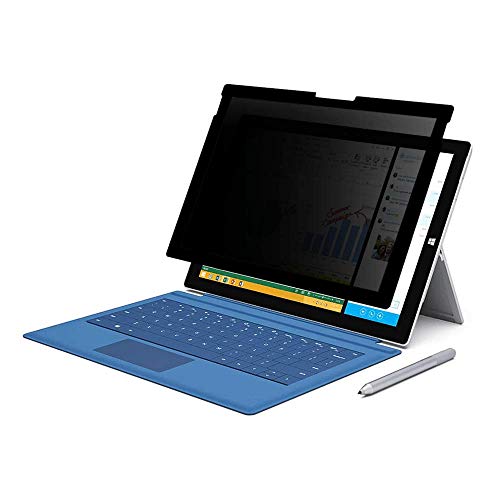
FILMEXT privacy screen for Surface Pro 7+/7/6/5/4 12.3"
Best for Surface Pro series: a model sized for 12.3-inch touch displays with privacy and anti-glare protection
Privacy screen protector for Surface Pro 7+/7/6/5/4 12.3" with anti-glare and blue-light protection. Customers note easy installation and privacy blocking, though some report fit and glare differences
- privacy screen for 12.3" Surface Pro models
- removable silicone seal
- bubble-free installation
-
7

PYS Detachable Laptop Privacy Screen Filter 15.6" 16:9
Best detachable 15.6-inch filter for users who prioritize a removable solution with a standard 16:9 fit
Detachable privacy screen filter for 15.6" laptops with anti-glare and blue light reduction. Magnetic installation and a storage clip for privacy when not in use. Some users report strong magnets and others report not sticking well
- magnetic detachability
- privacy protection
- anti-glare and blue light filter
-
8

3M Privacy Filter for 13.3" Widescreen Laptop with COMPLY Attachment
Best for a firmer attach method: a 13.3-inch filter using Comply tabs to secure a snug, low-profile fit
Privacy filter with microlouver tech for side-view protection and flip-to-share. Reversible glossy/matte finish and blue-light reduction. Mixed feedback on fit and clarity
- microlouver privacy technology
- compliant attachment for easy sharing
- reversible glossy/matte finish
-
9

Kensington MP15 Magnetic Privacy Screen for 15" MacBook Air
Best for 15-inch MacBook Air users wanting a magnetic privacy filter with added blue-light reduction features
Privacy screen filter for 15" MacBook Air attaches via built-in magnets, limits side viewing to +/- 30°, and reduces blue light. Includes cleaning cloth and screen holder; reversible matte/glossy options. Customer note: easy install and removal, mixed magnet strength
- privacy viewing angle ±30°
- macbook-integrated magnets
- blue light reduction up to 22%
-
10
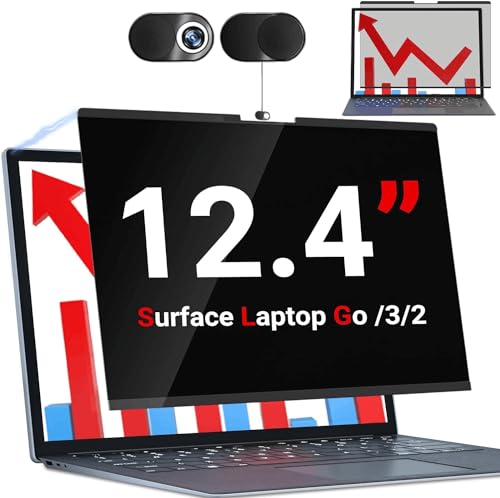
Privacy screen for Surface Laptop Go 3/2/1 12.4" (磁性可移除触控隐私膜)
Best for Surface Laptop Go series: a magnetic, removable 12.4-inch privacy film sized for those models
Privacy screen filter for Surface Laptop Go 3/2/1 12.4" with magnetic removal. Provides on-the-go privacy and glare reduction. Customers note easy fit and some report installation variability
- magnetic quick-swap design
- privacy protection for 12.4" surface go
- anti-glare and anti-scratch surface