Best PC Game Flight Controls Under $100 (2026)
We ranked products by a value score combining compatibility, features (axes/buttons/throttle), build quality, ergonomics, and price under $100
The Verdict
- Best Overall: Thrustmaster T-Flight Hotas X for PC — Best for entry HOTAS users: detachable throttle and programmable buttons that balance comfort and essential controls
This page compares PC-compatible flight controls and HOTAS accessories priced under $100, chosen for strong value based on build quality, feature set, and user-focused utility. Picks were selected by scoring each product on compatibility, ergonomics, function (throttle/axes/buttons), and overall value for typical PC flight-sim setups
Top Picks
-
1

Best Overall Thrustmaster T-Flight Hotas X for PC
Best for entry HOTAS users: detachable throttle and programmable buttons that balance comfort and essential controls
Programmable HOTAS with 12 buttons and 5 axles for PC flight sims. Includes internal memory to save profiles; compatible with PC and PS3. "Customers appreciate its solid construction and intuitive layout."
- 12 programmable buttons
- internal memory
- aerodynamic control via rotating handle
-
2

Thrustmaster AVA Offset Adapter for AVA Base on PC
Best for AVA-base users needing offset support: compact adapter that preserves axis alignment for customized layouts
Offset adapter to adjust grip position in the joystick's central position for improved realism and comfort. Easy, sturdy assembly without dismantling the AVA base; includes a 2-inch / 5-cm metal extension
- adjustable offset positions
- sturdy metal extension
- easy, tool-free installation
-
3
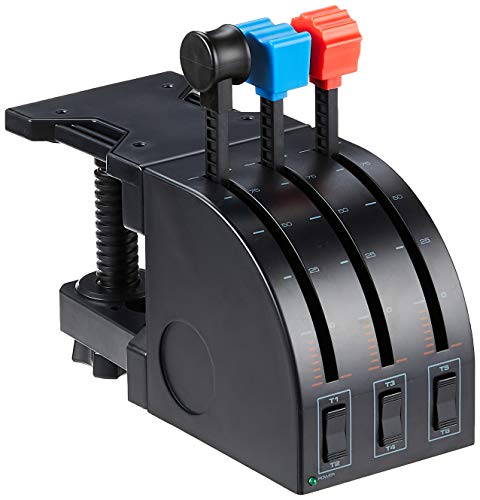
Logitech G Saitek PRO Flight Throttle Quadrant
Best for adding precise throttle control: multi-lever quadrant with dedicated detents and straightforward USB integration
Professional flight throttle quadrant with 3 axis levers, 3 two-way rocker switches, and an LCD display for flight sims. Customers note good functionality and ease of setup, with mixed opinions on build quality
- 3 axis lever set
- 3 two-way rocker switches
- adjustable mounting position
-
4

Thrustmaster T.Flight HOTAS 4 for PS5/PS4/PC
Best for multi-platform HOTAS flexibility: detachable throttle and joystick design suited to both PC and console setups
Compact HOTAS joystick with detachable throttle for PC and console use. Focused on plug-and-play setup with adjustable resistance for the joystick and intuitive controls. Customers note solid build and compatibility with multiple games, though drifting and throttle resistance vary
- detachable throttle
- adjustable joystick resistance
- plug-and-play joystick
-
5
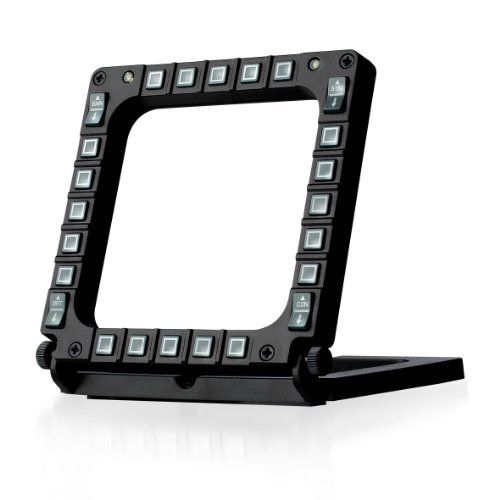
Thrustmaster MFD Cougar Pack (PC compatible)
Best for instrument expansion: multi-function display pack that adds dedicated switches and readouts to PC cockpits
Two MFD panels with 20 buttons each offer 48 programmable controls for flight simulations. Noted for solid build, stable desk presence, and easy setup despite brightness concerns
- 48 programmable controls total
- 20 buttons per MFD
- detachable non-slip base
-
6

Hikig Desk Mount for Joystick & HOTAS (2 Pack)
Best for secure desk mounting: two-piece clamp set that stabilizes joysticks and throttles on varied desk edges
Desk mount compatible with a wide range of flight controls; designed for stable, adjustable positioning. Customers note ease of assembly, sturdiness, and versatility across setups
- wide compatibility with flight controllers
- adjustable vertical mounting
- strong, secure clamp system
-
7
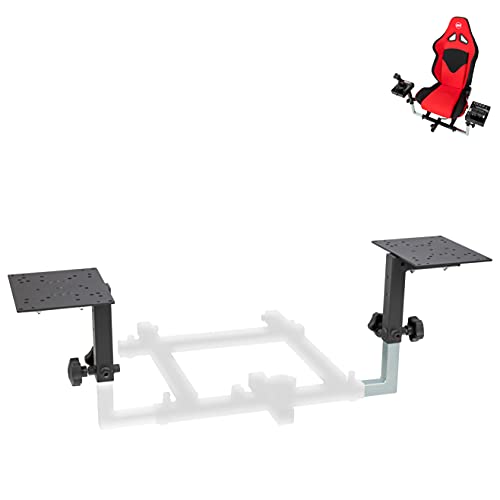
Flight Simulator HOTAS Add-on Kit for OpenWheeler cockpits
Best for cockpit add-ons: HOTAS kit designed to integrate directly with OpenWheeler cockpits for a coherent setup
OpenWheeler configuration #1 side-by-side HOTAS add-on kit. Complements multiple flight controllers for enhanced setup. Customer notes easy assembly and good functionality
- side-by-side HOTAS mounting
- OpenWheeler-specific design
- broad HOTAS compatibility
-
8
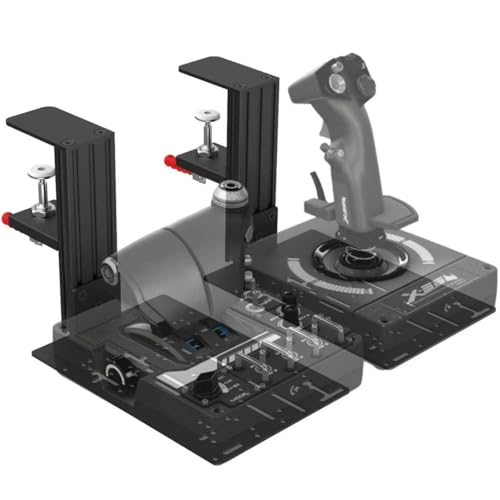
JUYEER Table Mount for Flight Sticks & Controllers
Best for compact table mounting: single clamp solution that positions flight sticks securely for tight setups
Table mount compatible with multiple flight sticks and throttles. offers adjustable height for desktop compatibility and strong clamping for stable setup. customers note sturdy build and easy assembly, with some difficulty mounting certain throttles
- adjustable vertical bracket
- high clamping force up to 386kg
- wide device compatibility
-
9
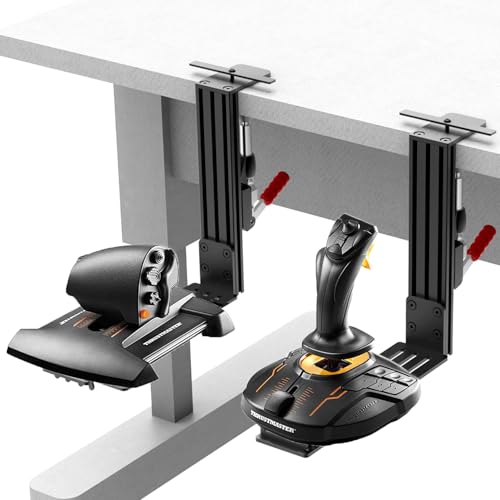
Desk Mount Joystick Mount for HOTAS (2 Pack) compatibles
Best dual-pack mount option: two-piece mounting set that offers flexible placement for left and right controls
Two-pack desk mount for HOTAS and flight sticks. Stable push-pull clamp, adjustable for 0.2–5.3 inch thick desks. Easy two-step setup and wide device compatibility, with ergonomic, adjustable design. Customer insight: ease of assembly and quality
- wide device compatibility
- stable clamping system
- ergonomic, adjustable design
-
10

Honeycomb Airbus Throttle Pack for Bravo Throttle Quadrant
Best for Airbus-style throttle feel: add-on throttle pack that brings airliner detents and levers to compatible quadrants
Add-on throttle pack expanding Airbus capabilities for Bravo Throttle Quadrant with 2- and 4-engine levers, precision thrust reverser, and friction-lock flaps. Useful for Airbus-focused flight sims and realistic engine control
- Airbus-specific throttle pack
- Precision thrust reverser with interlock
- Friction-locked flap levers