Best Renewed Computers & Accessories Under $200 (2026)
We ranked products by a composite value score using refurbishment quality, functional features, compatibility, and user utility for under $200 items
The Verdict
- Best Overall: Apple Magic Keyboard 2 (Wireless) Silver - Renewed — Best for Mac users: wireless Bluetooth layout with low-profile keys and Mac-oriented shortcuts for everyday typing
- Best Value: Logitech K480 Bluetooth keyboard for multi-device use — Best for multi-device portability: compact Bluetooth keyboard that easily switches between paired devices
Top Picks
-
1

Best Overall Apple Magic Keyboard 2 (Wireless) Silver - Renewed
Best for Mac users: wireless Bluetooth layout with low-profile keys and Mac-oriented shortcuts for everyday typing
Wireless Apple Magic Keyboard with scissor mechanism and long battery life. Pairs automatically with Mac; praised for typing comfort and minimal design. Some users note wear and scratches
- stable key mechanism
- automatic Mac pairing
- long battery life
-
2

Best Value Logitech K480 Bluetooth keyboard for multi-device use
Best for multi-device portability: compact Bluetooth keyboard that easily switches between paired devices
Compact, multi-device Bluetooth keyboard that works with computers, tablets, and smartphones. Noted for comfortable typing and easy setup across Apple and Android; some users find it heavy or small for tablets
- multi-device compatibility
- compact ergonomic layout
- easy device switching
-
3

Logitech K780 Multi-Device Wireless Keyboard
Best for mixed-device desks: full-layout wireless keyboard designed to handle multiple connections and number pad use
Multi-device wireless keyboard for computer, phone, and tablet with easy device switching. Users note smooth keys and quiet typing, though some report connectivity and power issues
- multi-device switching
- quiet typing
- cross-computer typing
-
4

Razer Huntsman Mini 60% Wired Optical Keyboard (Renewed) Mercury White
Best for compact gaming setups: 60% wired optical switch keyboard offering fast actuation in a small footprint
60% wired optical keyboard with Doubleshot PBT keycaps and onboard memory. Features fast actuation and customizable lighting presets. Customers note strong lighting and compact size, with mixed feedback on sound
- optical switch actuation
- pbt keycaps with side-printed functions
- onboard memory + lighting presets
-
5
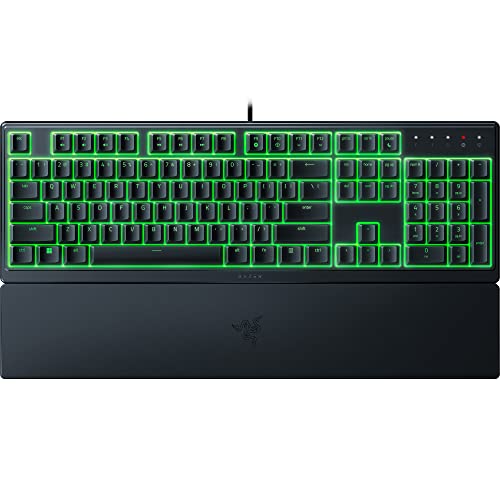
Razer Ornata V3 X Gaming Keyboard - Low-Profile Keys
Best for low-profile typing: gaming keyboard with slim keys that balance tactile feel and a low travel profile
Low-profile keyboard with silent membrane switches and an ergonomic wrist rest for extended use. Users note quiet operation and attractive lighting, with mixed views on responsiveness
- silent membrane switches
- ergonomic wrist rest
- rgb lighting
-
6

USB-C Portable Monitor 15.6" FHD HDR FreeSync
Best for on-the-go displays: 15.6-inch USB-C portable monitor with FHD IPS panel and adaptive sync support
15.6 inch USB-C portable monitor with 1080p IPS display, HDR and FreeSync for versatile setup. Notable for plug-and-play compatibility and solid build quality, as reported by customers
- 1080p IPS with wide viewing angle
- HDR and FreeSync support
- dual-type-C and mini HDMI inputs
-
7
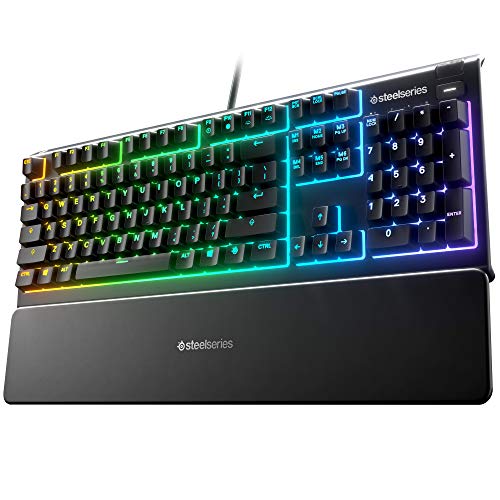
Apex 3 RGB Gaming Keyboard (Renewed) with 10-zone RGB, IP32, wireless wrist rest
Best for budget RGB enthusiasts: spill-resistant RGB keyboard with tactile membrane-style switches and wrist support
SteelSeries Apex 3 RGB keyboard with 10-zone lighting and whisper quiet switches. Includes premium magnetic wrist rest and multimedia controls. Customers note good build quality and quiet operation, with mixed feedback on lighting and functionality
- 10-zone RGB illumination
- Premium magnetic wrist rest
- Whisper quiet gaming switches
-
8
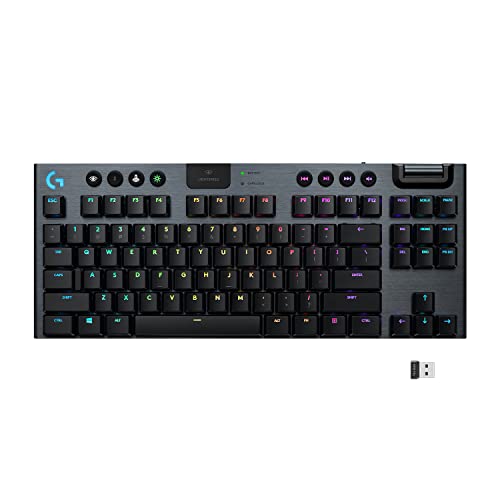
Logitech G915 TKL wireless RGB mechanical keyboard (renewed)
Best for premium wireless play: tenkeyless wireless RGB mechanical keyboard with thin-profile chassis for serious users
Compact wireless mechanical keyboard with RGB lighting and multi-connectivity. Users note solid build and wireless convenience, with mixed opinions on battery life
- wireless + bluetooth support
- tenkeyless form factor
- low profile mechanical switches option
-
9
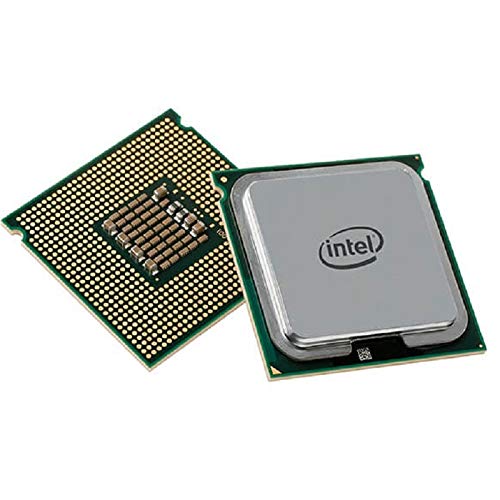
Intel Xeon X5680 6-core 3.33GHz CPU (Renewed)
Best for workstation builds: six-core server CPU that adds multi-threaded performance for compute-heavy tasks
Intel Xeon X5680 processor with 6 cores and 3.33GHz. Delivers notable speed improvements and straightforward installation. One customer notes improved audio system performance
- 6 cores / 12 threads in HT mode
- 3.33 GHz with 6.4 GT/s QPI
- renewed Intel Xeon processor
-
10

Logitech Pebble Keys 2 K380s keyboard, multi-device, slim & portable
Best for slim travel use: lightweight multi-device Bluetooth keyboard designed for portability and quiet typing
Compact, multi-device Bluetooth keyboard with Easy-Switch and customizable shortcuts. Improves connectivity and efficiency with longer battery life and Logi Options+ support. Customers note portability and ease of use
- multi-device Bluetooth with Easy-Switch
- extended battery life
- Logi Options+ compatibility