Best Webcams for Video Conferencing (2026)
We selected webcams by comparing video specs (resolution, fps, autofocus), microphone setup, mounting options, and overall value across common conferencing use cases
The Verdict
- Best Overall: Logitech C920 Pro Webcam — Great for hybrid workers: reliable 1080p video and consistent autofocus for everyday video meetings
- Best Value: EMEET 1080P USB Webcam with Microphone (C960) 90° FOV — Budget-friendly option with dual mics and a 90° field of view that suits small group calls
This roundup identifies webcams that suit common video-conferencing needs, ranked by fit and value across resolution, frame rate, field of view, and microphone quality. Picks were chosen by comparing objective specs, connectivity, and user-focused features such as autofocus, mic configuration, and frame-rate for smooth calls
Top Picks
-
1
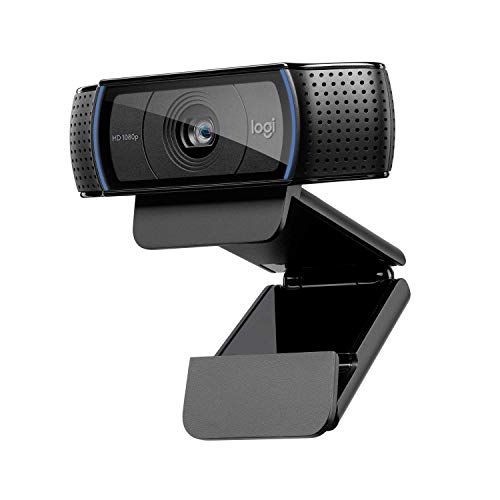
Best Overall Logitech C920 Pro Webcam
Great for hybrid workers: reliable 1080p video and consistent autofocus for everyday video meetings
Full HD webcam for video calls and recording with clear 1080p footage. Customers note crystal clear image, easy setup, and good value for money
- crystal clear picture quality
- easy setup
- wide compatibility
-
2

Logitech Brio 100 Full HD Webcam with Microphone
Solid choice for clear 1080p conferencing with built-in microphone for straightforward plug-and-play use
Logitech Brio 100 webcam delivers Full HD 1080p video, built-in microphone, and privacy shutter for meetings and streaming. customers note easy setup, broad OS compatibility, and solid picture quality
- full hd 1080p video
- privacy shutter
- auto-light balance
-
3

NexiGo N660P 1080p 60fps Webcam with Auto Focus & Mics
Best for motion-heavy calls: 1080p at 60fps plus autofocus keeps fast movements smooth and sharp
NexiGo N660P webcam delivers 1080p/60fps video with auto white balance and exposure, plus a built-in stereo microphone. Customers note crisp picture and easy setup, with clear sound but mixed autofocus performance
- high-definition 1080p/60fps
- built-in stereo microphone
- automatic lighting adjustments
-
4

Logitech C920x HD Pro Webcam
Dependable office webcam: consistent 1080p performance and reliable autofocus for routine meetings
Logitech C920x HD Pro webcam with 1080p/30fps video and stereo mics for clear calls and streaming. Noted for good picture quality and easy setup, with mixed feedback on autofocus and audio
- 1080p video + stereo mics
- auto lighting correction
- easy setup and compatibility
-
5

Best Value EMEET 1080P USB Webcam with Microphone (C960) 90° FOV
Budget-friendly option with dual mics and a 90° field of view that suits small group calls
EMEET 1080P webcam with two built-in microphones delivers clear video for calls and streaming. Users note easy setup and plug-and-play use, with some mixed opinions on microphone sensitivity
- dual noise-reduction mics
- privacy cover
- full hd 1080p with wide 90° FOV
-
6

NexiGo N60 1080P Webcam with Microphone
Entry-level pick for simple video calls offering 1080p and an integrated mic for basic conferencing needs
NexiGo N60 webcam with 1080p video and built-in microphone. Plug-and-play USB setup with wide compatibility and no driver install. Users report clear picture quality and easy setup, though some note mixed performance across devices
- plug-and-play with no drivers
- 1080p clarity
- microphone included
-
7

EMEET 1080P Webcam with Microphone (C960) – 2 Mics, 90° FOV, USB
Practical midrange webcam with two mics and a 90° FOV that balances voice pickup and desktop coverage
Compact 1080p webcam with built-in microphone and privacy cover for clear video calls. Includes 2 noise-reduction mics and a fixed focal length for sharper images; plug-and-play with USB connections. Users note solid video quality and easy setup, with mixed opinions on mic performance
- 1080p video with privacy cover
- dual noise-reduction microphones
- plug-and-play USB connection