Best Desktop Photo Printers Under $200 (2026)
We selected models under $200 with 4x6 photo capability and scored them by print quality, connectivity, consumable value, and user convenience
The Verdict
- Best Overall: KODAK Dock Plus 4PASS Instant Photo Printer, 4x6 — Best for quick 4x6 prints: compact dock-style design with simple mobile printing and easy paper loading
- Best Premium: HP Sprocket Studio Plus 4x6" Wireless Photo Printer — Best for wireless dye-sublimation: reliable Bluetooth and app workflow for consistent glossy 4x6 photos
This roundup covers compact desktop photo printers under $200, selected for reliable 4x6 photo output, mobile wireless support, and overall value. Picks were ranked by a value score that weights print quality, running cost (paper/ribbon bundles), connectivity options, and user convenience
Top Picks
-
1
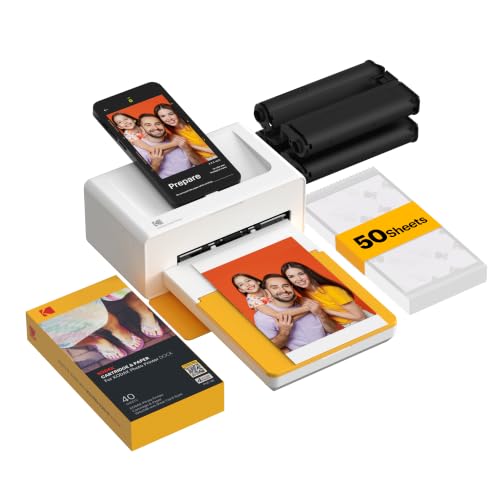
Best Overall KODAK Dock Plus 4PASS Instant Photo Printer, 4x6
Best for quick 4x6 prints: compact dock-style design with simple mobile printing and easy paper loading
4x6 instant photo printer that docks and charges your phone, enabling quick printing at home, school, or on the go. Users appreciate ease of use and intuitive app, with mixed views on print quality and cartridge durability
- 4x6 photo printing
- dock and charge phone functionality
- mobile-friendly app integration
-
2

Best Premium HP Sprocket Studio Plus 4x6" Wireless Photo Printer
Best for wireless dye-sublimation: reliable Bluetooth and app workflow for consistent glossy 4x6 photos
Compact desktop photo printer with wireless printing and dye-sublimation. Includes 10 sheets and cartridge; emphasizes vibrant color photos and editing app for creative photos. One user noted ease of setup and sharp image quality
- premium dye-sublimation prints
- 10 sheets + cartridge included
- compact wireless home printer
-
3

Selphy CP1500 Wireless Photo Printer with 2-pack ink paper set
Best for overall value: balanced print quality, wireless convenience, and included multi-pack consumables
Compact photo printer with instant-dry dye-sublimation prints and a 3.5" LCD. Includes paper set, ink cartridges, power adapter, and deluxe album for storing 216 photos
- bundled ink and paper
- compact wireless printer
- instant-dry, water-resistant prints
-
4

HPRT 4x6 Photo Printer with 108 Sheet Paper and 2 Ribbon
Best for heavy use: large included paper pack and ribbon reduce interruptions for routine desktop printing
Compact thermal dye-sub photo printer with Wi-Fi for direct smartphone printing. Quick, vivid pictures with lamination protection; easy setup and good color reproduction, according to customers
- wifi-connected printing
- vivid color with lamination
- includes consumables
-
5

YOTON Photo Printer with 54 Sheets (4x6) & 1 Ink Ribbon
Best for budget-minded users: straightforward dye-sub printing with basic wireless support and included sheets
Compact photo printer using dye-sublimation for vivid color and durability. Easy smartphone setup with Wi-Fi; supports AR video printing and multiple devices. customers note quick prints and good value
- dye-sublimation color quality
- compact portable size
- AR video printing support
-
6

HPRT Photo Printer 4x6 Instant Mobile Printer (White)
Best for mobile setups: lightweight design with Wi‑Fi and dye-sub output suited to on-the-go photo stations
Compact thermal dye-sublimation photo printer with Wi-Fi for iPhone, Android, and smartphones. Includes 108 sheets of paper and 2 ribbons; supports instant printing and portable use. Customers note crisp photos and easy setup, with some mixed experiences on compatibility and speed
- wireless printing via Wi-Fi
- all-in-one package with ink ribbons
- compact portable design
-
7

HPRT portable photo printer CP4100 (4x6) with 20 sheets & ribbon
Best compact portable option: small footprint, smartphone printing, and starter paper/ribbon for easy setup
Compact photo printer with Wi-Fi for iPhone, Android, and smartphones. Delivers crisp image quality and easy setup; mixed feedback on compatibility and speed
- includes 20 sheets of photo paper
- wireless printing from mobile devices
- crisp, clear photo output
-
8

iDPRT 4x6 Photo Printer CP4100 for iPhone & Android
Best for smartphone users: designed for iPhone and Android with dye-sublimation for crisp 4x6 prints
Compact 4x6 photo printer with dye sublimation, Wi-Fi, and 108-sheet capacity. Enables quick, tangible photo prints from mobile devices. Customer insight reference: positive sentiment regarding capturing memories
- 4x6 photo printing
- 108-sheet capacity
- Wi-Fi connectivity
-
9

HPRT 4x6 Photo Printer with 20 Sheets & 1 Ribbon
Best for Apple users: mobile-friendly connectivity and dye-sub printing tailored to quick 4x6 photo output
Compact dye-sub printer for iPhone and Android with Wi-Fi; prints photos instantly from mobile devices. Users note easy setup and good print quality, but some report disconnections and compatibility issues
- mobile-friendly printing
- instant photo output
- paper ribbon bundle included
-
10
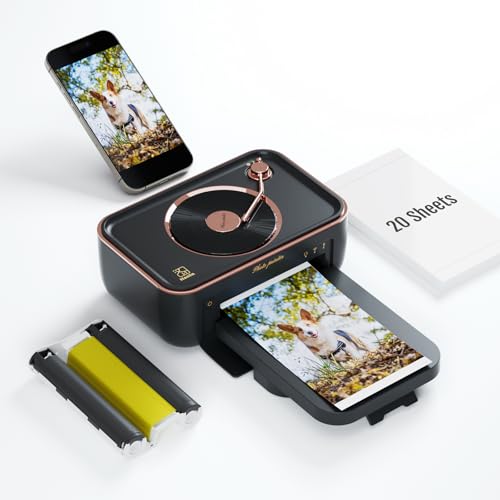
HPRT Photo Printer 4x6 with 20 Sheets & 1 Ribbon
Best balanced portable printer: combines Wi‑Fi convenience with dye-sub printing and starter consumables for events
Portable thermal dye-sublimation photo printer with Wi-Fi for iPhone, Android, and smartphones. Delivers crisp photos; easy setup, according to user feedback
- wifi-enabled portable printing
- comes with 20 sheets and 1 ribbon
- satisfaction for photo quality