Best Inkjet Computer Printers Under $200 (2026)
We selected models under $200 and ranked them by a composite value score that weights connectivity, multifunction features, print quality, and estimated operating cost
The Verdict
- Best Overall: HP DeskJet 4227e Wireless All-in-One Printer — Best for basic home use: compact all‑in‑one design with essential wireless printing and scanning features
- Best Premium: HP Envy 6155e wireless all-in-one color printer — Best for balanced photo and document needs: color-focused all‑in‑one with stronger photo capability and wireless convenience
This roundup covers inkjet computer printers suited for home and small-office use priced under $200, chosen for value across features like wireless connectivity, all‑in‑one functionality, and photo/color capability. Selections were ranked by a value score combining features, connectivity, and price sensitivity to favor versatile, cost-conscious options
Top Picks
-
1
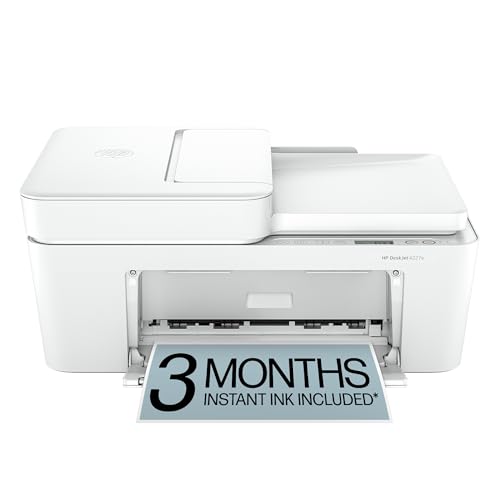
Best Overall HP DeskJet 4227e Wireless All-in-One Printer
Best for basic home use: compact all‑in‑one design with essential wireless printing and scanning features
Wireless color inkjet printer with scan and copy. AI-enabled prints pages with precise formatting and includes a 3-month instant ink trial. Customer insight notes good print quality and value for money
- AI-formatted prints with precision
- wireless all-in-one functionality
- 3 month instant ink trial
-
2

HP DeskJet 2827e Wireless All-in-One Printer
Best for budget-friendly multitasking: simple all‑in‑one feature set with straightforward wireless setup for everyday tasks
Wireless all-in-one inkjet printer with scanner and copier for home use. AI-assisted formatting improves page layouts; customers cite easy setup and mixed opinions on connectivity and ink quality
- AI-enabled print formatting
- wireless all-in-one functionality
- 3 month ink trial included
-
3

Best Premium HP Envy 6155e wireless all-in-one color printer
Best for balanced photo and document needs: color-focused all‑in‑one with stronger photo capability and wireless convenience
All-in-one inkjet printer for home use with color printing, scanning, and copying. AI-enabled features for precise layouts and convenience; user feedback highlights easy setup and strong color output, but connectivity issues and mixed reliability reported
- color printing and scanning
- AI-assisted print layouts
- 3-month Instant Ink trial included
-
4

HP OfficeJet Pro 8125e Wireless All-in-One Printer
Best for home offices: business-oriented features and color printing in an affordable wireless all‑in‑one package
All-in-one color inkjet printer for home offices with print, scan, copy, and ADF. AI-enabled features help format pages and pages fit content; one customer note highlights setup ease while others mention mixed print speeds
- AI-assisted formatting for prints
- all-in-one color inkjet with ADF
- wireless printing and scanning
-
5

HP Envy Photo 7975 Wireless Color Inkjet Printer
Best for photo enthusiasts on a budget: photo-centric inkjet with color optimization and wireless printing support
Wireless inkjet printer for photos, scanning, and copying with AI features and mobile printing. Users note easy setup but some connectivity and color quality concerns
- AI-powered print formatting
- borderless photo printing
- instant ink included
-
6
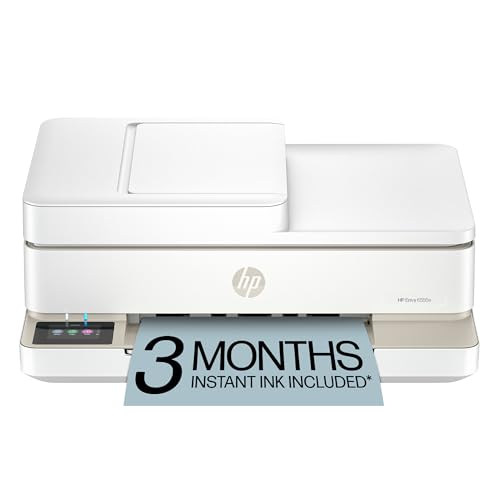
HP Envy 6555e wireless all-in-one color inkjet printer
Best for mixed home use: versatile all‑in‑one with wireless connectivity and capable color printing for documents and photos
A wireless color inkjet printer for home use with print, scan, and copy. AI-enabled printing helps layout pages precisely; includes 3-month Instant Ink trial. Insights note mixed opinions on setup ease and connectivity
- ai-enabled print layouts
- wireless multi-function printer
- inkjet color printing