Best Label Makers for Home Organization (2026)
We evaluated models by tape compatibility, connectivity (Bluetooth or standalone), ergonomics, included accessories, and value for typical home organization tasks
The Verdict
- Best Overall: Brother PT-M95 label maker bundle with 4 tapes — Best for plug-and-play labeling: compact bundle with multiple starter tapes for household organization projects
- Best Value: Phomemo D30 label maker with 3 adhesive paper rolls — Best for mobile printing: Bluetooth adhesive-paper rolls offer quick, app-driven labels for flexible home use
This roundup covers practical label makers suited for home organization, focusing on fit for common household tasks and overall value. Picks were chosen by comparing connectivity, tape compatibility, ease of use, and included accessories to match different home workflows
Top Picks
-
1

Best Overall Brother PT-M95 label maker bundle with 4 tapes
Best for plug-and-play labeling: compact bundle with multiple starter tapes for household organization projects
Compact label maker with QWERTY keyboard and easy-view display for home use. Includes 4 label tapes and various styles. Customers note ease of use and good label quality, but report battery life and tape peel issues
- QWERTY keyboard for easy typing
- easy-view display
- bundle includes 4 tapes
-
2

Brother label maker PTD220 for home office
Best for home-office balance: straightforward interface and TZ tape compatibility for durable, professional-looking labels
Compact label maker for home and small office use with TZe tape compatibility. Prints ~12mm labels and runs on batteries or optional AC adapter. Customers note ease of use, with some readability concerns on the display
- prints 12mm tapes
- battery or AC powered
- easy-peel labels
-
3

Best Value Phomemo D30 label maker with 3 adhesive paper rolls
Best for mobile printing: Bluetooth adhesive-paper rolls offer quick, app-driven labels for flexible home use
Compact Bluetooth label printer that works with smartphones; supports various fonts, texts, symbols and icons. Easy removal leaves no residue
- bluetooth connectivity with smartphones
- officially supports an app with diverse fonts
- 3 roll adhesive paper included
-
4

P-Touch label maker bundle with 4 tapes, white
Best for users who want a portable keypad bundle with multiple tape colors for versatile home labeling
Compact Brother label maker with QWERTY keyboard and preview display for clean labels. Customers praise ease of use and print quality, though battery life and tape waste are noted concerns
- 3 professional fonts
- 14 decorative frames
- over 250 symbols
-
5
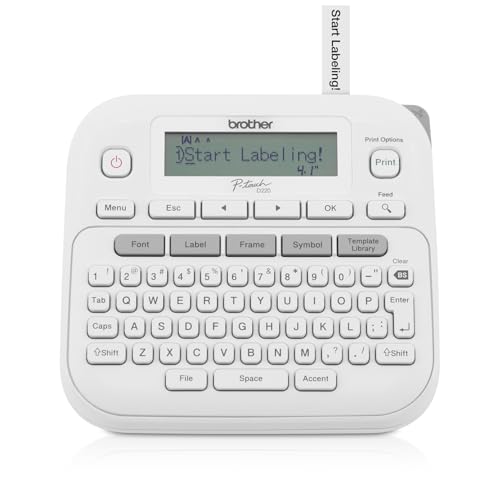
P-Touch Label Maker PTD220 (Renewed Premium) by Brother
Best budget upgrade: renewed unit delivers familiar P‑Touch functionality for everyday home labeling tasks
Thermal, inkless label printer for home and office. Portable with QWERTY keyboard and 25 pre-set templates; uses 12mm tapes. Users praise ease of setup and label quality, with some noting difficult display and battery requirement
- thermal, inkless printing
- QWERTY keyboard with one-touch keys
- 25 pre-set label templates
-
6

P-Touch Cube Color Label Maker with Bluetooth
Best for color and design: Bluetooth app support and color printing make decorative and multi-purpose home labels simple
Smartphone-compatible label maker with Design&Print2 app for Android and iOS. Includes templates, symbols, frames, and fonts. Users note ease of use and quality, but mixed connectivity feedback
- smartphone-based design
- broad template library
- cross-platform app support