Best D Printing Pens Under $50 (2026)
We ranked models by a composite value score weighing build quality, safety features, filament compatibility, ease of use, and price
The Verdict
- Best Overall: SCRIB3D P1 3D Printing Pen with Display — Best for general use: clear display and balanced feature set suited for hobbyists and kids learning 3D drawing
Top Picks
-
1
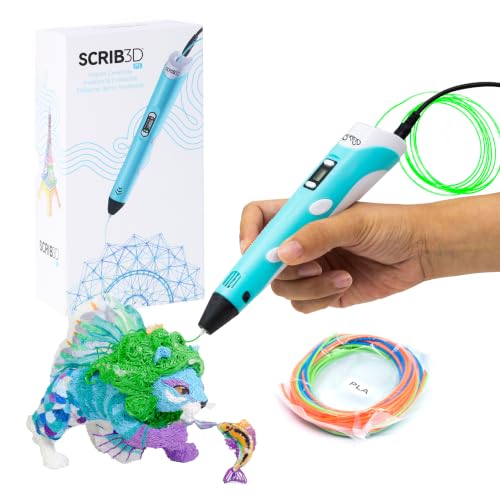
Best Overall SCRIB3D P1 3D Printing Pen with Display
Best for general use: clear display and balanced feature set suited for hobbyists and kids learning 3D drawing
A versatile 3D pen kit with starter filament, stencil book, project guide, and USB charger. Designed to enhance spatial thinking and creativity for makers and beginners. Customers note ease of use and gift value for craft lovers, especially kids
- includes 3 starter PLA colors
- built-in display for control
- starter guide and stencil book
-
2

MYNT3D Super 3D Pen, 1.75mm ABS/PLA Compatible
Best for material flexibility: compatible with 1.75mm PLA and ABS for a wider range of project types
3D printing pen for turning drawings into 3D art with a stepless speed slider for control. Includes 3 colors of PLA, A/C adapter, and slim nozzle; suitable for kids, artists, and engineers. Customer insight: mixed reviews on durability and ease of use
- 1.75mm filament compatibility
- stepless speed control
- nearly clog-proof sealed nozzle
-
3
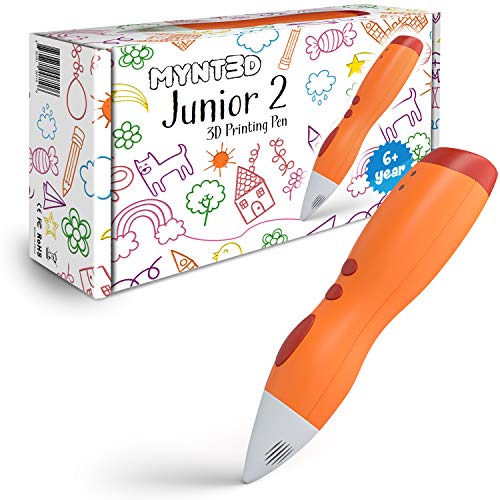
MYNT3D Junior2 3D Pen for Kids (2020 Model) Low Temp Printing
Best for kids: low-temperature printing and kid-focused design prioritize safety and simple operation
Kids-focused 3D pen with low-temperature printing and an ergonomic design. Helps young artists create 3D drawings; feedback notes ease of use but durability concerns and occasional non-flow of filament
- kid-friendly ergonomic design
- low-temperature printing
- sealed nozzle to prevent clogs