All-in-One Computers
All-in-One Computers combine the monitor and PC into a single unit for home and office use, including touch-screen and compact desktop models. This category spans budget through premium options (453 products, average rating 4.52) with top brands like HP and Apple represented
Top Products

HP All-in-One Desktop 21.5" FHD anti-glare display, Win 11 Pro
HP
Premium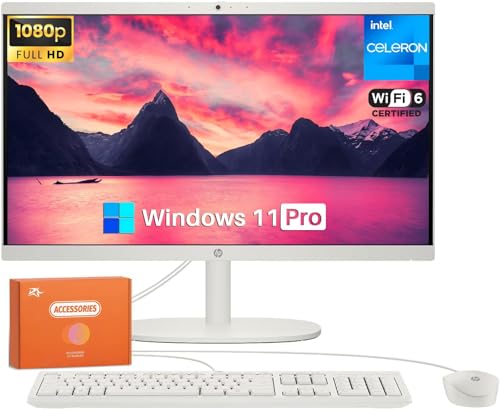
HP All-in-One Desktop Computer 21.5" FHD Anti-Glare
HP
Premium
Lenovo ThinkCentre AIO 24" All-in-One PC (13th Gen Intel, 16GB/512GB)
Lenovo
Premium
HP 21.5-inch all-in-one desktop
HP
Premium
HP 2025 22" FHD All-in-One Desktop
HP
Premium
Lenovo ThinkCentre AIO 24in All-in-One PC, 13th Gen Intel, 32GB RAM, 1TB SSD
Lenovo
Premium
HP 21.5-inch all-in-one desktop with Win 11 Pro
HP
Premium
HP All-in-One Desktop with Office, 21.5" FHD, 16GB RAM, 512GB SSD
HP
Premium
Lenovo ThinkCentre AIO 24" All-in-One PC – 13th Gen Intel, 64GB RAM, 1TB SSD
Lenovo
Premium
HP 2025 22" FHD All-in-One Desktop
HP
Premium
Lenovo 24 All-in-One Desktop for home office
Lenovo
Premium
Lenovo ThinkCentre All-in-One Desktop 24"
Lenovo
Premium
Lenovo 24" All-in-One Desktop for Home Office
Lenovo
Premium
HP 2025 22" FHD All-in-One Desktop with 13th Gen Intel N100
HP
Premium
Lenovo ThinkCentre AIO 24" All-in-One PC
Lenovo
Premium
Lenovo ThinkCentre All-in-One Desktop 24" FHD 5-core Intel U300
Lenovo
Premium
HP All-in-One Desktop 21.5" FHD, 8GB RAM, 512GB SSD
HP
Premium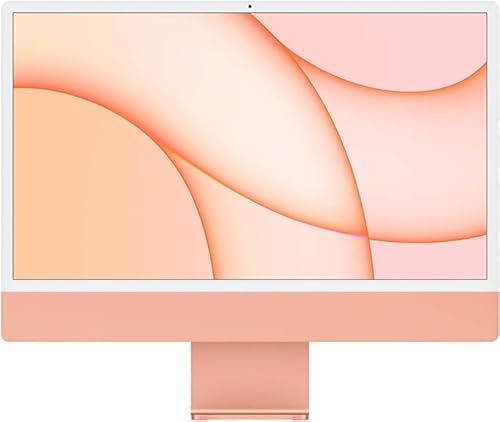
Apple iMac with M1 chip (24-inch, 256GB) Renewed Premium
Apple
Premium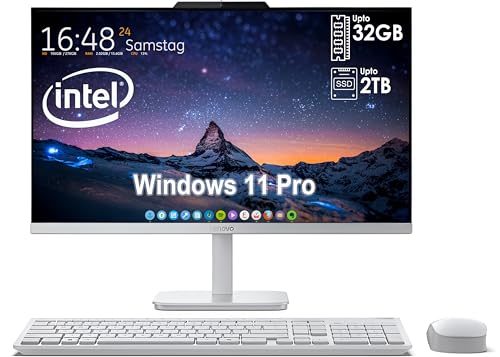
Lenovo All-In-One Desktop with 24in FHD display
Lenovo
Premium
Lenovo ThinkCentre All-in-One 23.8" i5-13420H, 16GB, 512GB SSD, Wi-Fi 6
Lenovo
Premium
Lenovo ThinkCentre AIO 24" All-in-One PC, 13th Gen Intel, 32GB RAM, 2TB SSD
Lenovo
Premium
HP All-in-One Desktop w/MS Office, 21.5" FHD
HP
Premium
HP all-in-one desktop 21.5" FHD, 32GB RAM, 1TB SSD, webcam
HP
Premium
Lenovo ThinkCentre All-in-One 23.8" i5-13420H
Lenovo
PremiumRoundups
Frequently Asked Questions
How do I choose the right screen size and resolution for an all-in-one computer?
Pick a screen size based on desk space and viewing distance—21–24 inches for compact desks, 27 inches or larger for multimedia or multitasking—and choose at least Full HD (1920×1080) for general use; consider 4K (3840×2160) if you need finer detail for photo/video work or high-resolution content
What processor, RAM, and storage specs should I look for based on my typical use?
For everyday tasks and web browsing, choose a modern dual- or quad-core processor with 8 GB RAM and an SSD; for photo/video editing or heavier multitasking, aim for a quad- or six-core CPU, 16 GB or more RAM, and a larger SSD or SSD+HDD combination; dedicated graphics are helpful for gaming and creative applications
How important is repairability and upgradability in an all-in-one, and what can typically be upgraded?
All-in-ones are generally less upgradable than desktops; common user-upgradeable parts include RAM and storage in many models, while CPUs, GPUs, and displays are often fixed—check manufacturer documentation or teardown guides for specific upgrade options before buying
Which connectivity and peripheral features should I prioritize?
Ensure sufficient USB ports (including at least one USB-C if you need modern peripherals), an Ethernet port if you prefer wired networking, an HDMI-in or -out depending on needs, Bluetooth and Wi-Fi standards (Wi‑Fi 5 or Wi‑Fi 6), and an integrated webcam/microphone if you do video calls
What warranties and support options are typical for all-in-one computers?
Standard coverage usually includes a one-year limited warranty with options to purchase extended warranties or on-site service; verify what is covered (parts, labor, display, accidental damage) and expected service response times from the manufacturer or retailer before purchasing
How should I maintain and care for an all-in-one to prolong its lifespan?
Keep vents and fans dust-free, use a surge protector, clean the display with appropriate microfiber cloths and screen-safe cleaner, avoid blocking airflow, and install firmware/driver updates periodically to maintain performance and security