Blank Media Products
Blank media products for recording and storage—CDs, DVDs, Blu-ray discs and specialized archival media—cover budget through mid-range options with an average price near (price varies). The category includes brands such as Sony and Maxell and averages a 4.43 rating across 12 indexed products
Top Products

DVM60PRL Premium MiniDV 60min Data Tape (5 Pack) Sony
Sony
Mid-Range
Hama VHS-C/VHS Cassette Adapter (Motorized) - Black
Hama
Mid-Range
Maxell Normal Bias Ur-90 20-pack Standard Size Cassettes
Maxell
Mid-Range
Sony VHS-C Premium 30 Min 3-Pack
Sony
Mid-Range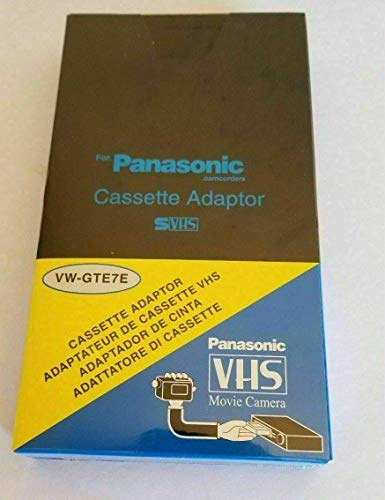
Motorized VHS-C Cassette Adapter with LensPen & Cloth
VCC113
Budget
Sony Neige Series MiniDisk 74 Min 10 Pack Recordable MD
Office4U
Mid-Range
Maxell Audio Cassette High Bias XLII 110 Minutes 7 Pack
Maxell
Mid-Range
Video Tape Transfer & Digitization to MP4 Service (10 Tapes)
Lotus Media
Mid-Range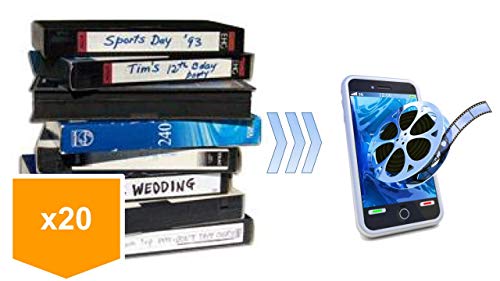
Video Tape Transfer to MP4 Service (20 tapes) by Lotus Media
Lotus Media
Premium
Sony HDM-63VG MiniDV/HDV data tape cartridge 5-pack
Sony
Mid-Range
VHS-C Motorized Cassette Adapter for VCR (JVC, Panasonic)
Classic Game Source
Budget
TDK T-160 VHS Video Tapes - 10 Pack
TDK
Mid-RangeRoundups
Frequently Asked Questions
How do I choose the right type of blank media for my device?
Check the media format your device supports (CD-R/RW, DVD-R/RW, Blu-ray, floppy, cartridge, etc.), confirm write speed compatibility, and pick the physical size/capacity that matches your needs; product listings and device manuals typically list supported formats
What should I consider about capacity and speed when buying blank media?
Choose capacity based on file sizes you plan to store (e.g., single-session CDs ~700 MB, DVDs 4.7–8.5 GB, Blu-ray 25–100 GB), and select a write speed that your drive supports—higher speeds reduce burn time but may increase error rates on older drives
Are branded blank media worth paying more for?
Branded media from established manufacturers tend to have more consistent quality, documented error rates, and better compatibility with a variety of drives; for critical archival or professional use, many shoppers prefer reputable brands over unknown generics
How should I store blank media to maximize longevity?
Store discs and cartridges vertically in a cool, dry place away from direct sunlight and extreme temperatures, keep them in original sleeves or jewel cases, and avoid touching the recordable surface to minimize deterioration and data loss
Can I rewrite or erase data on all blank media?
Not all media are rewritable: formats labeled RW (rewritable) or erasable can be rewritten multiple times, while R (recordable) media are write-once and cannot be erased for reuse
What compatibility issues should I expect with older drives or devices?
Older drives may not support newer high-speed media, high-capacity formats (like BD or DVD DL), or certain disc coatings; check your drive's firmware and supported formats and consider using lower-speed or legacy-format media for maximum compatibility
How can I verify a successful burn or transfer before relying on the media?
Use verification features in your burning software that compare written data to the source and run a data integrity check or try reading files on another device; for important backups, keep multiple copies and test restores periodically