Caddies
Caddies in Electronics & Gadgets are storage and organization accessories designed for desks, workstations, and media setups, including cable organizers, docking trays, and portable gear holders. The 23 indexed products average a 4.64 rating and span budget to mid-range prices (about $32–$190), with brands like Heretom and Lenovo represented
Top Products

Pack-4 3.5" hard drive tray caddy for Dell Poweredge
Heretom
Budget
WORKDONE 4-Pack 3.5 inch Hard Drive Caddy for Dell PowerEdge
WORKDONE
Budget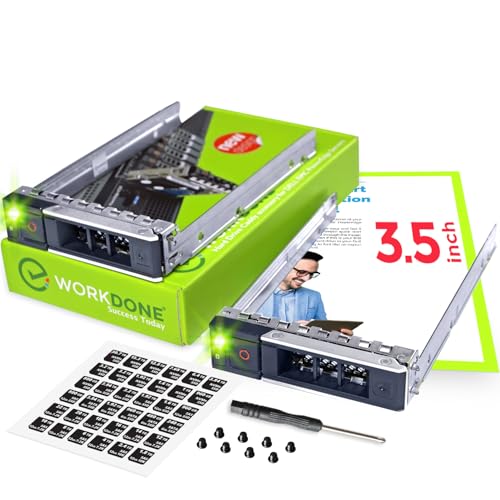
WORKDONE 2-Pack 3.5 inch Drive Caddy for PowerEdge
WORKDONE
Budget
ThinkPad M.2 SSD Tray Storage Bay Adapter (Lenovo) - Black
Lenovo
Mid-Range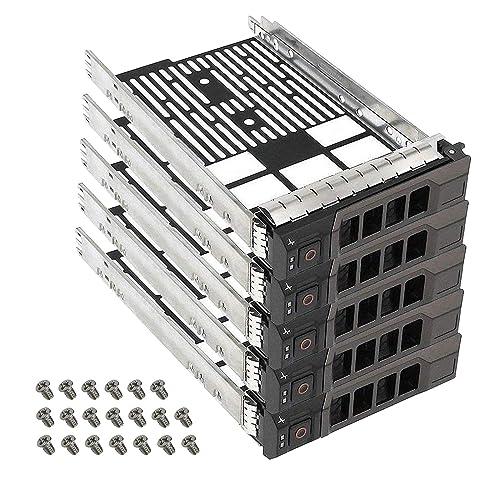
YEECHUN 5-Pack 3.5" SAS/SATA Drive Tray Caddy for Dell PowerEdge
YEECHUN
Budget
WORKDONE 4-Pack 3.5in Hard Drive Caddy for Dell PowerEdge (16th-14th Gen) Servers
WORKDONE
Mid-Range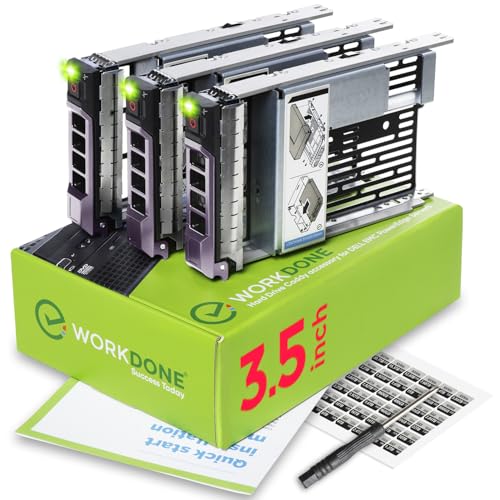
WORKDONE 3-pack 3.5" Drive Caddy with 2.5" Adapter for Dell PowerEdge Servers
WORKDONE
Mid-Range
2.5" SSD Caddy Bracket for HPE MSA M2 1060/2060
Heretom
Budget
Pack-4 2.5" SAS/SATA SFF Drive Tray Caddy for HP Gen8 Gen9 ML350p DL360e DL380e
Heretom
Mid-Range
3-Pack 3.5in hard drive caddy with 2.5in to 3.5in adapter
DRIVECADDY
Budget
2.5" SSD/HDD Caddy Bracket with SATA Cable for Dell Latitude Rugged
KELEFET
Mid-Range
V110 M.2 SSD Caddy Bracket with SATA Cable for Getac Latitude
KELEFET
Budget
10-Pack 2.5" SSD Drive Bracket DXD9H for Dell PowerEdge
Heretom
Mid-Range
(2-Pack) 373211-001 3.5" SATA SAS Hard Drive Tray Caddy for HP ProLiant
DAHONGHU
Budget
10-Pack 2.5" HDD Tray Caddy 651687-001/651699-001 for HP Proliant
Heretom
Mid-Range
CF-31/CF-30 HDD Caddy Bracket for ToughBook - 2pc
KELEFET
Mid-Range
3.5" Drive Tray Caddy with 2.5" HDD Adapter for Dell PowerEdge (4 Pack)
Heretom
Mid-Range
Hard drive tray caddy for Dell PowerEdge 14th-16th Gen (10-pack)
Heretom
Mid-Range
4-pack 2.5" HDD Tray for G5-G7 and DL servers
BTHEBKRS
Mid-Range
2.5 Drive Tray Caddy P22892-002 for HP DL/DL360/ DL380 G10+ servers
Heretom
Mid-Range
WORKDONE 12-Pack 3.5" HDD Caddy for Dell PowerEdge 14-15 Gen Servers
WORKDONE
Premium
WORKDONE 6-Pack 3.5" Hard Drive Caddy with 2.5" Adapter for Dell PowerEdge
WORKDONE
Mid-Range
M.2 NVMe SSD Caddy Bracket for Dell Latitude Rugged (5420/7224/5424)
KELEFET
Mid-RangeRoundups
Frequently Asked Questions
How do I choose the right electronics caddy for my needs?
Pick a caddy based on device types and quantity you need to store, measured dimensions of your devices, whether you need padded or ventilated compartments, and mounting or portability options like handles, shelves, or wall brackets
What materials and build features should I look for?
Look for durable materials such as metal or reinforced plastic for structural support, soft-lined or padded compartments to prevent scratches, cable management holes or clips, and non-slip feet or anchors if you’ll place it on a desk or mount it
Are there caddies that help with charging multiple devices safely?
Yes—many caddies include dedicated cable channels, built-in USB hubs or spaces designed to route charging bricks, and ventilated designs to reduce heat buildup when multiple devices are charging simultaneously
What size and layout considerations matter for laptops, tablets, and accessories?
Ensure internal slot widths and depths match your largest device, check slot spacing for thicker cases or folios, and confirm there are separate compartments or pockets for chargers, cables, and smaller accessories to avoid clutter and scratching
How much should I expect to pay for an electronics caddy?
Prices vary by size and features; budget options commonly start under $50, while mid-range and feature-rich models can be in the $50–$150 range; the category average price is around $60
How do I care for and clean an electronics caddy?
Empty the caddy, wipe hard surfaces with a damp cloth and mild detergent, vacuum or brush fabric linings, and allow all parts to dry fully; avoid soaking electronic components and check manufacturer instructions for removable pads or covers
What compatibility or safety checks should I do before mounting or stacking caddies?
Verify weight capacity and mounting instructions, ensure wall anchors or hardware match your wall type, keep ventilation gaps if devices will be powered on, and avoid stacking beyond recommended limits to prevent tipping or damage