Computer Accessories & Peripherals
Covers computer accessories and peripherals such as external storage, mice, keyboards, and adapters across budget to mid-range price points (avg $100); 61 products indexed with an average rating of 4.59 and top brands including SanDisk
Top Products

Gigastone 256GB Micro SD Card for Switch & Steam Deck
Gigastone
Budget
SanDisk Extreme PRO SD card with high-speed offload
SanDisk
Mid-Range
SanDisk 512GB Extreme PRO SDXC UHS-I card + PRO-Reader
SanDisk
Mid-Range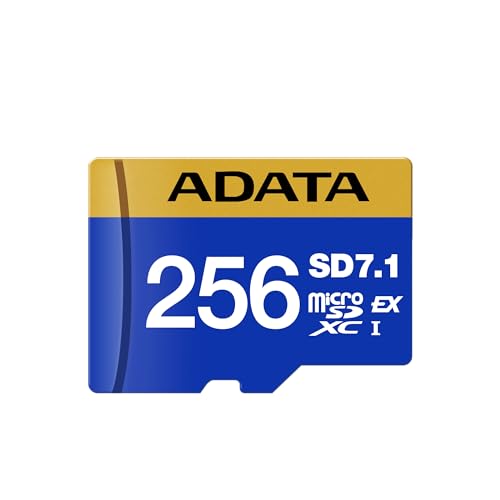
ADATA 256GB microSDXC Premier Extreme for Nintendo Switch 2
ADATA
Mid-Range
SanDisk Extreme SDXC UHS-I 128GB memory card
SanDisk
Mid-Range
Gigastone 128GB Micro SD Card 5-Pack for Nintendo Switch
Gigastone
Mid-Range
Gigastone 128GB Micro SD Card 2-Pack for Switch (Nintendo Switch 1) Gaming Plus
Gigastone
Mid-Range
SanDisk Extreme SDXC memory card with PRO-READER compatibility
SanDisk
Mid-Range
SanDisk 512GB Ultra Dual Drive Go USB-C Flash Drive
SanDisk
Mid-Range
VIVO Laptop Desk Mount Stand STAND-V001L, adjustable, fits up to 17"
VIVO
Mid-Range
SanDisk 256GB Nintendo Switch microSD bundle
SanDisk
Mid-Range
HyperX Alloy Core RGB Keyboard with Wrist Rest
HyperX
Mid-Range
Noctua 8-channel fan hub for 4-pin PWM/3-pin fans
Noctua
Budget
GIGASTONE 128GB Micro SDXC Card 2 Pack 4K Pro
Gigastone
Mid-Range
ADATA 512GB microSDXC sd7.1 express for Nintendo Switch & more
ADATA
Mid-Range
YubiKey 5C NFC – MFA security key (USB-C & NFC)
Yubico
Mid-Range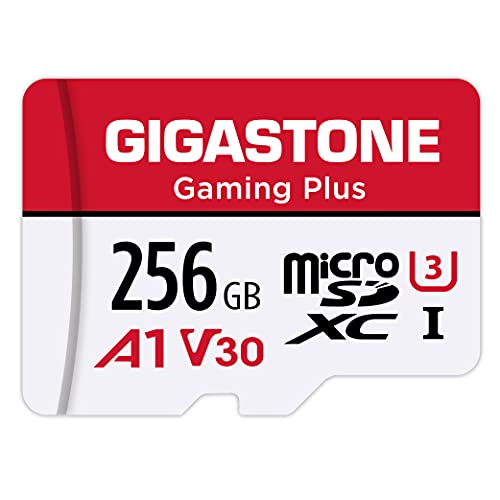
Gigastone Gaming Plus 256GB micro SD for Nintendo Switch 1
Gigastone
Mid-Range
Nooelec RTL-SDR v5 NESDR Smart SDR (100kHz-1.75GHz) with 0.5ppm TCXO
NooElec
Budget
StarTech 10-32 Server Rack Screws with Clip Nuts (50 pack)
StarTech
Budget
ModMesh Sleeved Cable Extension Kit (Black)
CableMod
Mid-Range
Gigastone 128GB Micro SD Card with Adapter (U3 A2 V30) for Switch, GoPro
Gigastone
Budget
Logitech Z313 Speaker System with K400 Plus Wireless Keyboard
Logitech
Mid-Range
ORICO 512GB microSDXC memory card – 180/160 MB/s U3 A2
ORICO
Mid-Range
UPS 9Ah 24VDC VRLA Battery Replacement for APC up to BR1500G
SafeAMP
Mid-RangeRoundups
Frequently Asked Questions
How do I choose the right computer accessory or peripheral for my needs?
Identify the primary use (gaming, productivity, storage, or general use), check compatibility with your computer (ports, OS, and form factor), prioritize key specs (sensor DPI for mice, key switches for keyboards, read/write speed for storage), and set a budget to filter features and brands
What are sensible price ranges to expect in this category?
Accessories and peripherals span a wide range: basic items like mice and USB flash drives often start under $20, mid-range gaming or higher-capacity storage is commonly $30–$150, and premium or specialized products can exceed (price varies); the average product price in this niche is around $100
Which features matter most for storage devices (SSD, flash drives, memory cards)?
Look at form factor and interface (SATA, NVMe, USB-C), sequential read/write speeds for large file transfers, random IOPS for system responsiveness, capacity needed for your workload, and durability ratings such as TBW (terabytes written) or waterproof/temperature specs for removable media
What should I consider when buying a keyboard or mouse for gaming versus office work?
For gaming, prioritize low-latency connections (wired or high-performance wireless), high polling rate, adjustable DPI or sensitivity, and durable switches; for office use, focus on ergonomics, quiet operation, programmable shortcuts, and sustained comfort during long typing sessions
How can I ensure compatibility with my computer before buying?
Check the accessory's interface (USB-A, USB-C, Bluetooth, PCIe), operating system support (Windows, macOS, Linux), physical dimensions for space-limited setups, and any required drivers or software listed by the manufacturer
What maintenance and care practices prolong the life of peripherals and storage devices?
Keep devices clean and dust-free, avoid exposing storage media to extreme temperatures or moisture, safely eject external drives before disconnecting, update firmware and drivers when provided, and use surge protection for wired equipment
How do warranty and brand reputation affect my purchase decision?
Longer warranties and responsive support reduce risk for higher-cost or critical items; evaluate brand reputation for build quality and software updates, read aggregated reviews for reliability trends, and consider warranty length as part of total value