Computer Cable Adapters
Computer Cable Adapters includes adapters and converters for USB, HDMI, DisplayPort, Thunderbolt, and network connections used with laptops, desktops, monitors, and docking stations. The 21 indexed products average a 4.56 rating and range from about $35 to $257, with brands like WAVLINK and Plugable represented
Top Products

Warrky DP to HDMI Adapter 5 Pack, aluminum case, gold-plated pins
Warrky
Budget
BENFEI DisplayPort to HDMI Adapter 5-Pack
BENFEI
Mid-Range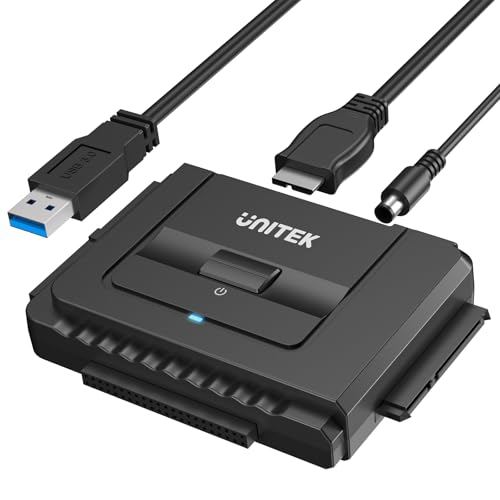
Unitek USB 3.0 to IDE/SATA Converter Kit
Unitek
Budget
DP to VGA Adapter (10 pack) Moread
Moread
Mid-Range
DisplayPort to HDMI Adapter 10 Pack (DP to HDMI) by BENFEI
BENFEI
Mid-Range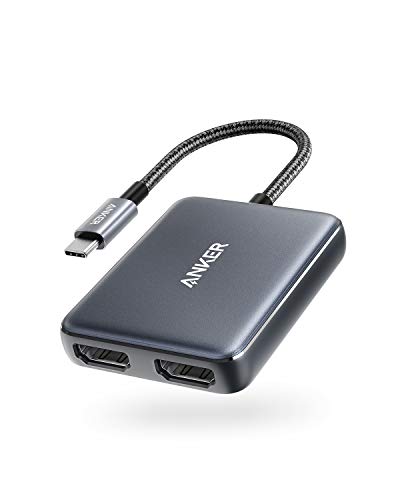
Anker USB-C to Dual HDMI Adapter
Anker
Budget
WAVLINK HDMI Splitter for dual monitor extension
WAVLINK
Mid-Range
WAVLINK USB-C/USB-A to Dual HDMI Splitter (DisplayLink) for 4K@60Hz
WAVLINK
Mid-Range
WAVLINK USB 3.0 to HDMI Universal Adapter
WAVLINK
Budget
LINKUP PCIe 4.0 x16 Riser Cable, 60cm, white
LINKUP
Mid-Range
Plugable dual-monitor adapter 4K DisplayPort/HDMI for Windows
Plugable
Mid-Range
Tripp Lite Cat8 Snagless Ethernet Cable 10 ft
Tripp Lite
Budget
MANHATTAN Universal Flat Panel TV Full Motion Wall Mount
MANHATTAN
Mid-Range
Tripp Lite Cat8 Snagless Ethernet Cable 25G/40G 22AWG S/FTP, 25 ft
Tripp Lite
Mid-Range
ACASIS USB-C to dual HDMI DisplayLink dock
ACASIS
Mid-Range
Plugable USB-C Dual HDMI Adapter 4K 60Hz (DisplayLink) USBC-6950M
Plugable
Mid-Range
MANHATTAN flat panel TV wall bracket with post-leveling adjustment
MANHATTAN
Mid-Range
USB 3.0 to Dual DisplayPort Adapter 4K 60Hz
StarTech
Mid-Range
USB 3.0 to Dual DisplayPort Adapter 4K 60Hz
StarTech.com
Mid-Range
Sonnet Solo 10G Thunderbolt 3 to 10GBASE-T Ethernet Adapter
Sonnet
Premium
MTP/MPO Patch Cable 12-Fiber, 40GbE, OM3 Aqua, 10M
Eaton
PremiumRoundups
Frequently Asked Questions
How do I choose the right adapter for my devices?
Match the adapter's input and output connector types (e.g., USB-C to HDMI, DisplayPort to DVI), verify supported protocols (DisplayPort Alt Mode, Thunderbolt, USB 3.x), and check power and resolution ratings to ensure compatibility with your device's ports and capabilities
What should I look for regarding video resolution and refresh rate?
Choose adapters that explicitly list the maximum resolution and refresh rate (for example, 4K@60Hz or 1080p@144Hz) and ensure both your source device and display also support those specifications; adapters that use older standards may be limited to lower resolutions or refresh rates
Do I need an active or passive adapter?
Use passive adapters for direct, compatible protocol conversions where the source supports the display signal natively (e.g., dual-mode DisplayPort to HDMI); choose active adapters when conversion requires signal processing, such as converting DisplayPort to VGA or handling long cable runs and multi-stream transport
How important is bandwidth and USB version for data/peripheral adapters?
Check the USB version (USB 2.0, 3.0/3.1 Gen1, 3.2, or USB4/Thunderbolt) because it determines maximum transfer speeds and features like power delivery; higher versions provide faster data, better video support, and more reliable performance for docks and hubs
Can adapters provide power delivery to charge my laptop or phone?
Some adapters and hubs support USB Power Delivery (PD) and can pass through charging power; confirm the PD wattage rating (e.g., 45W, 60W, 100W) to ensure it meets your device's charging requirements
What should I consider for durability and cable length?
Look for reinforced connectors, strain relief, braided cables, and a length that minimizes signal loss; longer passive cables or adapters may suffer degraded signals, so prefer active solutions for longer runs or mission-critical connections
How do I troubleshoot common adapter problems like no signal or intermittent connection?
Verify cable seating and port compatibility, test with alternate cables and ports, confirm device settings (correct input source, display resolution), update device drivers/firmware, and try a shorter or active adapter if the issue persists