Computer Cables & Interconnects
This category covers computer cables and interconnects—HDMI, USB, DisplayPort, Thunderbolt, Ethernet, and specialty adapters—for connecting PCs, monitors, storage, and peripherals. It includes budget through mid-range options (117 products, average rating 4.51) and features brands like Cable Matters and StarTech
Top Products

BlueRigger HDMI to DVI Cable 50FT, Bi-Directional
BlueRigger
Budget
DisplayPort to HDMI adapter with 6in DP to mDP cable
StarTech
Budget
Beverly Hills Cop II - 4K UHD
PARAMOUNT PICTURES
Mid-Range
Tripp Lite USB to serial adapter for PC & Mac
TRIPP LITE
Mid-Range
USB-C to Mini DisplayPort Adapter – 4K@60Hz, power passthrough
UPTab
Budget
OREI SplitExtend HDMI Splitter for Dual/Multi-Monitor Display
OREI
Mid-Range
DisplayPort to DisplayPort cable with latches, 4Kx2K, 1 ft (pack of 2)
Tripp Lite
Budget
Fun with Mouse and Friends (6 Book Set) by Laura Numeroff
Harper Collins (2008-01-01)
Mid-Range
Monoprice HD-SDI RG6 BNC Cable 50ft
Monoprice
Mid-Range
Surface Mini DisplayPort to HDMI Adapter
Microsoft
Budget
Cable Matters 40Gb OM4 LC-LC fiber cable 30m
Cable Matters
Budget
HDMI to DVI Bi-Directional Adapter (HDMI male to DVI-D female) 4k
Anbear
Mid-Range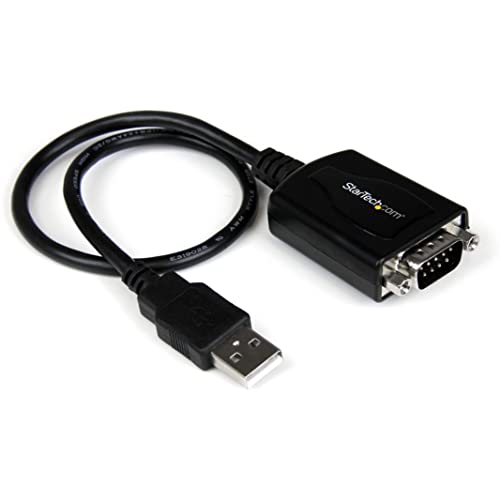
USB to RS232 DB9 adapter with COM port retention
StarTech.com
Budget
DisplayPort to HDMI Adapter 1080p (6ft) - StarTech
StarTech
Budget
HDMI to DVI Adapter Cable, 10-Pack, Bidirectional
UV-CABLE
Mid-Range
HDMI to VGA Cable 6 ft, 10-pack HD-VGA adapter (HDMI to VGA) Black
UV-CABLE
Mid-Range
LENTION USB-C Hub with 4K HDMI and 3 USB 3.0
LENTION
Budget
DisplayPort to HDMI Cable Adapter, DP to HDMI (M/M) 20 ft
Tripp Lite
Mid-Range
USB C to HDMI Adapter 4K@60Hz (5 Pack) USB-C to HDMI 2.0 Female Converter
UANTIN
Budget
DisplayPort to Dual HDMI Splitter 4K@60Hz MST/SST
JCYMELE
Mid-Range
HDMI Splitter Extended Display for Dual Monitors
Giq
Mid-Range
Tool-free shielded Cat6a RJ45 termination plug (6-pack)
Cable Matters
Mid-Range
USB-C to HDMI & USB-A with PD - 4K 30Hz, 100W charging (Eco-friendly)
j5create
Mid-Range
Monoprice 8K DisplayPort 2.0 & HDMI 2.1 Cables
Monoprice
Mid-RangeRoundups
Frequently Asked Questions
How do I choose the right cable type for my devices (HDMI, DisplayPort, USB, Ethernet, etc.)?
Match the connector type on both devices and consider the required signal (video, data, power). For video, choose HDMI or DisplayPort based on resolution/refresh needs; for data/peripherals, choose the appropriate USB generation and connector (Type-A, Type-C); for networking, select Cat5e/Cat6/Cat6a/Cat7 based on speed and distance requirements
What cable specifications affect video and audio quality?
Resolution and refresh support depend on connector and version (e.g., HDMI 2.0 vs 2.1, DisplayPort 1.2 vs 1.4/2.0), while bandwidth (Gbps) and shielding impact signal integrity; for long runs, look for higher-rated versions and active or fiber options to avoid signal loss
How do I know what USB cable speed I need for charging vs data transfer?
For charging, check the cable and charger amperage and support for USB Power Delivery (PD) if fast charging is required; for data, match the USB generation (USB 2.0 ~480 Mbps, USB 3.0/3.1 Gen1 ~5 Gbps, USB 3.1 Gen2/USB 3.2 ~10–20 Gbps) to your device’s port capabilities
Are there compatibility issues with adapters and converters I should watch for?
Adapters can be limited by protocol support—simple passive adapters only rewire compatible signals, while active adapters convert between different protocols and may be required for higher resolutions or to carry audio; always verify the adapter’s supported resolutions, refresh rates, and power delivery
What should I consider for cable length, durability, and shielding?
Choose the shortest length that suits your setup to minimize signal degradation; look for braided jackets, strain relief, gold-plated contacts, and proper shielding (foil/braid) for durability and reduced interference, especially in crowded or long cable runs
How can I ensure network cables deliver intended speeds over distance?
Pick the appropriate category (Cat6 or Cat6a for Gigabit and 10Gbps needs) and keep runs within recommended maximums (typically 100 meters for copper Ethernet); for longer distances or harsh environments, consider fiber optic cabling
How should I care for and store cables to prolong their life?
Avoid tight bends and kinks, use gentle coiling or figure-eight wrapping, keep connectors clean and dry, and use cable ties or organizers to prevent tension and wear at connector ends