Computer Cases
Computer Cases covers tower and compact chassis for desktops, including tempered glass, airflow-focused, and small-form-factor enclosures. The 560 indexed products span budget through premium price tiers (avg $121) and feature brands like Thermaltake among top manufacturers. Average rating across the category is 4.49
Top Products

CORSAIR 4000D RS Frame Mid-Tower PC Case
Corsair
Mid-Range
CORSAIR 4000D RS Frame Mid-Tower PC Case
Corsair
Mid-Range
Cooler Master MasterBox Q300L Micro-ATX Tower
Cooler Master
Mid-Range
NZXT H6 Flow mid-tower case
NZXT
Mid-Range
Lian Li SUP 01-45L Stand-Up Platform Case
Lian Li
Mid-Range
ElectroCookie Raspberry Pi 5 Aluminum Case with RGB Fan
ElectroCookie
Budget
ElectroCookie Raspberry Pi 5 Aluminum Case with RGB Cooling
ElectroCookie
Budget
ElectroCookie Aluminum Raspberry Pi 5 Case with RGB Fan
ElectroCookie
Budget
LANCOOL 207 Compact ATX Case with ARGB Fans
Lian Li
Mid-Range
ElectroCookie Raspberry Pi 5 Aluminum Case with RGB Fan
ElectroCookie
Budget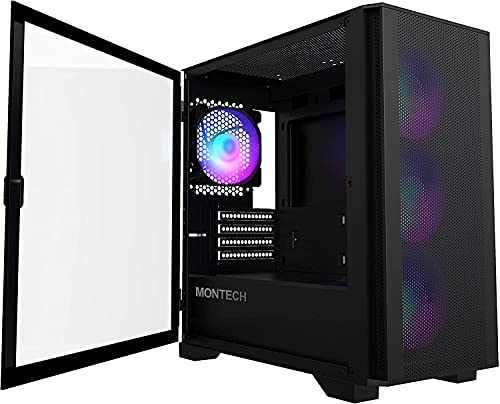
Montech AIR 100 ARGB Micro-ATX PC Case
Montech
Mid-Range
MONTECH XR-B ATX Mid-Tower PC Case
Montech
Mid-Range
CURMIO desktop travel bag for computer tower and peripherals
CURMIO
Mid-Range
NZXT H6 Flow RGB Mid-Tower Case (White) with 3 RGB Fans
NZXT
Mid-Range
Lian Li SUP 01-45L Stand-Up PC Case
Lian Li
Mid-Range
Montech X3 Mesh ATX case with 6 fans
Montech
Mid-Range
MONTECH XR ATX Mid-Tower PC Case with 3 ARGB Fans
Montech
Mid-Range
NZXT H6 Flow Mid-Tower Case with 3 RGB Fans
NZXT
Mid-Range
Thermaltake View 270 Plus TG ARGB Mid Tower
Thermaltake
Mid-Range
Thermaltake View 270 Plus TG ARGB Mid Tower
Thermaltake
Mid-Range
Vetroo M05 Micro ATX PC Case with Tempered Glass & Mesh Front
Vetroo
Mid-Range
NZXT H6 Flow mid-tower case
NZXT
Mid-Range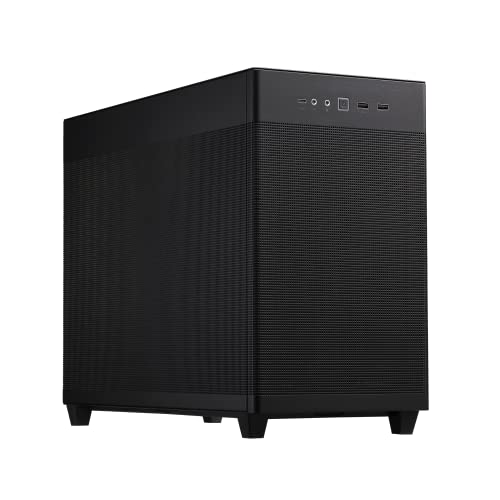
ASUS Prime AP201 MicroATX case with tool-free side panels
ASUS
Mid-Range
NZXT H5 Flow 2024 mid-tower computer case
NZXT
Mid-RangeRoundups
Frequently Asked Questions
How do I choose the right PC case size for my build?
Match the case form factor to your motherboard (ATX, Micro-ATX, Mini-ITX) and check GPU length and CPU cooler height clearance; also consider drive bay needs and radiator space if you plan liquid cooling
What cooling options should I look for in a computer case?
Look for cases with good airflow paths, fan mounting locations and sizes, and radiator compatibility for AIO or custom loops; front and top mesh panels and included fan count are useful indicators of cooling capability
How important is cable management and what features help with it?
Cable management keeps airflow and aesthetics optimal; prioritize cases with routing holes, rubber grommets, ample tie-down points, and a spacious rear channel or removable panels to hide and route cables
What are common material and build-quality differences to consider?
Steel frames provide rigidity and durability, tempered glass panels offer visibility but can add weight and fragility, and plastic trims reduce cost; check joinery, thumbscrews, and removable dust filters for practical build quality
Which front-panel I/O and expansion features should I expect?
Typical front I/O includes USB-A, USB-C on newer models, 3.5mm audio, and power/reset buttons; also verify PCIe slot count, drive bay types (2.5"/3.5"), and support for vertical GPU mounting if desired
What should I budget for depending on feature needs?
Entry-level cases with basic features can be found under $50, mid-range well-ventilated or tempered-glass cases commonly range from about $50–$150, and high-end or large specialized enclosures can exceed that depending on materials and extra features
How do I maintain and clean a computer case to prolong lifespan?
Regularly remove and clean dust filters, use compressed air to clear fans and vents, wipe panels with a soft cloth, and avoid obstructing intake/exhaust areas to maintain airflow and component temperatures