Computer Graphics Cards
Computer graphics cards for desktops and workstations, including GPUs for gaming, content creation, and compute tasks. The category spans budget to premium options (price range $32–$16,399, average $335) and features brands like ASUS and GIGABYTE among 357 indexed products. Average rating: 4.46
Top Products

ASUS ROG Herculx Graphics Card Holder White
ASUS
Mid-Range
MSI GT 710 2GB LP graphics card
msi
Mid-Range
MSI RTX 3060 12GB Graphics Card
msi
Premium
MSI GeForce RTX 3060 Ventus 2X 12G OC graphics card
msi
Premium
XFX RX 580 GTS Edition 8GB GDDR5 VR Ready
XFX
Mid-Range
MSI GT 1030 4GB OC graphics card
msi
Mid-Range
MSI GTX 1050 Ti 4GB OC Video Card
MSI
Premium
GIGABYTE GeForce RTX 3060 WINDFORCE OC 12G (Rev 2.0) Graphics Card
GIGABYTE
Premium
GIGABYTE GV-N710D3-2GL 2GB DDR3 Low Profile PCIe Card
GIGABYTE
Mid-Range
ASUS GeForce RTX 5060 8GB GDDR7 graphics card
ASUS
Premium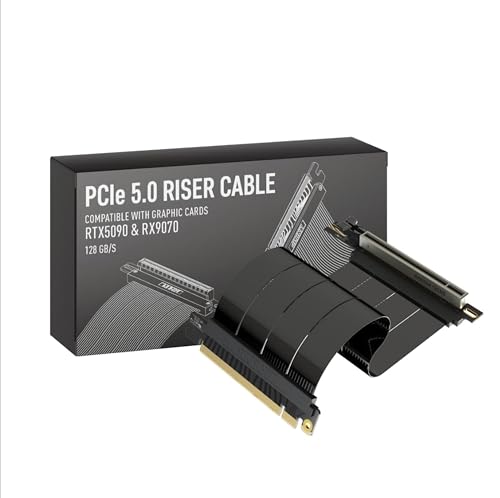
LINKUP PCIe 5.0 Riser Cable for Vertical GPU Mount
LINKUP
Mid-Range
GEFORCE RTX 3060 Gaming OC 12G graphics card (REV2.0) 3x WINDFORCE fans
GIGABYTE
Premium
GIGABYTE GeForce GT 1030 Low Profile 2G Graphics Card
GIGABYTE
Mid-Range
ASUS Dual GeForce RTX 5060 8GB OC Edition
ASUS
Premium
ZOTAC GeForce GT 730 Zone Edition 4GB DDR3 PCIe x16
ZOTAC
Mid-Range
maxsun GEFORCE GT 710 1GB low profile graphics card
maxsun
Mid-Range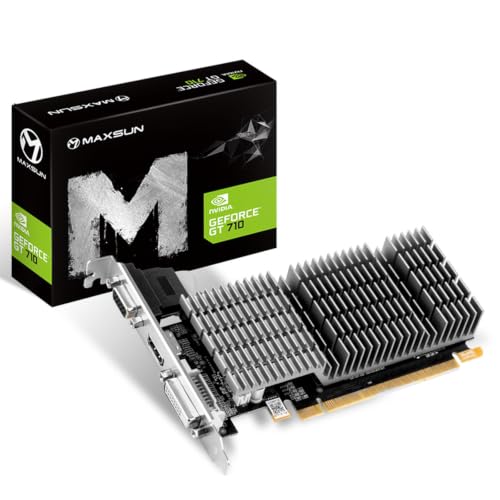
maxsun GeForce GT 710 2GB low profile video card
maxsun
Mid-Range
NZXT Vertical GPU Mounting Kit (175 mm) PCIe 4.0 Riser Cable
NZXT
Mid-Range
GIGABYTE GeForce RTX 5060 Eagle MAX OC 8G graphics card
GIGABYTE
Premium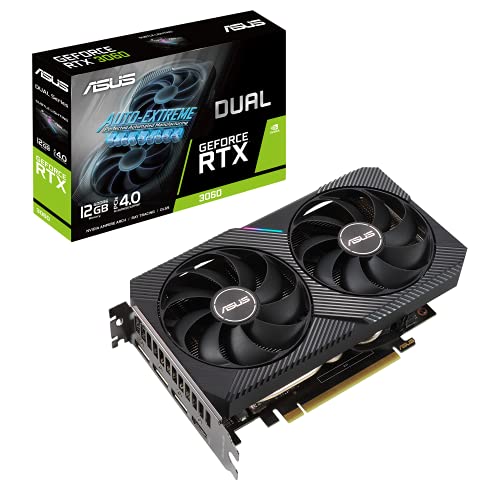
ASUS RTX 3060 V2 OC 12GB graphics card
ASUS
Premium
VisionTek GT 730 4GB Graphics Card with 3-monitor support
VisionTek
Mid-Range
Radeon RX 580 8GB Graphics Card with 3 outputs
SHOWKINGS
Mid-Range
GIGABYTE RTX 3050 WINDFORCE OC 6G Graphics Card
GIGABYTE
Premium
PowerColor RX 6500 XT graphics card
PowerColor
PremiumRoundups
Frequently Asked Questions
How do I choose the right graphics card for my PC?
Match the card to your primary use (gaming, content creation, or general use), ensure your CPU and motherboard won't bottleneck performance, check power supply wattage and available PCIe power connectors, and confirm the card's physical dimensions fit your case
What performance differences should I expect between budget, mid-range, and high-end cards?
Budget cards handle 1080p gaming or basic GPU tasks, mid-range cards target higher frame rates at 1080p and 1440p or faster content workflows, and high-end cards are optimized for 4K gaming, ray tracing, and heavy GPU compute; performance scales with GPU architecture, VRAM, and memory bandwidth
How much VRAM do I need for gaming and professional workloads?
4–6 GB VRAM is typically sufficient for light 1080p gaming, 8–12 GB is recommended for modern 1440p gaming and most creative apps, and 12+ GB benefits 4K gaming, large GPU datasets, and professional rendering workflows
What power supply and connector requirements should I check before buying?
Check the card's recommended PSU wattage, required PCIe power connectors (6-pin, 8-pin, or newer 12VHPWR), and ensure your PSU has the connectors or adapters and enough headroom for stable operation
How do I check if a graphics card will physically fit in my case?
Compare the card's length, width (slot count), and cooler height against your case's GPU clearance and available expansion slots; also consider airflow space around the card for adequate cooling
What connections and display outputs should I look for?
Choose a card with display outputs compatible with your monitor(s), such as HDMI and DisplayPort, and confirm support for desired resolutions and refresh rates; adapters may work but can limit features like high refresh rate or HDR
How should I maintain a graphics card for longevity and stable performance?
Keep drivers up to date from the GPU maker, maintain good case airflow and clean dust from heatsinks and fans periodically, monitor temperatures under load, and avoid overclocking without proper cooling and power headroom