Computer Monitors
Desktop and portable computer monitors for general, gaming, and professional use, spanning budget through premium options. The category includes 1,600 indexed products, averaging a 4.42 rating, with top brands such as ASUS represented
Top Products

Acer 21.5 inch Full HD IPS monitor (SB220Q)
acer
Mid-Range
Acer SH272 27" IPS Full HD Monitor
acer
Mid-Range
Sceptre 24-inch Curved Gaming Monitor (1500R, 1ms, 100Hz, built-in speakers)
Sceptre
Mid-Range
Single LCD monitor desk stand mount with tilt swivel rotation
Hemudu
Budget
Sceptre 24-inch Curved Gaming Monitor 1500R
Sceptre
Mid-Range
Sceptre 24" Curved Gaming Monitor (C248W-1920RN)
Sceptre
Mid-Range
BenQ GW2491 23.8in FHD 100Hz IPS Eye-Care Monitor
BenQ
Mid-Range
BenQ GW2490 24" IPS Monitor with 100Hz, FHD, eye-care
BenQ
Mid-Range
BenQ 22" IPS FHD monitor with eye-care, built-in speakers
BenQ
Mid-Range
ARZOPA 15.6'' FHD Portable Monitor with Stand
ARZOPA
Mid-Range
BenQ 27" IPS monitor with 100Hz, 1080p, eye-care
BenQ
Mid-Range
Sceptre 24" Curved Gaming Monitor
Sceptre
Mid-Range
Philips 221V8LB 22" Full HD monitor
Philips
Mid-Range
15.6in portable monitor with USB-C/HDMI for laptop and consoles
ForHelp
Mid-Range
BenQ 24" Monitor with IPS, 100Hz, eye-care
BenQ
Mid-Range
KOORUI 24-inch Monitor with 120Hz IPS
KOORUI
Mid-Range
Sceptre 27-inch Gaming Monitor with FreeSync
Sceptre
Mid-Range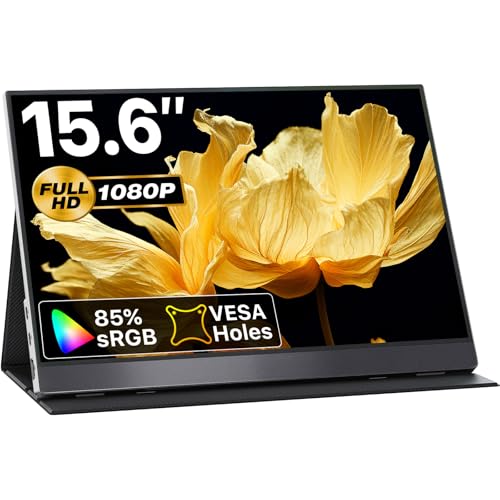
VisionOwl 15.6-inch portable monitor
VisionOwl
Mid-Range
Sceptre 24-inch monitor 1080p with 2x HDMI, VGA, built-in speakers
Sceptre
Mid-Range
BenQ 27" Monitor with 100Hz IPS Eye-Care
BenQ
Mid-Range
14" FHD portable monitor for laptops with USB-C/HDMI
ForHelp
Mid-Range
BenQ GW2790T 27" IPS Monitor
BenQ
Premium
MNN 13.3" 2.5K Portable Monitor with USB-C HDMI
MNN
Mid-Range
Sceptre 27" Curved FHD Monitor with Built-In Speakers
Sceptre
Mid-RangeRoundups
Frequently Asked Questions
How do I choose the right screen size and resolution for my use?
Pick a size and resolution based on viewing distance and tasks: 24–27 inches with 1080p is common for general office use, 27–32 inches with 1440p offers more workspace for creative work, and 27 inches or larger with 4K is useful for photo/video editing or detailed multitasking
What panel type should I choose: IPS, VA, or TN?
IPS panels provide the best color accuracy and wide viewing angles for photo/video work and general use, VA panels offer higher contrast and deeper blacks for media consumption, and TN panels have the fastest response times and lower cost, which can suit competitive gaming
Which refresh rate and response time matter for gaming?
For competitive gaming, higher refresh rates (120Hz, 144Hz, 240Hz and above) and low response times (1–4 ms) reduce motion blur and input lag; for casual gaming and general use, 60Hz–75Hz is usually sufficient
What connectivity and ergonomic features should I look for?
Ensure the monitor has the ports you need (HDMI, DisplayPort, USB-C for video and power delivery if required) and check for ergonomic adjustments like tilt, height, swivel, and VESA mount compatibility for comfortable setup
How important is color accuracy and what specs indicate it?
Color-critical work benefits from monitors with wide color gamut coverage (sRGB, Adobe RGB, DCI-P3 percentages) and factory calibration reports or low Delta E values; look for 10-bit color support and calibration options if precise color is essential
What should I consider about panel finish and HDR support?
Matte panels reduce reflections in bright rooms, while glossy panels offer deeper perceived contrast; HDR support varies—look for true local dimming and high peak brightness for noticeable HDR rather than basic HDR labeling
How can I maintain and extend the life of my monitor?
Use proper ventilation, avoid prolonged static full-screen images to reduce burn-in risk on OLED or certain panels, clean screens with a microfiber cloth and manufacturer-recommended solutions, and use power-saving features or turn the monitor off when not in use