Computer Networking Print Servers
Network print servers and related adapters that enable multiple devices to share printers over wired or wireless networks, suited for home and small office setups. The 19 indexed products span budget to mid-range price tiers (avg $106) and include brands like HEWLETT PACKARD
Top Products

WiFi Extender Signal Booster for Home
Ellis Kasad
Mid-Range
LANADO Network Card for Zebra ZT210/ZT220/ZT230
LANADO
Mid-Range
GOWENIC USB Printer Server
GOWENIC
Mid-Range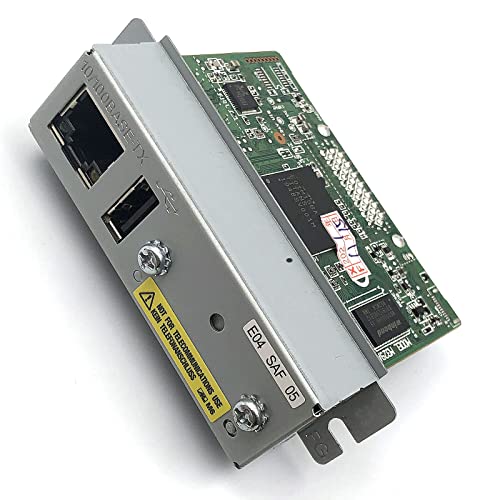
Ethernet interface for UB-E04 printers with USB
FainWan
Mid-Range
Wireless print server to share 3 USB printers over LAN
xiiaozet
Mid-Range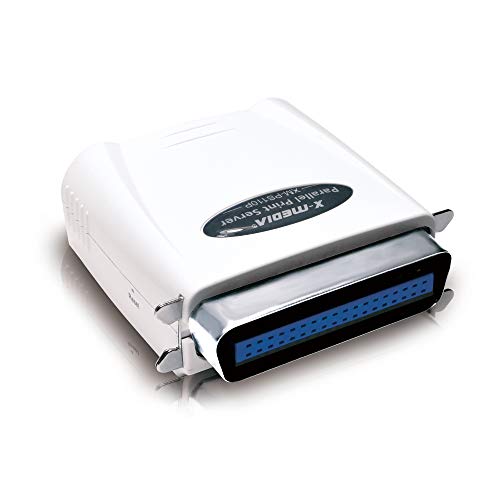
X-MEDIA 1-Port 10/100Mbps Parallel Print Server
X-MEDIA
Mid-Range
X-MEDIA USB Print Server 1-Port 10/100Mbps
X-MEDIA
Mid-Range
Lexmark 27X0129 Print Server
Lexmark
Mid-Range
Lexmark 27X6410 Document Scanner
Lexmark
Mid-Range
HP JetDirect 300X 10/100 Enet RJ45 Print Server J3263G#ABA
HEWLETT PACKARD
Mid-Range
HP Jetdirect 300x J3263-60001 external print server with adapter
HP
Mid-Range
LANADO Ethernet Network Card for Zebra label printers
LANADO
Mid-Range
LANADO Network Card for Zebra label printers, internal ethernet print server
LANADO
Mid-Range
Ethernet to parallel network print server
StarTech
Mid-Range
Dymo LabelWriter Print Server
DYMO
Premium
HP JetDirect 510X Print Server
hp
Premium
USB 2.0 Network Print Server with 3 USB/Type-C ports
Generic
Mid-Range
HP Jetdirect External Print Server for USB Printers and Ethernet
LATIN AMERICA SECOND SOURCE
Premium
HP Jetdirect 510X Print Server 1x 10/100TX, 3x Parallel
HEWLETT PACKARD
PremiumRoundups
Frequently Asked Questions
What is a print server and when should I use one?
A print server is a network device or software that connects printers to a LAN so multiple users can send print jobs without direct USB connections; use one when you need to share a printer among several computers, centralize printing in an office, or add network capability to a USB-only printer
How do I choose between a wired Ethernet print server and a wireless print server?
Choose wired Ethernet if you need stable, high-throughput connections and have access to network cabling; choose wireless if you need placement flexibility or cannot run cables—check supported Wi‑Fi standards, security (WPA2/WPA3), and whether the device supports your printer's interface (USB/parallel/LAN)
What compatibility and driver considerations should I check before buying?
Verify the print server supports your printer interface (USB, parallel, or network-enabled) and the operating systems used on your network (Windows, macOS, Linux); check whether it uses standard protocols like IPP, LPR/LPD, or RAW printing so you can avoid proprietary driver limitations
How much should I expect to pay and what features affect price?
Print servers in this category typically fall into low- to mid-price ranges (common units under $200), with cost influenced by interface type (USB vs. parallel), wired vs. wireless capability, number of ports, supported protocols, and additional features like print management or security options
What performance and reliability factors matter for business use?
Look at network throughput, concurrent job handling, memory/buffer size, supported print protocols, and build quality; for business use prefer devices with stable firmware updates, enterprise-grade security, and support for queued or authenticated printing to prevent job loss and reduce downtime
How do I set up a print server on my existing network?
Connect the print server to the network (Ethernet or Wi‑Fi), attach the printer to the print server, assign or confirm an IP address (DHCP or static), then add the network printer on client machines using the server's IP and supported protocol (IPP, LPR, or RAW) following the OS print-setup steps
What maintenance and security practices should I follow?
Keep the device firmware updated, change default admin passwords, enable network security features (WPA2/WPA3 for wireless, IP access controls), monitor logs if available, and periodically restart or test the server to ensure queued jobs are processed correctly