Computer Racks & Cabinets
Racks and cabinets for networking, server, and AV equipment, including open-frame racks, enclosed cabinets, wall-mount units, and accessories like shelves and cable management. Catalog spans budget to premium options (665 products, average rating 4.51) and features brands such as NavePoint
Top Products

StarTech 2U vented rack shelf for 19" servers (16" depth)
StarTech
Mid-Range
StarTech 2U Wall Mount Rack 14in Deep, 19" Patch Panel Bracket
StarTech
Mid-Range
Gianotter Monitor Stand with Drawer & 2 Pen Holders (Rose Gold)
gianotter
Budget
StarTech 4U Wall Mount Rack, 14in deep
StarTech
Mid-Range
StarTech 2U server rack shelf, vented cantilever 19"
StarTech
Mid-Range
Navepoint 3U blank rack panel spacer with venting
NavePoint
Mid-Range
4U Wall Mount Network Rack with Cantilever Tray
StarTech
Mid-Range
Navepoint 5U Blank Rack Mount Spacer with Venting
NavePoint
Mid-Range
NavePoint 6U Blank Rack Panel Spacer with Venting
NavePoint
Mid-Range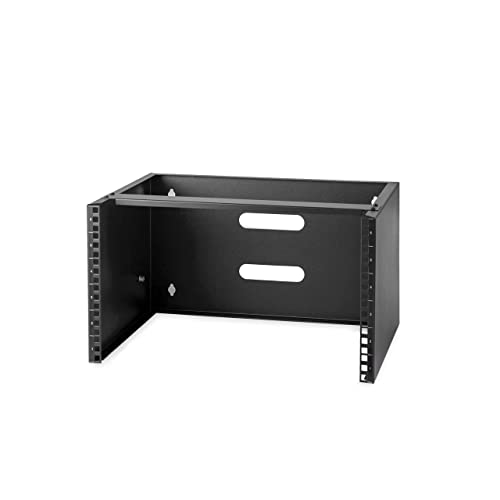
StarTech 6U Wall Mount Network Rack 14" Deep
StarTech
Mid-Range
Pyle 2-Pc 1U Server Rack Shelf, Ventilated Cantilever Mount
Pyle
Mid-Range
StarTech 12U Open Frame Server Rack
StarTech
Mid-Range
Desk organizer with monitor stand, drawer and pen holders
gianotter
Budget
Litwaro Under Desk Cable Management Tray 2 Pack
Litwaro
Budget
Digitus Modular Patch Panel Grey
Digitus
Mid-Range
NavePoint 8U Perforated Flanged Blanking Panel, 19in Rack
NavePoint
Mid-Range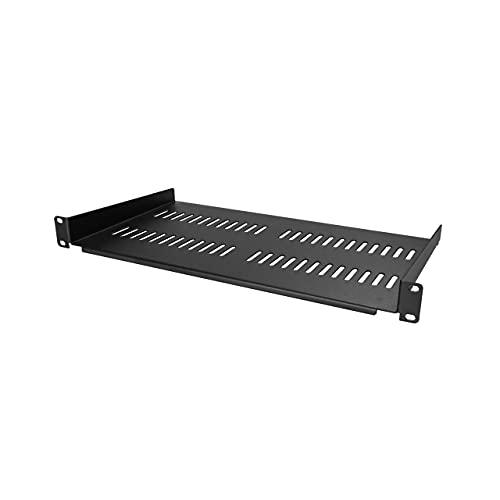
StarTech 1U Vented Server Rack Shelf, 10" Deep
StarTech
Mid-Range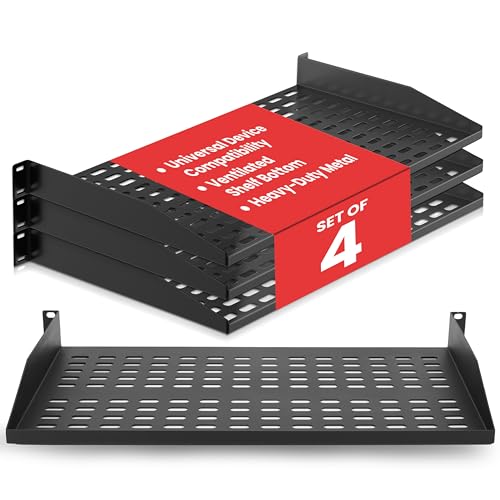
Pyle 19-Inch 1U Rack Shelf (4-pack) vented shelves
Pyle
Mid-Range
StarTech 1U Wall Mount Patch Panel Bracket
StarTech
Mid-Range
StarTech 1U Universal Vented Rack Shelf 12" Deep
StarTech
Mid-Range
StarTech 2U vertical wall mount patch panel bracket
StarTech
Mid-Range
NavePoint 7U Perforated Flanged Blanking Panel for 19" Racks
NavePoint
Mid-Range
Digitus RAL 9005 1HE Patch Panel Housing for Keystone Jacks
Digitus
Budget
NavePoint 4U Slotted Flanged Blanking Panel, 19" Rack
NavePoint
Mid-RangeRoundups
- Best Computer Racks & Cabinets for Patch Panel Mounting (2026)
- Best Computer Racks & Cabinets for Home Network Closet (2026)
- Best Computer Racks & Cabinets Under $200 (2026)
- Best Computer Racks & Cabinets Under $100 (2026)
- Best Computer Racks & Cabinets Under $50 (2026)
- Best Computer Racks & Cabinets (2026 Guide)
Frequently Asked Questions
How do I choose the right size rack or cabinet for my equipment?
Match the rack height in rack units (U) to the total U of your devices plus extra space for future expansion and airflow; check internal depth to fit the deepest device and confirm external dimensions for floor or rack-room clearance
What’s the difference between open-frame racks and enclosed cabinets?
Open-frame racks offer easier access and better passive airflow ideal for stable-temperature rooms, while enclosed cabinets provide security, controlled airflow options, and improved dust/noise isolation for shared or exposed environments
What weight capacity and mounting features should I look for?
Choose a rack with a static load rating higher than the combined weight of installed equipment, and look for adjustable mounting rails, square or threaded rail compatibility, and reinforced frames if mounting heavy servers or PDUs
How should I plan for power distribution and cable management?
Include space for a vertical or horizontal PDU, ensure adequate outlet types and amperage, and pick cabinets with integrated or attachable cable management panels, brush strips, or rear cutouts to separate power and network cabling
What cooling considerations are important for cabinets with active equipment?
Plan for front-to-back airflow, use perforated doors and blanking panels to prevent hot spots, and consider cabinets with fan trays or compatibility with rack-mounted cooling if your heat load exceeds passive ventilation
Are there standard features for security and access control?
Common security features include lockable front and rear doors, removable side panels with locks, and options for tamper-evident hardware; for advanced control look for cabinets that accept third-party electronic or networked access modules
How do I maintain and care for a rack or cabinet to ensure longevity?
Keep the cabinet clean and dust-free, verify torque on mounting hardware after initial installation, monitor cable strain and management, periodically inspect seals and door hinges, and avoid exceeding rated load capacities