Computer Recording MIDI Controllers
Computer recording MIDI controllers include keyboard controllers, pad/trigger surfaces, and control hubs for DAWs and virtual instruments, covering budget through premium options. The category lists 106 products with an average rating of 4.45 and brands like Akai Professional among the top names
Top Products

Akai MPK Mini MK3 25-key USB MIDI controller with pads and knobs
Akai Professional
Mid-Range
M-VAVE Wireless MIDI Controller Pads (4.1 in) with 16 pads
M-VAVE
Mid-Range
M-VAVE Wireless MIDI Controller Mixer
M-Wave
Mid-Range
Midiplus AKM320 MIDI Keyboard Controller
Midiplus
Mid-Range
Akai MPK Mini MK3 25-key USB MIDI controller with pads and knobs
Akai Professional
Mid-Range
Akai MPK Mini MK3 25-key USB MIDI Keyboard Controller
Akai Professional
Mid-Range
Korg nanoKONTROL2 USB Control Surface
KORG
Mid-Range
M-AUDIO Keystation MK3 49-key MIDI controller
M-AUDIO
Mid-Range
Akai MPK Mini MK3 25-key USB MIDI Controller
Akai Professional
Mid-Range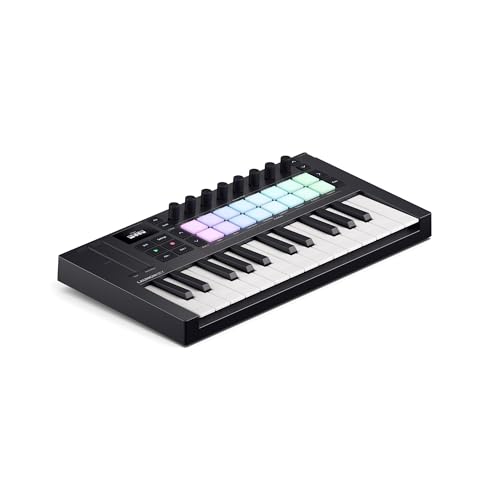
Novation Launchkey Mini 25 MK4 – portable 25 mini-key MIDI controller
Novation
Mid-Range
25-key Bluetooth USB MIDI keyboard controller (mini)
M-VAVE
Mid-Range
Novation Launchkey Mini 37 MK4 portable MIDI keyboard controller
Novation
Mid-Range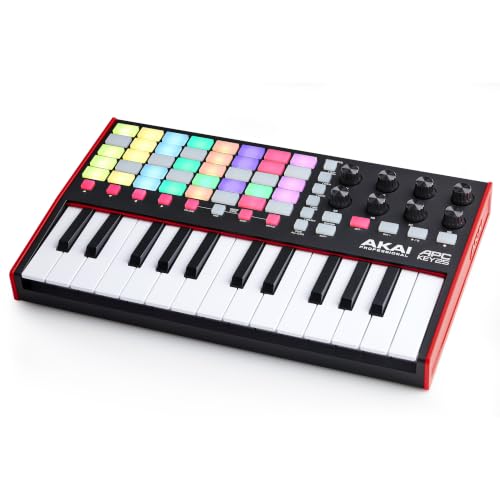
Akai APC Key 25 MK2 USB MIDI Keyboard Controller
Akai Professional
Mid-Range
M-VAVE 25-key USB MIDI Keyboard Controller (Pink)
M-VAVE
Mid-Range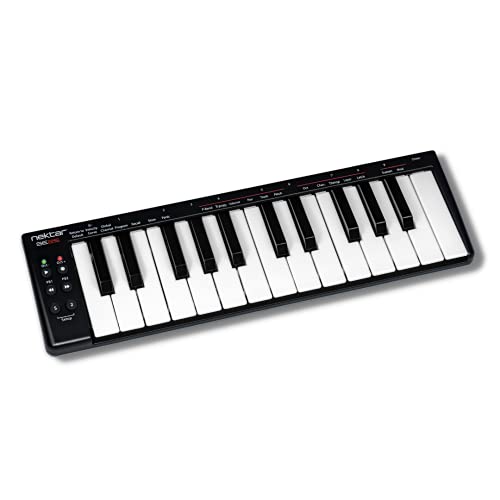
Nektar SE25 USB MIDI Controller Keyboard
Nektar
Mid-Range
M-VAVE Wireless MIDI Controller Pads (16 pads, 8 encoders, Bluetooth)
M-VAVE
Mid-Range
Nektar SE49 49-key MIDI Controller
Nektar
Mid-Range
Nektar Impact GX61 USB MIDI Controller Keyboard
Nektar
Mid-Range
M-VAVE 25-key USB MIDI keyboard with 16 pads & Bluetooth
M-VAVE
Mid-Range
M-WAVE 25 Key USB MIDI Keyboard Controller with 8 Drum Pads
M-VAVE
Mid-Range
M-VAVE 25-key USB MIDI Controller with 8 pads & Bluetooth
M-VAVE
Mid-Range
LTGEM Hard Case for M-Audio Oxygen Pro Mini 32 Key USB MIDI
L LTGEM
Mid-Range
Arturia KeyStep 32-Key Controller & Sequencer
Arturia
Mid-Range
M-VAVE 37 Key USB MIDI Keyboard Controller
M-Wave
Mid-RangeRoundups
Frequently Asked Questions
How do I choose the right MIDI controller for computer recording?
Decide which controls you need (keys, pads, knobs, faders), the number of octaves for keyboard controllers, and whether you need portable size or full-size keys; also check DAW compatibility, USB connectivity, and whether the controller sends MIDI over USB or requires a MIDI interface
What should I look for in terms of compatibility with my DAW and plugins?
Look for controllers that list compatible DAWs or support standard MIDI/USB MIDI class compliance; check for bundled mappings or scripts for popular DAWs and ensure the controller can send standard MIDI CC messages for plugin automation
What are typical price ranges and what features correspond to each range?
Entry-level controllers often cost under $100 and offer basic keys and pads; mid-range units around $100–$300 add better key action, more controls, and sometimes bundled software; higher-end controllers typically exceed that range and provide premium keybeds, motorized faders, deep DAW integration, and expanded I/O
Do MIDI controllers require drivers or special software to work with a computer?
Many modern controllers are class-compliant and work via USB without drivers, but some models may require manufacturer drivers, firmware updates, or DAW templates for full functionality; check the product documentation for driver requirements and installation steps
How important is key action and how do I choose between synth-action, semi-weighted, and hammer-action keys?
Synth-action keys are light and good for fast playing and portability; semi-weighted offers a compromise with some resistance and better dynamics; hammer-action simulates an acoustic piano feel and is preferred for realistic piano playing and expressive control
What connectivity and I/O should I consider for a home recording setup?
Ensure the controller has USB MIDI for direct computer connection, consider 5-pin MIDI DIN if you need hardware synths, and look for sustain pedal input, expression pedal jacks, and additional outputs or CV/Gate if you plan to integrate modular or external gear
How do I maintain and care for a MIDI controller to ensure longevity?
Keep the unit clean and dust-free, avoid spills and extreme temperatures, use a padded bag for transport, install firmware updates when available, and avoid excessive force on knobs, pads, and keys to prevent wear or mechanical failure