Computer Speakers
Computer Speakers covers desktop and multimedia speaker systems, including compact 2.0/2.1 sets, soundbars, and USB/Bluetooth options for PCs and gaming. The category averages a 4.40 rating across 176 indexed products, with prices from $33 to $700 (avg ~(price varies)) and brands like Edifier commonly represented
Top Products
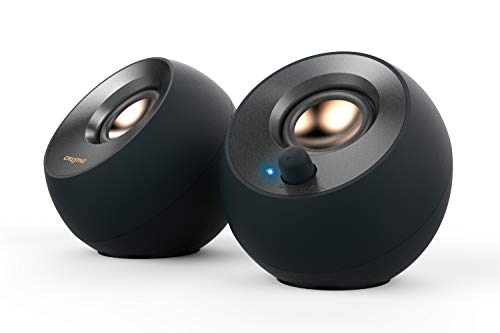
Creative Pebble V2 desktop speakers, USB-C powered
Creative
Budget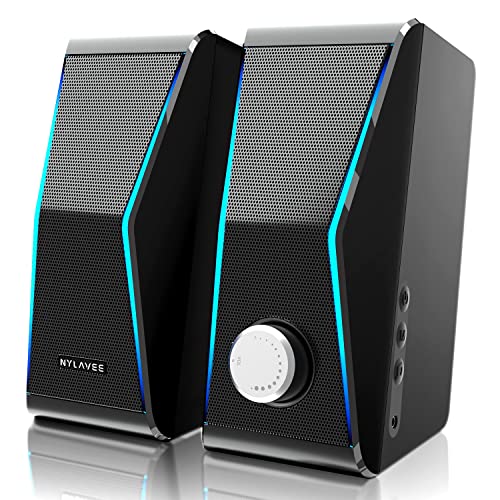
Nylavee Computer Speakers with RGB, 4 dual-magnetic units, 2 bass diaphragms, USB powered, 3.5mm AUX
Nylavee
Mid-Range
Nylavee Computer Speakers with 6 RGB Modes, USB powered
Nylavee
Mid-Range
DROK USB Volume Knob for PC and Mac
DROK
Budget
Redragon GS520 RGB Desktop Speakers
Redragon
Budget
Micca MB42X bookshelf speakers (pair)
Micca
Mid-Range
Cyber Acoustics USB Speaker Bar CA-2890
Cyber Acoustics
Budget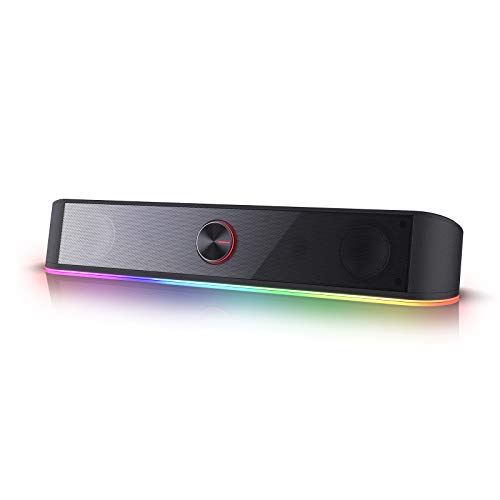
Redragon GS560 RGB Desktop Soundbar for PC
Redragon
Budget
Redragon GS560 RGB Desktop Soundbar, 2.0 Channel
Redragon
Mid-Range
Creative Pebble V3 Desktop Speakers (Black)
Creative
Mid-Range
Redragon GS520 RGB 2.0 Desktop Speakers
Redragon
Budget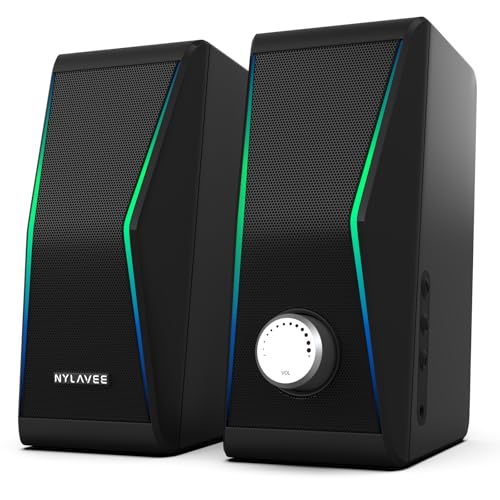
Computer Speakers with Bluetooth 5.0 and RGB Lighting
Nylavee
Mid-Range
Redragon GS560 RGB Desktop Soundbar 2.0, USB powered
Redragon
Mid-Range
Kanto S4 Tilted Desktop Speaker Stands (Pair) for mid-size monitors
Kanto
Mid-Range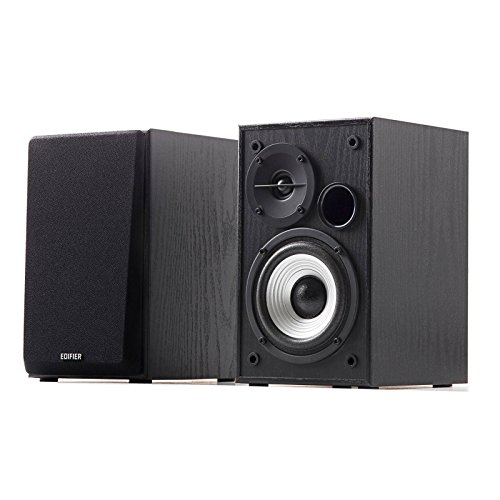
Edifier R980T 4" Active Bookshelf Speakers (Pair)
Edifier
Mid-Range
Logitech Z313 2.1 Speaker System with Subwoofer
Logitech
Mid-Range
Logitech Z313 2.1 Channel Multimedia Speaker System with Volume Control Remote
Logitech
Mid-Range
OFFSIR 2-in-1 PC Speakers with RGB Lighting
OFFSIR
Mid-Range
Cyber Acoustics 2.1 multimedia speaker system with subwoofer
Cyber Acoustics
Mid-Range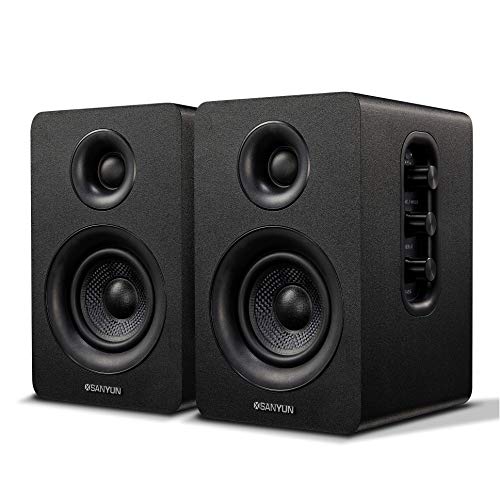
Sanyun SW208 3" Active Bluetooth Bookshelf Speakers (Pair)
Sanyun
Mid-Range
Logitech Z207 2.0 Stereo Computer Speakers with Bluetooth
Logitech
Mid-Range
Sanyun SW208 3" Active Bluetooth Bookshelf Speakers (Pair)
Sanyun
Mid-Range
Nylavee Computer Speakers, Bluetooth 5.0 USB Bar
Nylavee
Mid-Range
Nylavee Hi-Fi PC Speakers with LED Lighting
Nylavee
Mid-RangeRoundups
Frequently Asked Questions
How do I choose the right type of computer speakers for my setup?
Decide based on room size, source device, and usage: compact 2.0 or 2.1 speakers suit desks and casual listening, while larger bookshelf or powered monitors are better for bigger rooms or critical listening; check connectivity (USB, 3.5mm, Bluetooth, optical), power output (watts), and whether you need a subwoofer for deeper bass
What connectivity options should I look for in computer speakers?
Common options include wired 3.5mm AUX, USB (digital audio and power), Bluetooth wireless, and optical/coaxial for higher-quality digital inputs; choose based on your computer and peripherals and prefer speakers with multiple inputs if you plan to connect several devices
Are powered (active) speakers better than passive speakers for a PC?
Powered (active) speakers include built-in amplifiers and connect directly to a computer, making them more convenient for most PC users; passive speakers require an external amplifier or receiver, which adds cost and complexity but offers flexibility for audio system upgrades
What should I expect for sound quality at different price points?
Budget speakers (under ~(price varies)) typically offer acceptable clarity for casual use, mid-range models ($50–$200) generally provide better frequency balance, louder volume, and stronger bass (often via a subwoofer), while higher-priced models focus on accuracy, power, and build quality; averages in this category are around $120
How important is speaker size and placement for desk use?
Size affects bass and volume: smaller speakers fit desks better but may lack low-end, while larger speakers or subwoofers need more space; place satellites at ear level in an equilateral triangle with your listening position and keep the subwoofer against a wall or floor for firmer bass
What maintenance and care do computer speakers need?
Keep speakers dust-free with periodic gentle wiping, avoid exposing drivers to moisture or extreme heat, use proper cables and strain relief for connectors, and turn down volume before plugging or unplugging to prevent pops or damage
How do I ensure compatibility with my computer and software?
Check that the speakers support the connection type your computer provides (USB, 3.5mm, Bluetooth, or optical), verify driver or OS requirements for USB/driver-based models, and confirm the speakers support the audio formats and sample rates needed for your applications