Computers & Tablets
This category covers computers and tablets including laptops, 2‑in‑1s, and standalone tablets across budget through premium price tiers, with an average price around $585. It indexes 173 products with an average rating of 4.42 and top brands such as HP and Lenovo represented
Top Products

HP portable laptop 14” – 4GB RAM, 64GB eMMC, Windows 11
HP
Premium
HP 15.6" FHD Business Laptop 2025/2026 i5-1335U 16GB 1TB
HP
Premium
Acer Aspire 15.6" Laptop - Ryzen 3 7330U, 12GB RAM, 256GB NVMe
acer
Premium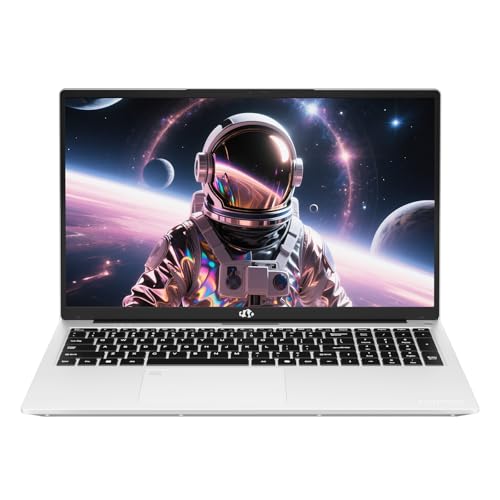
NIMO 15.6" FHD Laptop with 8GB RAM, 128GB SSD, Fingerprint
NIMO
Premium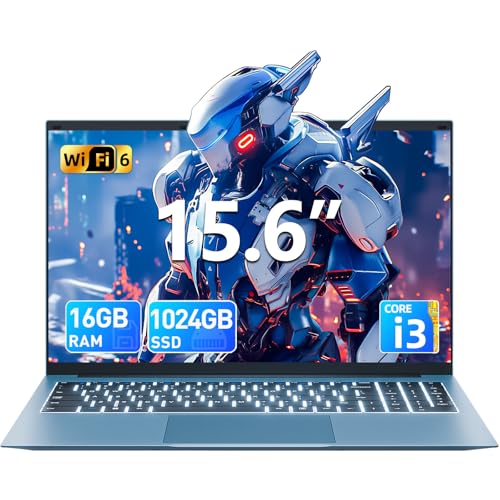
SGIN 15.6 inch laptop with 16GB RAM and 1TB SSD
SGIN
Premium
HP Rose Gold Ultrabook 14 Laptop with Office 365
HP
Premium
HP 14-inch laptop with 8GB RAM, 320GB storage, Windows 11 S
HP
Premium
HP Everyday Laptop with Office 365, Intel Quad-Core, 11.5h battery
HP
Premium
HP Chromebook 14" laptop with 4GB RAM and 64GB eMMC
HP
Premium
Intel NUC 11 Panther Canyon Mini PC with i5 processor
GEEK+
Premium
HP 14" laptop with 8GB RAM, 320GB storage, Windows 11 S
HP
Premium
TRIGKEY S5 Mini PC with Ryzen 5 5500U, 16G/500G NVMe, WiFi 6
TRIGKEY
Premium
HP 14" LED business laptop, 16GB RAM, 320GB storage, N4120, Windows 11 S
HP
Premium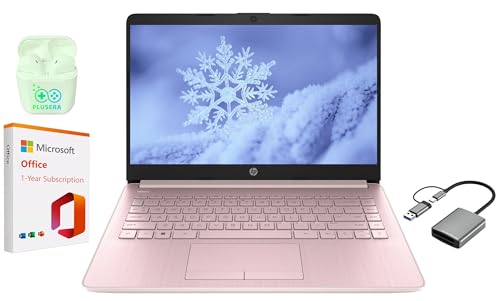
HP 14" laptop with 16GB RAM and 320GB storage, N4120, Windows 11 S
HP
Premium
HP 14" laptop with Windows 11 S, 8GB RAM, 64GB eMMC
HP
Premium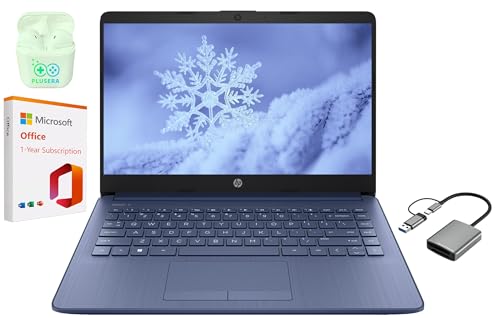
HP 14" LED business laptop with 16GB RAM and 320GB storage
HP
Premium
HP 15.6" laptop with Microsoft 365 and storage
HP
Premium
Intel NUC 13 Pro mini PC with Core i5-1340P
GEEK+
Premium
HP 14" laptop with 8GB RAM, 320GB storage, Windows 11 S
HP
Premium
NUC12WSHi5 mini PC with 12th-gen i5, 16GB RAM, 256GB SSD
NENCHIN
Premium
NUC 12 Pro mini PC with 12th gen i5, 16GB RAM, 512GB SSD
NENCHIN
Premium
SAMSUNG 12.2
ME2 MichaelElectronics2
Premium
HP 14" LED Laptop, 8GB RAM, 320GB+SD, N4120, Windows 11 S, Pink
HP
Premium
HP 14" LED Business Laptop with 16GB RAM, 320GB storage, N4120
HP
PremiumRoundups
Frequently Asked Questions
How do I choose between a laptop, 2-in-1, and tablet for general use?
Decide based on portability and input needs: laptops offer the most processing power and a full keyboard for multitasking; 2-in-1s (convertibles) balance tablet portability with a keyboard for light productivity; tablets prioritize mobility and touchscreen apps but may need keyboard accessories for serious typing
What specifications matter most for everyday performance and multitasking?
Prioritize CPU class (modern Intel Core i3/i5/i7, AMD Ryzen 3/5/7 or comparable), 8GB or more of RAM for smooth multitasking, and an SSD (256GB+ preferred) for fast boot and app load times; integrated graphics handle web and productivity, while discrete GPUs are needed for gaming or heavy media work
How should I set a budget for a computer or tablet in this category?
Expect entry-level laptops/tablets under a few hundred dollars for basic tasks, mid-range devices in the several-hundred-dollar range for reliable everyday use, and higher costs for premium build quality, bigger SSDs, more RAM, or dedicated graphics; average product prices in similar assortments are often in the mid-hundreds
Which connectivity and port features should I look for?
Look for at least one USB-C port (for charging or peripherals), USB-A ports for legacy devices, an HDMI or DisplayPort output if you need external monitors, a headphone jack if needed, and Wi‑Fi 5/6 and Bluetooth support for modern wireless performance
How long do batteries usually last and how can I extend battery life?
Battery life varies widely by model and use from a few hours to over a day; extend life by lowering screen brightness, using power-saving modes, closing unused apps, disabling background sync and Bluetooth when not needed, and avoiding high-performance settings for light tasks
What warranty and support considerations should I check before buying?
Check the length and coverage of the manufacturer's warranty, whether accidental-damage or onsite service is offered as an option, and the availability of driver and firmware updates; consider third-party extended warranty only if it fills gaps in coverage you need
How do I ensure compatibility with software and peripherals I already own?
Confirm the device's operating system meets software requirements (Windows, macOS, ChromeOS, or tablet OS), check CPU architecture and available ports for peripherals, and ensure sufficient RAM and storage for your applications and files