Data Storage
This Data Storage category covers consumer and professional storage hardware and accessories — external SSDs, NAS devices, hardware wallets, and related peripherals. Ten indexed products average a 4.42 rating and span budget through premium price tiers (range $59–$4,019), with brands like Blockstream represented
Top Products

Blockstream Jade Bitcoin Hardware Wallet
Blockstream
Mid-Range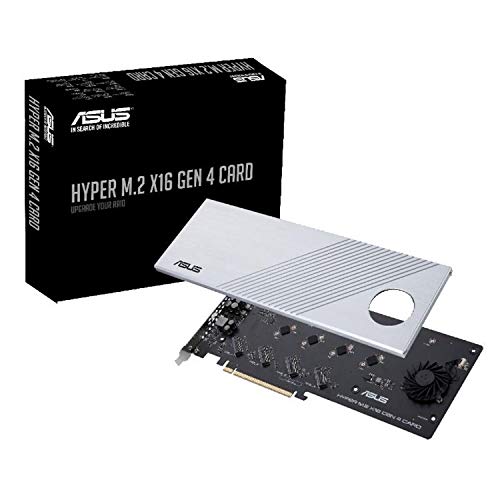
ASUS PCIe 4.0 x16 NVMe M.2 expansion card
ASUS
Mid-Range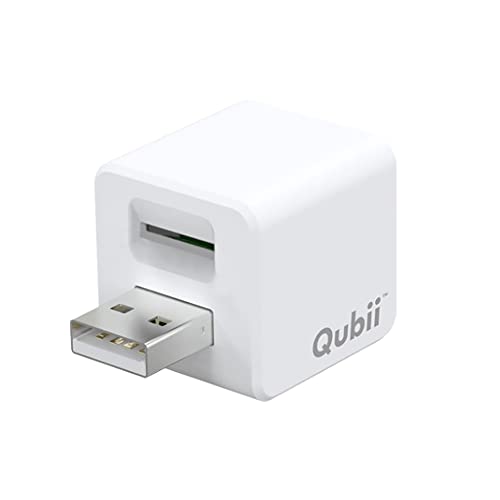
Qubii USB-A auto backup cube for iPhone & iPad
MAKTAR
Mid-Range
Hella ValueFit exterior work light 12V/24V
Hella
Mid-Range
ELLIPAL X-Card: air-gapped crypto cold wallet with starter kit
ELLIPAL
Mid-Range
StarTech 1:1 M.2 NVMe Drive Duplicator & Dock
StarTech
Premium
Apricorn 2TB Aegis Padlock USB 3.0 encrypted drive
Apricorn
Premium
Blockstream Jade Plus Bitcoin hardware wallet with camera
Blockstream
Mid-Range
Jade Plus Metal (Genesis Grey) Bitcoin Hardware Wallet with Camera, Bluetooth, USB-C
Blockstream
Premium
Oyen Digital Fortis 5C 5-Bay USB-C External RAID Drive Array
Oyen Digital
PremiumRoundups
Frequently Asked Questions
How do I choose the right type of data storage for my needs (HDD, SSD, NAS, or cold storage)?
Choose based on performance and access patterns: SSDs offer faster read/write and lower latency for daily use and laptops; HDDs provide higher capacity per dollar for bulk storage; NAS (network-attached storage) is for shared access, backups, and media streaming on a local network; cold storage (including offline hardware wallets or archival drives) is for infrequent access and long-term retention
What capacity and form factors should I consider for electronics and gadget storage?
Pick capacity according to use—256 GB–1 TB for OS and apps on laptops, 1–8 TB for local multimedia libraries, and 8 TB+ for large archives or surveillance; consider form factor: 2.5" drives for laptops, 3.5" for desktop/servers, M.2 or SATA for internal SSDs, and portable external drives or SSDs for mobility
How important are speed and interface (SATA, NVMe, USB) when buying storage?
Interface dictates maximum throughput: NVMe (PCIe) SSDs deliver the highest speeds for demanding tasks, SATA SSDs are slower but still much faster than HDDs, and USB versions determine external performance (USB 3.2/USB-C vs USB 2.0). Match interface to your device’s ports and your performance needs
What reliability and endurance specs should I check before buying an SSD or enterprise storage?
Look at TBW (terabytes written), MTBF (mean time between failures), and warranty length for endurance expectations; for SSDs, higher TBW indicates better write endurance for heavy workloads, and longer warranties often correlate with better durability
How should I secure and back up important data stored on these devices?
Use a 3-2-1 backup strategy: keep three copies of data, on two different media types, with one copy offsite or cloud-based; enable encryption (hardware or software) for sensitive data and keep recovery keys/passphrases in a secure, separate location
Are there compatibility or power considerations for external drives and NAS units?
Check OS compatibility (file system support like NTFS, exFAT, APFS), required drivers, and whether the drive needs external power or is bus-powered; for NAS, verify network speed (Gigabit or faster) and router/switch compatibility for optimal performance
What maintenance or care is recommended to extend the life of storage devices?
Avoid physical shocks for HDDs and portable drives, keep devices in a cool, dry environment, update firmware when provided by the manufacturer, perform periodic integrity checks and backups, and avoid filling SSDs to full capacity to maintain performance