Desktop Barebones
Desktop barebones systems — partially assembled compact PCs that typically include case, motherboard, and power supply for users to add CPU, RAM, and storage. This Electronics & Gadgets category spans budget through premium options (14 products, avg rating 4.54) and features brands like ASUS and Waveshare
Top Products

Waveshare Game HAT for Raspberry Pi with 3.5" IPS display
Waveshare
Mid-Range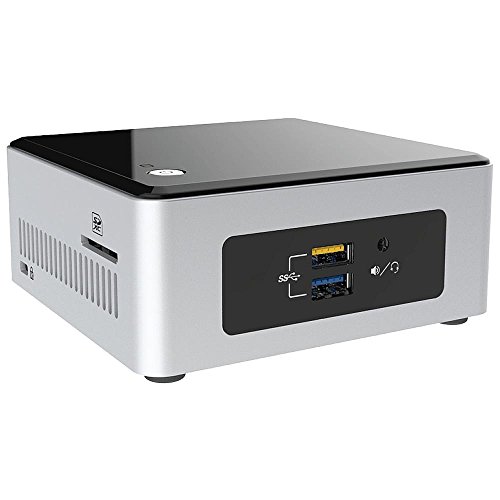
Intel NUC NUC5CPYH barebones PC
Intel
Mid-Range
Intel NUC 8th Gen Dual Antenna RF Extension LID
Micro SATA Cables
Budget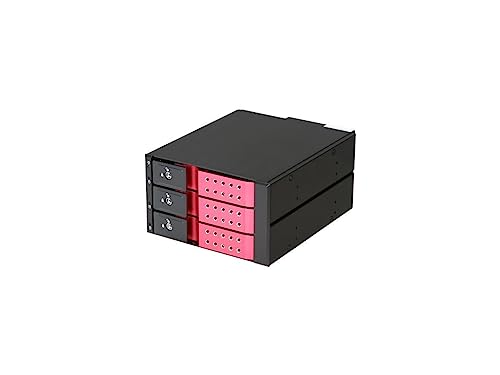
iStarUSA BPN-DE230SS-RED desktop barebones
Butch and Harold
Mid-Range
darkFlash DS900WS ATX PC case with walnut accents
darkFlash
Mid-Range
Waveshare 7.5" NFC e-Paper Eval Kit Bundle
waveshare
Mid-Range
iStarUSA 3x5.25 to 4x3.5 SATA Cage Red
iStarUSA
Premium
Waveshare QFP100 LQFP100 STM32 IC Test Socket Adapter 0.5mm Pitch
Waveshare
Mid-Range
ASUS NUC 14 Pro Tall Barebone with Intel 14th Gen Core 3 100U
ASUS
Premium
darkFlash DS900WS ATX PC Case with walnut wood, 4 ARGB fans
darkFlash
Mid-Range
iStarUSA 3x5.25 to 5x3.5 hot-swap SAS/SATA enclosure
iStarUSA
Mid-Range
ASUS NUC 14 Pro Tall Barebone with Intel Core Ultra 7 155H
ASUS
Premium
BRENUC NUC 11 Extreme mini desktop
BRE NUC
Premium
Supermicro SYS-5018D-FN4T 1U Rackmount Server Barebone
Supermicro
PremiumRoundups
Frequently Asked Questions
What is a desktop barebones system and who should consider buying one?
A desktop barebones system includes a case, power supply, and often a motherboard; it requires you to add CPU, memory, storage, and sometimes a GPU. It's suitable for buyers who want a partially assembled, customizable PC platform while saving time on case and power supply selection
How do I choose the right motherboard/socket and CPU compatibility?
Check the barebones motherboard form factor and CPU socket (e.g., Intel or AMD-compatible) and verify supported CPU generations and BIOS requirements; manufacturers and product specs list compatible socket types and chipset limitations to ensure the CPU you plan to buy will fit and boot
What should I look for regarding GPU and cooling clearance?
Review the case's maximum GPU length, CPU cooler height, and available PCIe slots to ensure your graphics card and cooler physically fit; also confirm airflow design and fan mount locations if you plan higher-performance components
How does the included power supply affect component selection?
Verify the included PSU wattage, efficiency rating, and available power connectors (PCIe, CPU 8-pin) to ensure it supplies adequate power for your planned CPU and GPU; if you plan a high-end GPU or overclocking, a higher-wattage unit may be required
What expansion and connectivity features should I prioritize?
Prioritize the number and type of USB ports, Ethernet speed, Wi‑Fi module support or M.2 Wi‑Fi slots, available SATA ports and PCIe expansion slots based on peripherals and future upgrades you expect to add
What warranty and support considerations are important for barebones systems?
Check the manufacturer's warranty coverage for the barebones chassis, motherboard, and power supply, and confirm what support is provided for BIOS updates and hardware RMA, since you'll be responsible for compatibility and installation of additional components