Digital Audio Workstation Controllers
Digital Audio Workstation Controllers include MIDI keyboards, pad controllers, control surfaces and jog wheels for recording, mixing and live performance. The 16 indexed products span budget through premium options (average $266) with top brands like Elgato and Mackie represented and an average rating of 4.40
Top Products

Elgato Stream Deck + audio mixer and studio controller
Elgato
Premium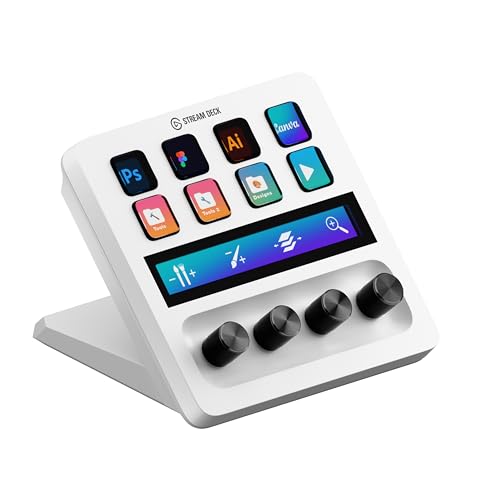
Elgato Stream Deck + White studio controller with LCD keys and dials
Elgato
Premium
Mackie Big Knob Passive 2x2 Studio Monitor Controller
Mackie
Mid-Range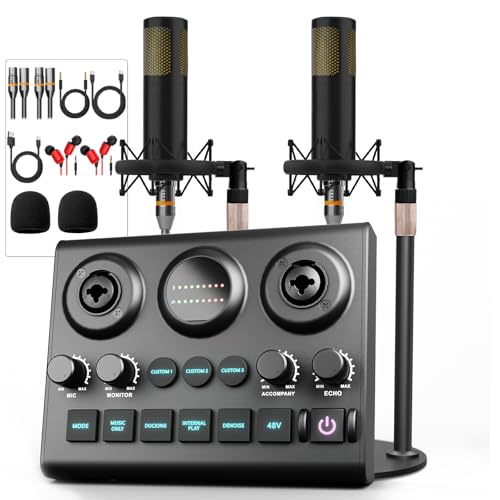
Podcast Equipment Bundle with 2 Dynamic mics & audio mixer
Hayner-Seek
Mid-Range
Podcast Equipment Bundle with RGB Interface and 2 Mics
Hayner-Seek
Mid-Range
Podcast Equipment Bundle for 2, Audio Interface DJ Mixer & 48V Condenser Microphone
Hayner-Seek
Mid-Range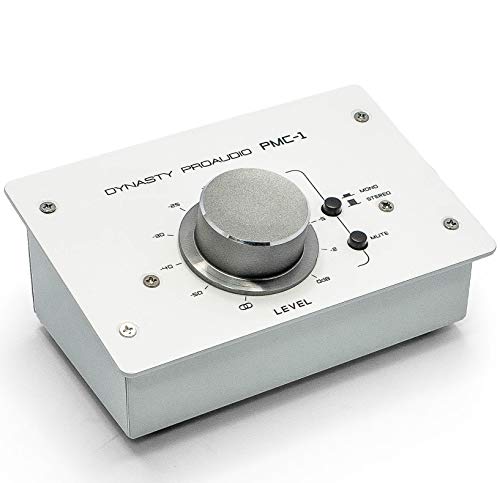
PMC-1 Passive Stereo Monitor Volume Controller with Large Volume Knob
DYNASTY PROAUDIO
Mid-Range
Image Line FL STUDIO 20 Fruity Edition (DAW controller)
Image Line
Mid-Range
Akai APC40 MKII USB MIDI Controller for Ableton Live
Akai Professional
Premium
PreSonus FaderPort DAW controller
PreSonus
Premium
TourBox Elite Bluetooth Video Editing Controller
TOUR BOX
Premium
Behringer X-TOUCH ONE Universal Control Surface
Behringer
Premium
Fosi Audio VOL20 Bluetooth Volume Controller
Fosi Audio
Mid-Range
PreSonus FaderPort 16 DAW Controller with Studio One Pro
PreSonus
Premium
Mackie Big Knob Studio Plus 4x3 USB I/O
Mackie
Premium
Ableton Push 3 Desktop Controller with 64 MPE pads
Ableton
PremiumRoundups
- Best Digital Audio Workstation Controllers for Guest Interviews (2026)
- Best Digital Audio Workstation Controllers for Podcast Recording (2026)
- Best Digital Audio Workstation Controllers for Live Streaming (2026)
- Best Digital Audio Workstation Controllers Under $200 (2026)
- Best Digital Audio Workstation Controllers Under $100 (2026)
- Best Digital Audio Workstation Controllers (2026 Guide)
Frequently Asked Questions
How do I choose the right DAW controller for my setup?
Choose a controller that matches your workflow and DAW compatibility (MIDI/USB or proprietary control protocols), the number and type of controls you need (faders, knobs, pads), the number of channels you record or mix, and connectivity with your audio interface and computer
What connectivity and compatibility should I check before buying?
Verify that the controller supports your DAW via Mackie Control, HUI, or vendor-specific integration, that it connects to your computer (USB, USB-C, or Ethernet), and that it works with your operating system; also confirm MIDI I/O if you plan to control external hardware
Is it better to buy a compact controller or a full-size control surface?
Compact controllers are more portable and cost-effective for solo producers and beatmakers, while full-size control surfaces with motorized faders and more channels suit larger mixing workflows and studios that need tactile control over many tracks
What features most improve workflow for recording and mixing?
Motorized or touch-sensitive faders, transport controls, dedicated channel encoders, session/pad control, and reliable DAW integration reduce mouse use and speed up recording, editing, and mixing tasks
How much should I expect to spend for a reliable DAW controller?
Price varies by size and features; budget controllers start under $100, midrange units commonly fall in the $150–$500 range, and larger motorized control surfaces are typically higher; averages across similar electronics categories are often in the low hundreds
Do DAW controllers require special drivers or software?
Some controllers are class-compliant and work with no drivers, while others require manufacturer drivers or companion software for full DAW integration and firmware updates; check the product documentation for driver and OS requirements
How should I maintain a DAW controller to ensure longevity?
Keep it clean and dust-free, avoid spilling liquids, store and transport in a padded case if mobile, update firmware and drivers when available, and periodically check and, if needed, recalibrate motorized faders or encoders per the manufacturer's instructions