DVD Players
This category covers standalone DVD players and combo units for home and portable use, spanning budget through mid-range models. Thirty-seven products average a 4.28 rating, with typical prices from $33 to $243 and offerings from brands like Panasonic
Top Products

Ceihoit Mini HD DVD Player with HDMI/AV, Multi-Region
Ceihoit
Budget
MEGATEK region-free HDMI DVD player
MEGATEK
Mid-Range
DVD Players for TV with HDMI and wide compatibility
ELECTCOM PRO
Mid-Range
Ceihoit Mini HD DVD Player with HDMI upscaling
Ceihoit
Budget
DVD player with HDMI and region-free playback
ELECTCOM PRO
Mid-Range
HD DVD Player with USB 2.0, All Region
Tojock
Budget
Sony DVPSR210P DVD Player
Sony
Mid-Range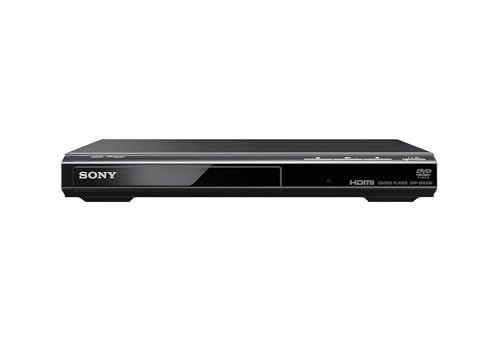
Sony DVD Player with HDMI and upscaling
Sony
Mid-Range
DVD player with HDMI, region-free, supports USB playback
WSJSYH
Budget
Panasonic DVD Player with HDMI, USB, 1080p upscaling
Panasonic
Mid-Range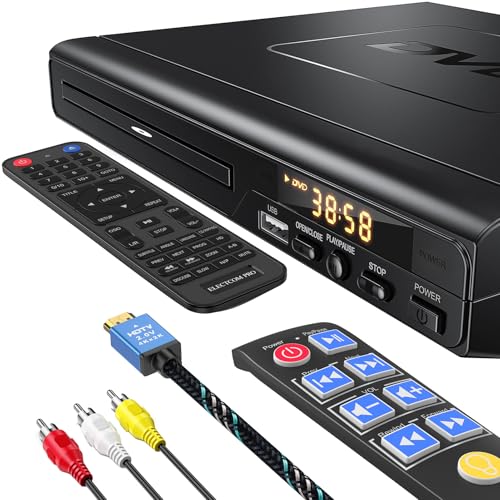
ELECTCOM PRO DVD Player with HDMI and Large Button Remote
ELECTCOM PRO
Mid-Range
Tojock DVD Player with HDMI, region-free (1-6) 1080p upscaling
Tojock
Budget
DVD Player for TV with HDMI output and region-free playback
GOKUID
Mid-Range
OREI Region Free HDMI DVD Player (Z9H) multi-zone with 1080p upscaling
OREI
Budget
DESOBRY Mini DVD Player with HDMI & AV, 1080P, All Region
Desobry
Mid-Range
Philips all-region DVD player with remote and RCA
Philips
Mid-Range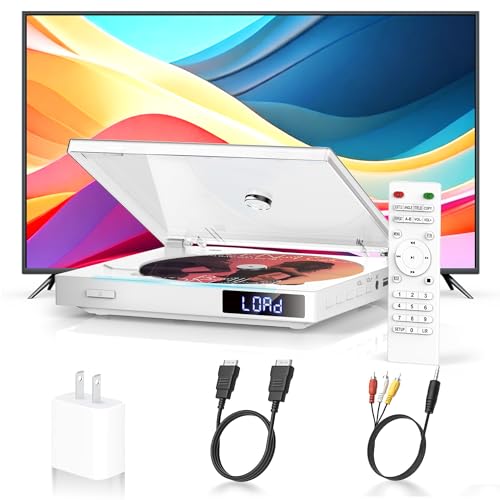
Mini region-free DVD player with HDMI output
Delleson
Budget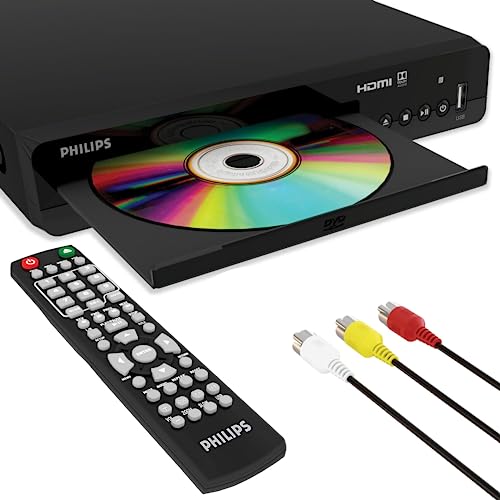
Philips multi-region DVD player with HDMI and USB input
PHILIPS
Mid-Range
Mini HD DVD Player with HDMI output
Toborher
Budget
Region Free DVD player with USB & HDMI - Wxjwyt
Wxjwyt
Budget
Sony DVPSR510H DVD Player with HDMI (Renewed)
SONY
Mid-Range
Philips DVD Player with HDMI 1080p upconvert, regional-free
PHILIPS
Mid-Range
Panasonic region-free DVD/CD player with 1080p up-conversion
Panasonic
Mid-Range
FELEMAN Mini DVD Player with HDMI and USB/TF input
FELEMAN
Mid-RangeRoundups
Frequently Asked Questions
How do I choose the right DVD player for my TV?
Match the player’s video outputs to your TV’s inputs (HDMI for modern TVs, composite/component for older sets), check supported disc formats (DVD‑Video, DVD‑R/RW, VCD, CD), and confirm region code compatibility if you buy discs from other regions
What features should I prioritize if I want the best picture and sound?
Prioritize HDMI output for full digital audio/video, support for progressive scan or upscaling if you have an HDTV, and audio passthrough for Dolby Digital/DTS if you connect to an AV receiver or soundbar
Are there reliable budget options and what can I expect under $60?
Budget players typically cover standard DVD and CD playback, basic DVD‑R/RW compatibility and composite/HDMI outputs; expect fewer advanced features like high-quality upscaling, extensive format support, or robust build quality compared with higher‑priced models
Do modern DVD players play Blu‑ray discs or streaming apps?
Standard DVD players do not play Blu‑ray discs; Blu‑ray players are required for those discs. Streaming apps are uncommon on basic DVD players—look for a Blu‑ray or dedicated streaming device if you need built‑in streaming services
How important is region code and format compatibility?
Region codes determine whether imported DVDs will play; ensure the player is region‑free or matches your disc region. Also check compatibility with burned discs (DVD‑R/DVD‑RW) and common file formats (MP4, AVI, MKV) if you plan to play ripped or copied media
What connections and accessories should I look for when buying?
Look for HDMI and at least one legacy output (composite or component) for older TVs, optical or coaxial digital audio if you use external audio equipment, a remote control, and a USB port if you want to play media files from flash drives
How do I maintain a DVD player to extend its lifespan?
Keep the player in a ventilated, dust‑free area, avoid heavy vibration, clean discs before playback, and use a lens‑cleaning disc occasionally; follow the manufacturer’s safety and cleaning instructions for the best results