Electronics Mounts
This Electronics Mounts category covers wall, ceiling, desk and vehicle mounts and stands for TVs, monitors, cameras and other gadgets, with options from budget to premium. It indexes 645 products (average rating 4.64) and average price about (price varies), with brands like VideoSecu and Stellar Mounts represented
Top Products
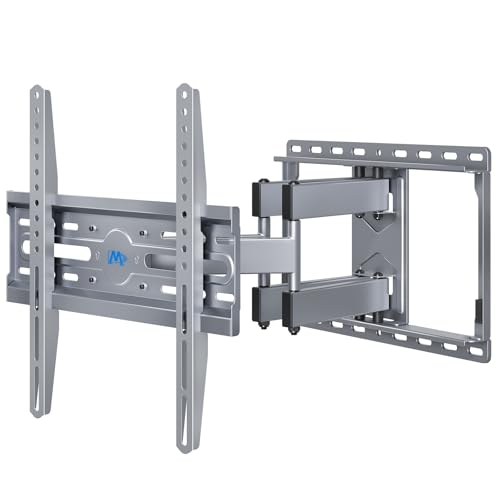
Mounting Dream TV Wall Mount 32-65" Full Motion
Mounting Dream
Mid-Range
AENTGIU Studless TV Wall Mount 32-75in
AENTGIU
Mid-Range
TotalMount wall mount for PS4 Slim
TotalMount
Budget
WALI RV TV Mount with Lockable Arm (13-43 in) 33lbs
WALI
Budget
WALI articulating TV wall mount 13-32", white
WALI
Budget
Antimbee studless drywall TV mount for 32-75 in TVs
Antimbee
Budget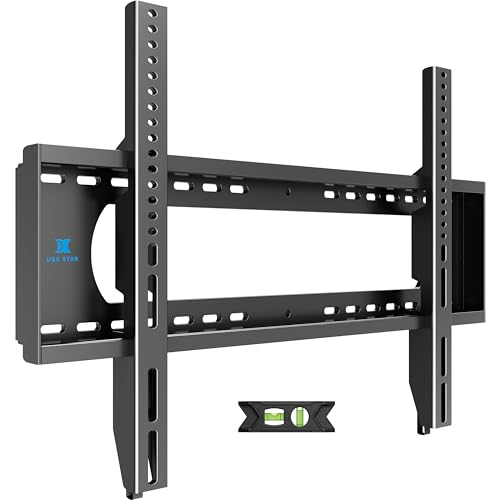
Heavy Duty TV Wall Mount for Large TVs (55-100")
USX STAR
Mid-Range
Suptek Full Motion TV Wall Mount (32-60) with Dual Arms
suptek
Budget
Suptek Full Motion TV Wall Mount 32-84"
suptek
Mid-Range
ELIVED Full Motion TV Wall Mount 32-65"
ELIVED
Mid-Range
AENTGIU Studless TV Wall Mount for 32-75" TVs
AENTGIU
Mid-Range
Full Motion TV Wall Mount for 42-86 inch TVs, 110 lbs support
USX STAR
Mid-Range
Bamboo TV Swivel Stand for LED/LCD TVs & Monitors
Prosumer's Choice
Mid-Range
Meliconi Wall Bracket 26-32in TV, 200x100 Vesa, Italy
Meliconi
Mid-Range
Studless TV Wall Mount for 32-75" TVs – No Stud, No Drill
AENTGIU
Mid-Range
AX WABER Floor TV Stand with Mount for 27"-65" TVs, 70° Swivel, 9-Level Height
AX WABER
Mid-Range
Studless TV Wall Mount for Most 32-75in TVs
HYPIGO
Budget
WALI Ceiling TV Mount Long Arm Full Motion
WALI
Mid-Range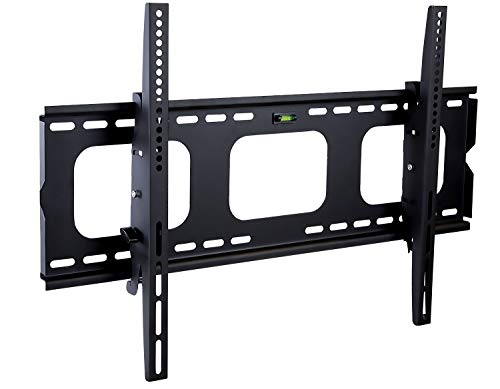
Tilting TV wall mount for 32-65" TVs, 175 lbs, 15° tilt
Mount-It!
Mid-Range
Wall Mount for Echo Show 15 (1st/2nd Gen) with 16" Extend & Heavy Arm
Letlar
Mid-Range
MOUNTUP Long Arm TV Wall Mount for 32-65 in TVs (MU0075)
MOUNTUP
Mid-Range
Mount-It Ceiling TV Mount for vaulted ceilings (MI-509L) white
Mount-It!
Mid-Range
Mount Plus 36-inch Top Shelf TV Mounting Bracket
Mount Plus
Budget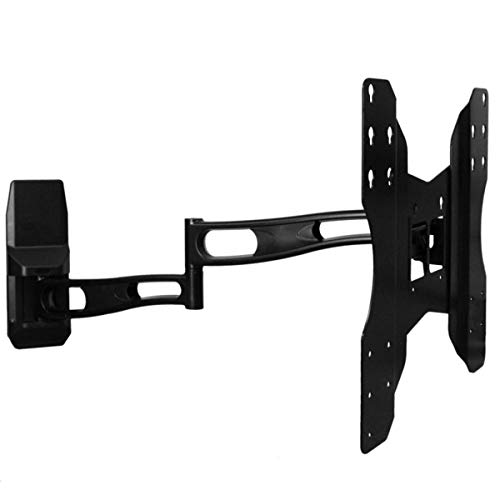
Full motion wall mount with 29-inch extension for 32–75 inch TVs
Aeon Stands and Mounts
Mid-RangeRoundups
Frequently Asked Questions
How do I choose the right mount for my device (TV, monitor, camera, tablet)?
Match the mount to the device type, weight, and VESA pattern (for TVs/monitors); check the maximum supported weight and screen size, ensure compatible mounting interface for cameras/tablets, and consider adjustability (tilt, swivel, rotation) based on viewing angle needs
What mounting options are available and when should I use each?
Common options include wall mounts for saving floor space, desk mounts for adjustable monitor ergonomics, ceiling mounts for cameras or displays in large rooms, and pole or clamp mounts for flexible placement; choose based on room layout, load capacity, and whether you need portability or permanent installation
What key features affect stability and durability?
Look for mounts made from solid metals (steel or aluminum), robust hardware and hinges, high load ratings with safety margins above your device weight, and secure mounting plates or VESA interfaces; a wider base or dual-arm design typically increases stability
What should I check for cable management and ergonomics?
Choose mounts with integrated cable routes or clips to keep cables hidden and strain-free, and prioritize tilt, height adjustment, and swivel range to reduce glare and achieve comfortable viewing posture
Are there compatibility or installation considerations for different wall types?
Yes—use appropriate anchors or mounting hardware: studs and lag bolts for drywall and heavy loads, masonry anchors for concrete or brick, and lighter anchors for plaster; confirm the mount’s included hardware supports your wall type or be prepared to purchase recommended anchors separately
How much should I budget for an electronics mount?
Prices vary by type and features: basic mounts often fall under $50, mid-range adjustable or multi-arm mounts commonly range from $50 to $200, and heavy-duty, specialty, or multi-device mounts can cost more; the category average price is around $100
What maintenance is required to keep a mount secure and functioning?
Periodically check and tighten mounting bolts and fasteners, inspect joints and hinges for wear or looseness, ensure cable ties or clips remain secure, and replace any corroded or damaged hardware to maintain safety and performance