External Disc Duplicators
External disc duplicators are standalone units for copying CDs, DVDs, and Blu‑ray discs without a PC, ranging from basic 1:1 towers to multi‑drive standalone copiers. The category includes about 95 indexed products (average rating 4.46) and spans budget through premium price tiers; notable brands include Systor and BestDuplicator
Top Products

24x 1 to 1 CD/DVD Duplicator Tower (PlexCopier) – standalone
PlexCopier
Premium
Produplicator 1 to 5 24X Burner CD DVD Duplicator Standalone Copier
Produplicator
Premium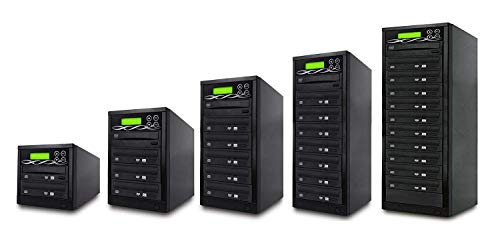
Target DVD/CD Duplicator with DVDRW Burners
BestDuplicator
Premium
1 to 3 Target DVD/CD Duplicator with Built-In Burners
BestDuplicator
Premium
DVD Duplicator (1 to 7) by BestDuplicator
BestDuplicator
Premium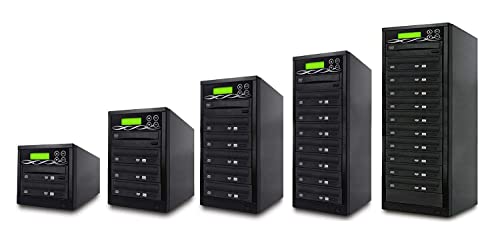
Target DVD/CD Duplicator Tower with DVDRW Burners
BestDuplicator
Premium
BD-SMG-10T 10-Target DVD Duplicator with M-Disc Support
BestDuplicator
Premium
Vinpower SDMiniDup 1 to 3 Standalone SD/MicroSD Duplicator
Vinpower Digital
Premium
SATA DVD Duplicator 5-Target Standalone Duplicator
BestDuplicator
Premium
Acumen Disc 1 to 7 DVD/CD Duplicator – 24x Writers, Standalone Copy Device
Acumen Disc
Premium
Standalone USB drive duplicator and eraser (1 to 2)
StarTech.com
Mid-Range
USB drive duplicator and HDD/SSD cloner dock with LCD
StarTech
Premium
BestDuplicator DVD Duplicator 1 to 5 Target Tower
BestDuplicator
Premium
BestDuplicator 24x DVD Duplicator with 11-target Tower
BestDuplicator
Premium
Bd-Lg-2T 2 Target 24X Sata Dvd Duplicator With Built-In Lg Burner
BestDuplicator
Premium
1 to 2 USB 2.0 flash drive duplicator with LCD
BestDuplicator
Mid-Range
EZ Dupe 1 to 5 DVD/CD Disc Copy Duplicator
EZ DUPE
Premium
BestDuplicator Premium Series Controllers (1 to 11)
BestDuplicator
Mid-Range
StarTech SATA drive duplicator and eraser (SATDUP11)
StarTech
Premium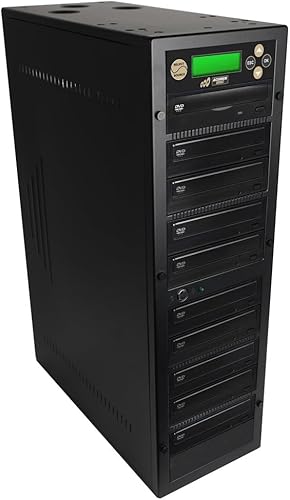
Acumen Disc Duplicator 1 to 9 Disc Tower (Standalone, 24x Writers)
Acumen Disc
Premium
Vinpower 1 to 2 SATA Duplicator & DOD Eraser
Vinpower Digital
Premium
1 to 7 24X Burner M-Disc External Duplicator
Optiarc
Premium
Data Solutions SD300 Duplicator 1:2 – portable
U-Reach
Mid-Range
Acard 1 to 15 Controller for Blu-ray Duplicator with SATA Cables
ACARD TECHNOLOGY
PremiumRoundups
Frequently Asked Questions
How do I choose the right external disc duplicator for my needs?
Choose based on media type and capacity (CD/DVD/Blu-ray and single- or dual-layer support), number of target drives (scale from 1:1 to 1:100+), interface (USB, SATA, or network), required features (error checking, verification modes, and disc spanning), and build quality for your expected usage volume
What performance and speed factors should I consider?
Look at the maximum copy speed per drive, whether the unit supports simultaneous multi-target writes, the controller throughput (USB/SATA bandwidth), and whether verification modes (read-after-write, CRC) add time; higher target counts typically lower effective throughput per disc
How much should I expect to spend on an external disc duplicator?
Prices vary widely with capacity and features: small desktop duplicators for occasional use are at the lower end, while professional tower or rack systems with many targets and network management fall into the high end; average market prices for dedicated external duplicators are in the mid-to-high thousands for professional-grade units
What reliability and maintenance should I plan for?
Plan regular firmware updates, periodic cleaning of optical drives and laser lenses per manufacturer guidance, rotation or replacement of worn drives after heavy use, and maintaining proper ventilation to prevent overheating to ensure consistent performance and long service life
Do external disc duplicators require special cables, power, or software?
Most units include necessary power supplies and interface cables (USB/SATA); networked models require Ethernet. Software may be built-in for standalone units, while some systems provide optional PC management utilities for job scheduling and logging
What verification and error-detection options should I look for?
Useful options include read-after-write verification, bit-for-bit comparison, checksum/CRC verification, retry and error-reporting policies, and the ability to log or export verification results for quality control
How do I evaluate support, warranty, and spare parts availability?
Check warranty length and coverage for drives and electronics, availability of replacement optical drives and power supplies, access to firmware updates, and vendor or reseller support responsiveness; modular designs that allow easy drive replacement reduce downtime