External Solid State Drives
External solid state drives: portable, bus-powered SSDs and rugged external enclosures offering fast, durable storage for backups, media editing, and file transfer. The category spans budget through premium options (about $35–$4,502, average $219) across brands like ORICO and SanDisk, with an average rating of 4.46 from 415 indexed products
Top Products

Seagate Ultra Compact 1TB Portable SSD
Seagate
Mid-Range
WD Elements SE 1TB Portable SSD (USB 3.0) WDBAYN0010BBK-WESN
WD
Mid-Range
SanDisk 1TB Extreme Portable SSD
SanDisk
Mid-Range
SanDisk 500GB Extreme Portable SSD
SanDisk
Mid-Range
SAMSUNG T7 Portable SSD 1TB USB 3.2 Gen 2
Samsung
Mid-Range
SanDisk 1TB Extreme Portable SSD
SanDisk
Mid-Range
WD_BLACK 512GB C50 Xbox Storage Expansion Card
WD_BLACK
Mid-Range
SanDisk portable SSD 1TB with USB-C, IP65, NVMe speed
SanDisk
Mid-Range
Seagate 1 TB NVMe Expansion SSD for Xbox Series X|S
Seagate
Mid-Range
Samsung T7 Portable SSD 1TB USB 3.2 Gen2 Titanium Grey
Samsung
Mid-Range
SAMSUNG T7 Portable SSD 2TB USB 3.2 Gen 2
Samsung
Premium
WD Elements SE 2TB portable SSD (USB 3.0) – WDBAYN0020BBK-WESN
WD
Mid-Range
SSK External SSD 250GB USB-C/USB-A
SSK
Budget
SanDisk 1TB Portable SSD with USB-C (SDSSDE30-1T00-G26)
SanDisk
Mid-Range
SSK Portable SSD 500GB USB‑C/USB‑A external drive
SSK
Mid-Range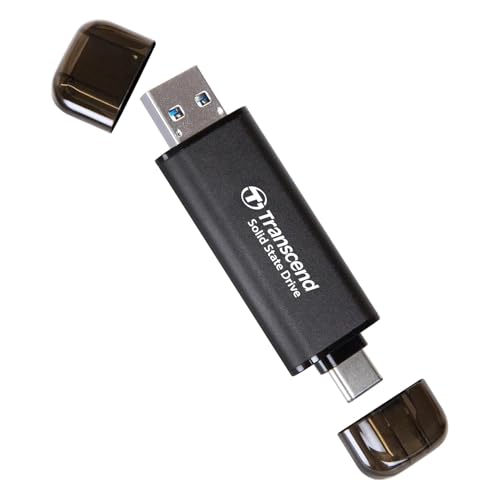
Transcend 256GB External SSD with USB-C & USB-A
Transcend
Mid-Range
WD_BLACK 1TB C50 Xbox Storage Expansion Card
WD_BLACK
Mid-Range
Kingston XS2000 500G USB-C Portable SSD
Kingston
Mid-Range
SanDisk 2TB Extreme Portable SSD
SanDisk
Premium
SAMSUNG T7 Portable SSD 2TB USB 3.2 Gen 2, Blue
SAMSUNG
Premium
Seagate Ultra Compact 2TB Portable SSD
Seagate
Premium
SAMSUNG T7 Portable SSD 4TB External Drive
SAMSUNG
Premium
SAMSUNG T7 Shield 1TB Portable SSD USB 3.2 Beigе
SAMSUNG
Mid-Range
Kingston XS1000 1TB external SSD
Kingston
Mid-RangeRoundups
Frequently Asked Questions
How do I choose the right capacity for an external SSD?
Pick capacity based on your storage needs and workflow: 250–512 GB for OS/apps and light media, 1–2 TB for photo/video projects or large game libraries, and 4 TB+ for extensive archives or professional video. Also consider backup strategy and whether you’ll move large files regularly, which favors higher capacities to avoid constant management
Which connection interface should I look for — USB-A, USB-C, or Thunderbolt?
Choose the fastest interface your devices support: Thunderbolt 3/4 offers the highest sustained throughput for heavy video or drive-cloning work, USB-C (USB 3.1/3.2 Gen 2) gives strong performance and broad compatibility, and USB-A (USB 3.0) is widely compatible but usually slower. Check both peak and sustained transfer rates and whether the drive includes or requires an adapter or cable
What performance specs matter for real-world use?
Focus on sustained read/write speeds rather than just peak sequential numbers, IOPS for small-file work, and thermal management (throttling behavior) for prolonged transfers. Manufacturer specs and third-party benchmarks both help; drives using NVMe over USB typically outperform SATA-based external SSDs
Are external SSDs durable and suitable for portable use?
External SSDs have no moving parts, so they are more shock-resistant than HDDs and generally suitable for portable use; look for ruggedized enclosures, IP-rated water/dust resistance, and solid-state shock specs if you need extra protection. Note that durability doesn’t eliminate the need for backups, as SSDs can still fail or be lost
What security and encryption options should I consider?
Consider hardware-based encryption or drives that support AES-256 with built-in PIN/password authentication if you need strong protection; software encryption (BitLocker, FileVault) is an alternative when hardware encryption isn’t available. Verify cross-platform support and whether encryption impacts transfer speed or requires vendor software
How long do external SSDs typically last and what affects lifespan?
SSD lifespan depends on NAND type, write endurance (TBW), workload, and thermal conditions; consumer external SSDs often last several years under normal use, while heavy constant writes shorten lifespan. Check rated TBW or endurance and maintain firmware updates and adequate cooling to maximize lifespan
What should I look for in warranty and support?
Look for at least a two- to three-year limited warranty and clear warranty terms covering defects and data recovery options; check whether the vendor provides firmware updates and customer support channels. Remember warranties rarely cover data loss, so maintain independent backups