HDMI Cables
HDMI Cables for connecting TVs, monitors, game consoles, and AV equipment, available in lengths, shieldings, and HDMI standards for video/audio transmission. Catalog includes budget through premium options (avg $78) across 219 indexed products, with brands like Monoprice among the top sellers
Top Products

BlueRigger 4K HDMI Cable 35FT – 4K HDR, HDCP2.3, in-wall CL3
BlueRigger
Budget
BlueRigger HDMI Cable 3FT 5 Pack 8K 60Hz 4K 120Hz
BlueRigger
Budget
BlueRigger 4K HDMI Cable 50FT – HDR, 4K 30Hz, in-wall CL3
BlueRigger
Mid-Range
BlueRigger 4K HDMI Cable 40FT, 18 Gbps, eARC
BlueRigger
Mid-Range
8K HDMI Cable 2.1 30FT/9M, 48Gbps, 4K120 144Hz
Highwings
Budget
Highwings 8K@60 2.1 HDMI Cable 35FT, 48Gbps, 4K120/144Hz
Highwings
Mid-Range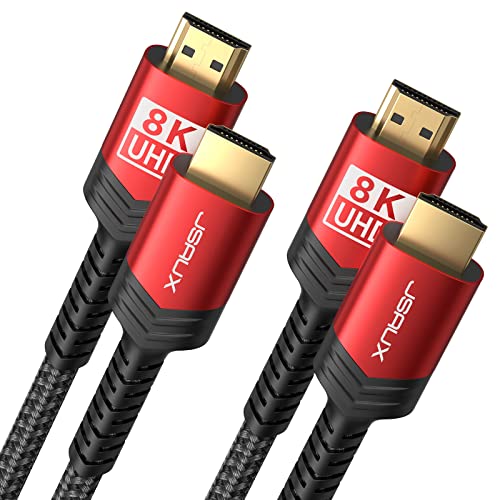
JSAUX 8K HDMI Cable 2.1 6ft (6 Pack) Braided 48Gbps
JSAUX
Mid-Range
Capshi 50ft HDMI Cable, 8K/4K@120Hz, Fiber Optic 48Gbps
Capshi
Mid-Range
Highwings 4K Fiber Optic HDMI Cable 45ft Unidirectional
Highwings
Budget
JSAUX 30 ft HDMI 2.1 Cable 8K/4K Ultra High Speed
JSAUX
Mid-Range
JSAUX 8K HDMI Cable 50FT braided nylon 48Gbps HDMI 2.1
JSAUX
Mid-Range
JSAUX 8K HDMI Cable 25ft (2-Pack) 48Gbps 2.1
JSAUX
Mid-Range
JSAUX 8K HDMI Cable 50 ft 2.1 Braided 48Gbps 4K/8K HDR eARC
JSAUX
Mid-Range
PowerA Ultra High Speed HDMI Cable for PS5 (HDMI 2.1, 10 ft)
PowerA
Mid-Range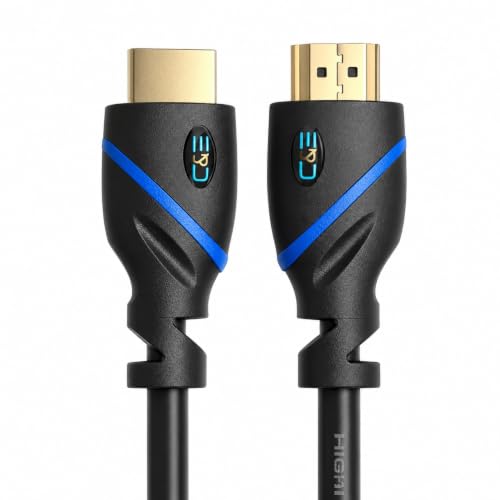
HDMI Cable 15ft Ethernet ARC 4K 3D Gold Plated C&E
C&E
Mid-Range
UGREEN HDMI 2.1 Cable 8K 48Gbps 33ft
UGREEN
Mid-Range
Snowkids HDMI Cable 30 ft 8K/48Gbps HDMI 2.1 Cable
Snowkids
Budget
Ultra High Speed HDMI Cable 8K/4K HDR 25 ft
Cable Matters
Budget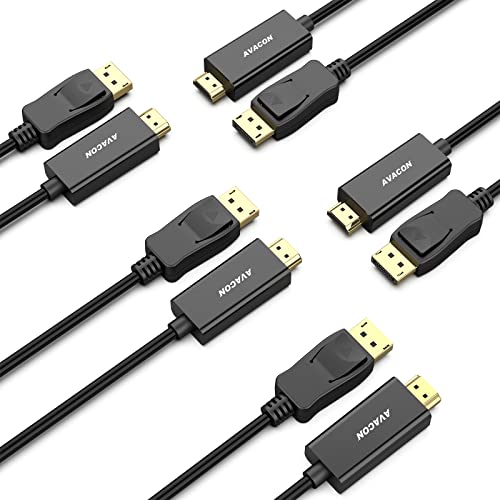
4K DisplayPort to HDMI cable (6 ft) 5-pack, uni-directional
AVACON
Budget
HDMI Cable 25ft (7.6m) Ethernet ARC 4K 30Hz 3D Gold Plated
C&E
Budget
Highwings 4K Fiber Optic HDMI Cable 75FT
Highwings
Mid-Range
30ft High Speed HDMI Cable with Ethernet
C&E
Mid-Range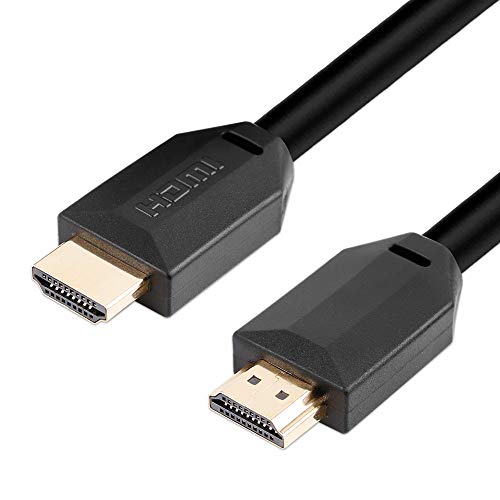
6ft HDMI 2.1 Cable 8K/60Hz 4K/120Hz Cable with HDR Dolby Vision
C&E
Mid-Range
6ft HDMI Cable with Ethernet, 4K/3D support, gold-plated
C&E
BudgetRoundups
Frequently Asked Questions
How do I choose the right HDMI cable for my TV, monitor, or gaming console?
Match the cable to the highest resolution and features you need (e.g., 1080p, 4K@60Hz, 4K@120Hz, HDR, or 8K) and ensure it supports the HDMI version or feature set (such as HDMI 2.0 or 2.1 capabilities) required by your devices; also consider length and build quality to reduce signal loss over long runs
What's the difference between standard, high-speed, and premium/ultra-high-speed HDMI cables?
Standard HDMI supports up to 1080i/720p, High-Speed handles 1080p and many 4K@30Hz features, and Premium/Ultra High-Speed cables support higher bandwidths needed for 4K@60Hz HDR, 4K@120Hz, or 8K video and advanced features like eARC and VRR; choose based on the resolution and features your devices require
Does cable length affect HDMI signal quality, and how long can I run a cable reliably?
Longer passive HDMI cables can exhibit signal degradation; for reliable uncompressed performance, keep passive cables under about 3–10 meters (10–33 feet) depending on bandwidth needs, or use active HDMI cables, fiber HDMI, or HDMI extenders for longer runs
Do I need an HDMI cable with Ethernet or eARC/ARC support?
Choose HDMI with Ethernet only if you plan to use the cable to network-compatible devices via HDMI; eARC/ARC support is necessary if you want advanced audio return features and high-bitrate audio passthrough between a TV and soundbar or AV receiver
How can I tell if an HDMI cable supports a specific feature like 4K@120Hz, VRR, or HDR?
Check the cable’s specified bandwidth rating (e.g., 18 Gbps for many 4K@60Hz HDR features, 48 Gbps for 4K@120Hz and 8K), and look for explicit mention of the feature (HDR, VRR, eARC) or an 'Ultra High Speed' designation from manufacturers
Are expensive HDMI cables worth it, or are cheaper ones sufficient?
For most users, a well-made cable that meets the required bandwidth and feature specs provides reliable performance; higher prices often reflect build quality, shielding, and brand, but do not change the HDMI protocol limits—buy based on needed specs and reputable construction
How should I care for and install HDMI cables to ensure longevity and best performance?
Avoid sharp bends and kinks, use gentle strain relief at connectors, keep cables away from strong electromagnetic sources, and choose appropriate-length cables to reduce unnecessary slack and potential signal issues