HDMI-to-VGA Adapters
HDMI-to-VGA adapters convert digital HDMI outputs to analog VGA displays for connecting laptops, PCs, or media devices to older monitors and projectors. This category includes 17 indexed adapters averaging a 4.38 rating, with mid-range prices (about $35–$84) and brands like Moread represented
Top Products

HDMI to VGA Adapter (5 Pack) Moread HDMI-to-VGA, Gold-Plated, Male to Female
Moread
Mid-Range
BENFEI HDMI to VGA Adapter (10 Pack) – HDMI to VGA, Male to Female, Black
BENFEI
Budget
HDMI to VGA adapter (10 pack) Uni-Directional, gold-plated
Moread
Mid-Range
6ft HDMI to VGA Cable 5-Pack
URELEGAN
Budget
HDMI to VGA Converter with 3.5mm Audio for 1080p
JideTech
Budget
JideTech VGA to HDMI Converter with Audio Port
JideTech
Mid-Range
BENFEI HDMI to VGA 6ft Adapter Cable, Uni‑Directional (Source) to Display
BENFEI
Mid-Range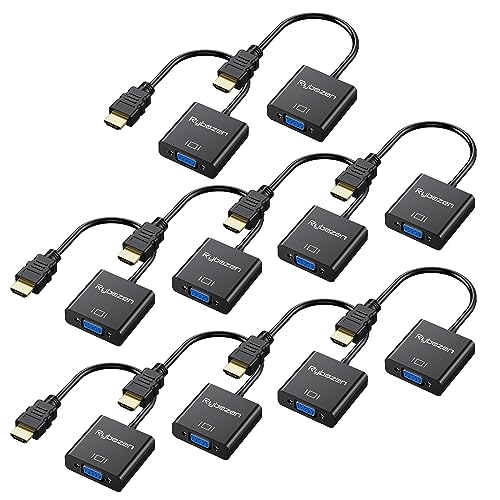
HDMI to VGA Adapter 10 Pack (Gold-Plated) - HDMI to VGA Converter
DigitConvert
Mid-Range
HDMI to VGA Cable 3 ft (10-pack) Male to Male
URELEGAN
Mid-Range
Belkin HDMI to VGA Adapter Kit
Belkin
Mid-Range
HDMI to VGA Adapter 10-Pack (Male to Female) for PC and Display
UV-CABLE
Mid-Range
VGA to HDMI Adapter with USB Audio (VGA2HDU)
StarTech.com
Mid-Range
HDMI to VGA Adapter 10-Pack Uni-Directional
DoroJepi
Mid-Range
VGA to HDMI adapter with 6ft cable, 4K/HDMI 1.4b
StarTech
Mid-Range
Belkin HDMI to VGA Adapter with 3.5mm Audio
Belkin Inc.
Budget
HDMI to VGA adapter bulk pack (20 pcs) gold plated
Yunsailing
Budget
PHILIPS HDMI to VGA Adapter 8 Pack
PHILIPS
Mid-RangeRoundups
Frequently Asked Questions
What is an HDMI-to-VGA adapter and when do I need one?
An HDMI-to-VGA adapter converts a digital HDMI signal from a laptop, streaming stick, or modern device into an analog VGA signal used by older monitors, projectors, or TVs; use one when the display lacks an HDMI port but supports VGA input
How do I choose the right HDMI-to-VGA adapter for video quality?
Pick an adapter that supports at least the resolution you need (commonly 1080p for full HD) and look for adapters with active conversion chips for reliable scaling and signal integrity, especially when converting from digital to analog
Do HDMI-to-VGA adapters carry audio, and how can I get sound to external speakers?
Most HDMI-to-VGA adapters do not pass audio via VGA; choose an adapter that includes a separate 3.5 mm audio output or use your source device's headphone/line-out or a separate USB audio solution to route sound to external speakers
Are there compatibility issues I should be aware of with specific devices?
Check that your source's HDMI output is standard (not mini/micro without an adapter) and supports analog conversion; some devices with HDCP or uncommon HDMI implementations may not work, so verify return policies and compatibility notes before buying
Do HDMI-to-VGA adapters need external power?
Some active HDMI-to-VGA adapters draw enough power from the HDMI port, but others require external USB power when the source's HDMI port can't supply sufficient current; product descriptions typically note if USB power is recommended or required
What build and connector features should I look for for durability and ease of use?
Look for adapters with molded strain relief, gold-plated or well-seated connectors, a short integrated cable or right-angle options for tight spaces, and a lightweight housing to reduce stress on device ports
How should I care for and troubleshoot an HDMI-to-VGA adapter if the display is blank or flickering?
Ensure tight connections, confirm the display is set to the correct VGA input and resolution, try a different HDMI cable or source, connect USB power if available, and test the adapter with another monitor to isolate the issue; persistent problems may indicate an incompatible device or a faulty adapter