Internal Hard Drives
Internal Hard Drives include 3.5" and 2.5" HDDs and SSDs for desktops and laptops, used for primary storage, backups, and system drives. The category spans budget to premium options (average price ~(price varies)) across 247 indexed products, with brands like Western Digital commonly represented and an average rating of 4.46
Top Products

Western Digital 2TB WD Blue 3.5" internal HDD
Western Digital
Mid-Range
WD Blue 2TB internal hard drive, 3.5", 7200 RPM
Western Digital
Mid-Range
Western Digital 1TB WD Blue Internal HDD
Western Digital
Mid-Range
WD 4TB Blue Internal HDD 3.5" SATA 6 Gb/s 64 MB Cache
Western Digital
Mid-Range
WD Blue 4TB Internal Hard Drive (3.5", 5400 RPM, SATA 6 Gb/s)
Western Digital
Mid-Range
Seagate 1TB Desktop HDD 3.5-inch SATA 6Gb/s
Seagate
Mid-Range
Seagate BarraCuda Mobile 500GB 2.5" SATA HDD
Seagate
Mid-Range
WD Blue 2TB 2.5" HDD 5400 RPM SATA 6 Gb/s 128MB
Western Digital
Mid-Range
WD Blue 1TB 2.5" HDD, 5400 RPM, SATA 6 Gb/s
Western Digital
Mid-Range
WD Blue 8TB Internal HDD, 3.5", SATA 6 Gb/s
Western Digital
Mid-Range
Seagate 1TB Gaming SSHD SATA 6Gb/s 2.5" Internal Drive
Seagate
Mid-Range
Seagate Momentus 1TB 2.5" SATA III 5400RPM HDD
Samsung Electronics
Budget
WD 1TB 3.5" SATA HDD for PC/Mac (WD10EZEX) 7200RPM
WD
Mid-Range
WD Purple 2TB Surveillance HDD
Western Digital
Mid-Range
Toshiba 1TB 2.5" SATA HDD 5400RPM 8MB Cache
TOSHIBA
Budget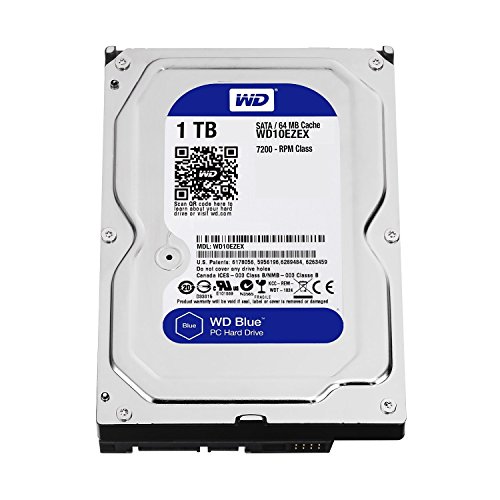
WD Blue 1TB 3.5" HDD internal
Western Digital
Mid-Range
Seagate FireCuda 2TB SSHD Desktop Drive
Seagate
Mid-Range
Seagate Barracuda 1TB 7200RPM SATA 3Gb/s 3.5" internal hard drive
Seagate
Mid-Range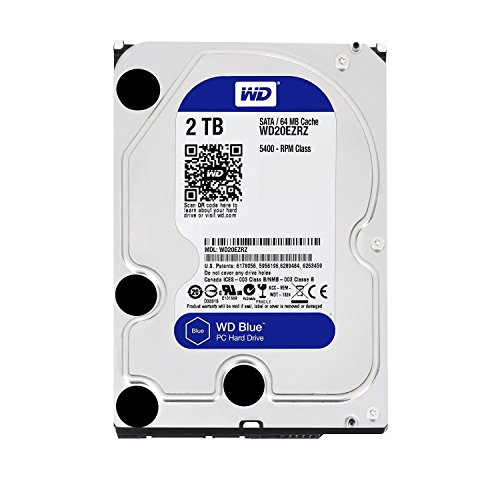
WD Blue 2TB Internal Hard Drive 3.5" SATA
Western Digital
Mid-Range
MaxDigitalData 1TB 7200RPM 3.5in Surveillance HDD
MDD MAXDIGITALDATA
Budget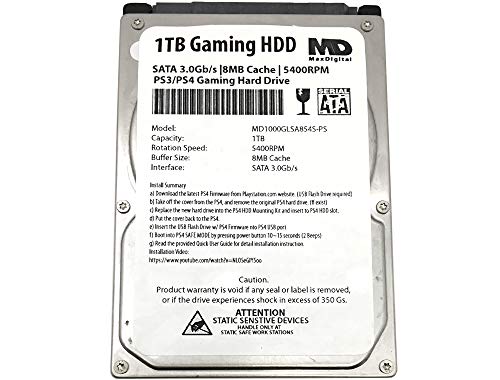
MD1000GLSA854-PS 1TB 2.5" SATA Gaming HDD 5400RPM
MDD MAXDIGITALDATA
Budget
WD Purple 2TB Surveillance HDD - 3.5" SATA 6Gb/s
Western Digital
Mid-Range
Seagate Barracuda 3.5" Internal HDD 500GB + Protective Cover
Seagate
Budget
Toshiba 3.5-Inch 1TB 7200 RPM SATA HDD
TOSHIBA
Mid-RangeRoundups
- Best Internal Hard Drives for System Backup (2026)
- Best Internal Hard Drives for Office Workstation (2026)
- Best Internal Hard Drives for Media Library Expansion (2026)
- Best Internal Hard Drives Under $200 (2026)
- Best Internal Hard Drives Under $100 (2026)
- Best Internal Hard Drives Under $50 (2026)
- Best Internal Hard Drives (2026 Guide)
Frequently Asked Questions
How do I choose the right internal hard drive type for my computer?
Choose between HDDs (spinning disks) for higher capacity at lower cost per GB and SSDs (solid-state drives) for much faster performance and better durability; also confirm the form factor (3.5" for desktops, 2.5" for laptops) and interface (SATA for most consumer drives, NVMe over M.2 for highest SSD speeds) that your motherboard supports
What capacity should I buy and how do capacities affect price and performance?
Select capacity based on use: 500 GB–1 TB suits OS plus applications, 2 TB–8 TB is common for media storage and backups, while higher-capacity HDDs offer lower cost per GB; SSD performance is largely independent of capacity but larger SSDs can sustain faster speeds and longer lifespans due to more spare cells
What performance specs matter when comparing internal hard drives?
For HDDs look at RPM (typically 5,400 vs 7,200) and cache size; for SSDs check interface (SATA vs NVMe), sequential read/write speeds, and IOPS for random performance; also review endurance metrics for SSDs such as TBW (terabytes written) or drive writes per day
How do compatibility and installation requirements affect my purchase?
Verify physical fit (3.5" vs 2.5" or M.2 module), interface compatibility with your motherboard (SATA ports or M.2 NVMe slots), required power or adapter cables, and whether your system BIOS/UEFI supports the drive type and capacity
How long do internal hard drives typically last and how should I back up data?
HDDs commonly last 3–6 years in typical use and SSDs often last several years depending on write workload and TBW rating; maintain regular backups using an external drive or cloud service and monitor drive health with S.M.A.R.T. tools to detect early failures
Are there warranty or reliability factors I should check before buying?
Compare manufacturer warranty periods (often 1–5 years), look for published MTBF or annualized failure rates when available, and prefer drives from reputable brands with clear warranty support and firmware update policies
Can I mix internal drive types in one system and use them together?
Yes — many systems use an SSD as the boot drive for the OS and an HDD for bulk storage; ensure your OS and BIOS settings are configured correctly, and consider TRIM support and proper drive mounting for optimal SSD and HDD coexistence