Internal TV Tuner & Video Capture Cards
Internal TV tuner and video capture cards include internal PCIe/PCI adapters and capture modules for recording, streaming, or digitizing HDMI, component, and DVB signals. The 64-product category spans budget to premium options (average price ~(price varies)) and features brands like AVerMedia. Average rating: 4.39 from indexed listings
Top Products

4K HDMI capture card for streaming
Dcyfol
Budget
Elgato Video Capture USB 2.0 capture card
Elgato
Mid-Range
Capture Card for Nintendo Switch 4K Pass-Through USB3.0 1080P 60FPS
Swudloe
Mid-Range
USB3.0 4K Game Capture Card with HDMI Pass-Through
TreasLin
Budget
HDMI video capture card for Nintendo Switch 2
SUDTREEV
Mid-Range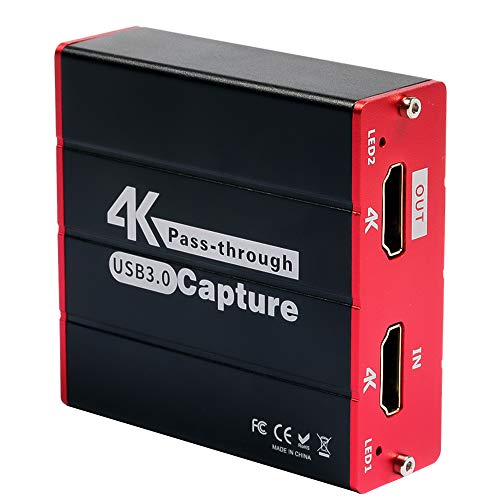
Mirabox USB3.0 HDMI capture card for Switch
Mirabox
Mid-Range
IO Data GV-USB2/E VHS to DVD capture device
I-O DATA
Mid-Range
AVerMedia 4K USB capture card
AVerMedia
Mid-Range
AVerMedia 4K HDMI Capture Card for PS5/Xbox/Switch
AVerMedia
Mid-Range
AVerMedia 4K Capture Card for PS5/Xbox/Switch on PC
AVerMedia
Mid-Range
Mirabox USB3.0 capture card for Switch 1080p 60fps
Mirabox
Mid-Range
HDMI video capture card for Nintendo Switch 2, 1080p60/4k30, USB3.0
SUDTREEV
Mid-Range
HDMI video capture card for Nintendo Switch 2, 1080p60, USB3.0
SUDTREEV
Mid-Range
Capture Card with 4K HDMI Pass-Through for Streaming
PACOXI
Mid-Range
USB 3.0 Video Capture Card for 1080p recording
PACOXI
Mid-Range
VANGREE 4K HDMI Capture Card for Switch, USB-C 3.0 1080p60
VANGREE
Mid-Range
AVerMedia GC573 Live Gamer 4K internal capture card
AVerMedia
Premium
Capture Card for Nintendo Switch 1080p60 USB-C 4K Pass-Through
VANGREE
Mid-Range
Capture Card for Nintendo Switch with USB-C 3.0, 1080p60 / 4K30 passthrough
VANGREE
Mid-Range
Guermok 4K HDMI Capture Card with USB 3.0
Guermok
Mid-Range
NZXT Signal HD60 USB capture card
NZXT
Mid-Range
ANYOYO HDMI Capture Card 4K 60FPS HDR VRR Passthrough
ANYOYO
Mid-Range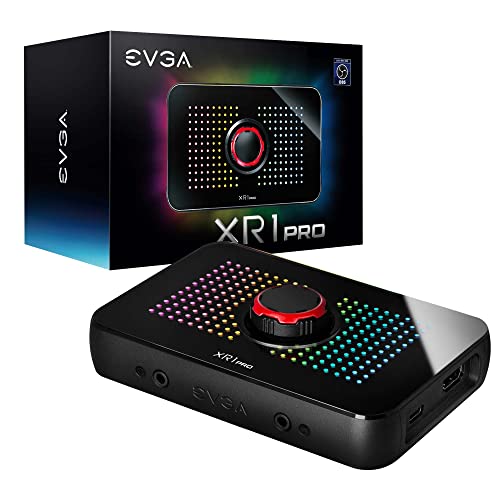
EVGA XR1 Pro Capture Card 1440p/4K HDR Pass-Through
EVGA
Premium
4K HDMI to USB 3.0 video capture card for Switch and more
ORIVISION
BudgetRoundups
Frequently Asked Questions
How do I choose between an internal TV tuner and a video capture card?
Choose an internal TV tuner if you need to receive and record over-the-air or cable TV signals (ATSC/DVB/ISDB) directly to a PC; choose a video capture card if you need to record, stream, or digitize HDMI/SDI/composite video from cameras, consoles, or set-top boxes
Which interfaces and slots should I check before buying an internal card?
Check whether your PC has the required expansion slot (PCIe x1/x4/x8/x16) and sufficient bandwidth, and confirm available power connectors and physical clearance for card length and bracket type inside your case
What resolution, frame rate, and input formats matter for capture performance?
Look for capture cards that support the resolution and frame rate you need (e.g., 1080p60, 4K30, or 4K60), and ensure they accept the input format you use (HDMI, SDI, component, composite) and support passthrough if you need real-time monitoring
How important is software and driver support?
Very important: verify that the card provides drivers compatible with your OS and that it supports common recording/streaming software (OBS, VLC, or vendor utilities); firmware updates and active driver maintenance improve stability and feature support
What should I expect for price ranges and value factors in this category?
Entry-level capture and tuner cards commonly start under $100 for basic 1080p devices, mid-range models with more inputs or hardware encoding sit in the $100–$300 band, and higher-end multi-input or 4K60 cards cost more; evaluate features like hardware encoding, number of channels, and supported formats for value
Can a single card handle multiple simultaneous streams or channels?
Some multi-channel cards can capture several inputs or TV channels simultaneously, but capacity depends on the card's hardware, PCIe bandwidth, and CPU performance; check manufacturer specifications for supported concurrent streams
What maintenance or care is required for internal tuner and capture cards?
Keep drivers and firmware up to date, ensure proper cooling and dust management inside the PC, avoid hot-plugging internal connectors while powered, and use quality cables to reduce signal issues