Keyboard Power Supplies
Replacement and external power adapters and chargers for mechanical and membrane keyboards, including AC adapters, DC barrels, and USB-C power modules. 32 products indexed with an average rating of 4.49 and price range roughly $32–$167, covering budget through mid-range options from brands like LASE
Top Products

Boss PSA-120S Power Adapter for BOSS pedals
BOSS
Budget
Roland PSB-120 power supply
Roland
Mid-Range
Caline CP-205 8-output DC pedal power supply
Caline
Mid-Range
STRICH SPS-40B Pedal Power Supply with USB Port
STRICH
Mid-Range
Guitar pedal power supply with 12 isolated outputs
SanJune
Mid-Range
LEKATO Guitar Pedal Power Supply with 10 isolated outputs
LEKATO
Mid-Range
Casio AD-12MLA(U) power supply
Casio
Mid-Range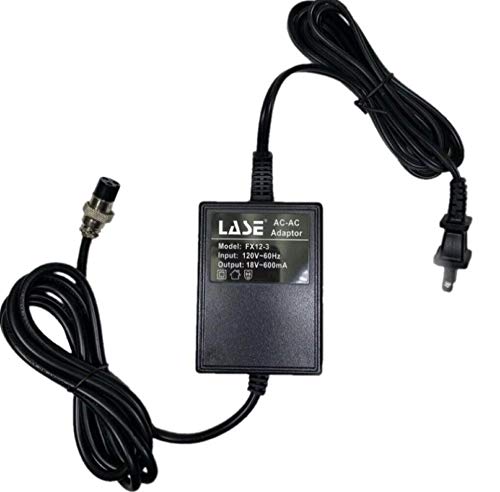
Replacement Power Supply for Samson MDR Mixers MDR8 MDR624 MDR1688 MDR1248 MDR16
LASE
Mid-Range
lotmusic Portable Guitar Pedal Power Supply with 7 Isolated Outputs
lotmusic
Budget
Replacement aftermarket power supply for Behringer Xenyx mixers
LASE
Mid-Range
Roland PSB-5U 12V DC Power Supply
Roland
Mid-Range
JOYO 8-output pedal power supply with USB & switchable 9/12/18V
JOYO
Mid-Range
Tascam US Power Adapter Plugs (PS-P520U)
Tascam
Budget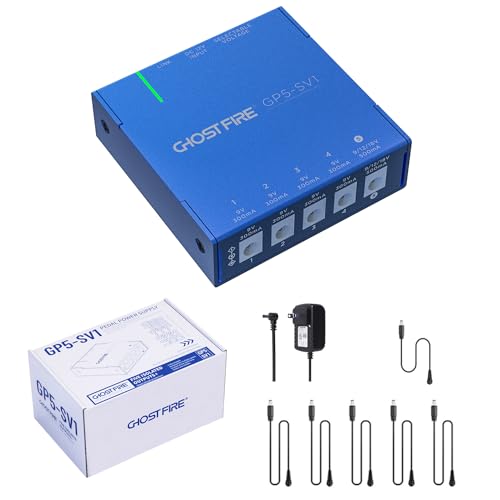
GHOSTFIRE GP5-SV1 pedal power supply
GHOSTFIRE
Mid-Range
STRICH SPS-10B Pedal Power Supply, 10 DC Outputs
STRICH
Budget
Donner DP-Z 9V Guitar Pedal Power Supply with USB
Donner
Mid-Range
VRPS-12V7A 7-Amp AC to DC Adapter for Bazooka Party Bar
Bazooka
Mid-Range
Guitar pedal power supply with 7 isolated outputs
Horse
Mid-Range
17.5V AC power adapter for Behringer mixers (3-pin DIN)
solsinsy
Mid-Range
Voodoo Lab Pedal Power ISO-5 Isolated Power Supply Bundle
Voodoo Lab
Premium
29V adjustable desk power cord for Claiks desk
HUZUM
Mid-Range
Caline CP-206 12-output pedal power supply
Caline
Mid-Range
MOOER Micro Power Effects Power Supply for Mini Rigs
MOOER
Mid-Range
12V DC Adapter for Roland PSB-5U/FP-10 Digital Piano
MSZLZTD
BudgetRoundups
Frequently Asked Questions
How do I choose the right power supply for my mechanical keyboard?
Match the power supply’s output voltage and connector type to your keyboard’s requirements, confirm the amperage meets or exceeds the keyboard’s current draw, and pick a reputable brand or seller that provides clear specs and safety certifications (e.g., UL, CE)
What voltage and amperage do keyboard power supplies typically need?
Most external keyboard power supplies use 5V or 12V outputs; common amperages range from 0.5A for simple LED or USB-powered boards up to 2–3A for larger LED arrays or integrated hubs. Always use the voltage specified by the keyboard and choose equal or higher amperage than required
Are there different connector types I should be aware of?
Yes—keyboard power inputs can be USB-A/USB-C, barrel jack (various diameters), or DC pin connectors; confirm the plug size and polarity before buying to avoid incompatibility or damage
What safety features should I look for in a keyboard power supply?
Look for overload, short-circuit, over-voltage and over-temperature protection, along with safety certifications such as CE, FCC, or UL, and well-insulated cables and secure connectors to reduce risk of damage or fire
How much should I expect to pay for a keyboard power supply?
Prices vary by output type and build quality; budget options are often under $50 while higher-quality or specialized supplies can run higher; the category average price is typically in the mid-range
Can I use a universal laptop-style adapter with my keyboard?
You can use a universal adapter only if it provides the exact voltage, sufficient amperage, correct polarity, and a compatible connector; using the wrong settings or plug can damage the keyboard
How do I care for and extend the life of a power supply?
Keep the supply in a cool, dry, well-ventilated place, avoid kinking or stressing cables, disconnect when not in use for long periods, and inspect cables and connectors regularly for wear or damage