Laptop Computers
This category covers laptop computers across consumer and professional needs, from budget notebooks to premium portable workstations. It includes models from brands like Lenovo and Dell, with 288 products indexed and an average rating of 4.50. Price tiers range roughly $64 to $3,500 (average $915), spanning entry-level to high-end options
Top Products
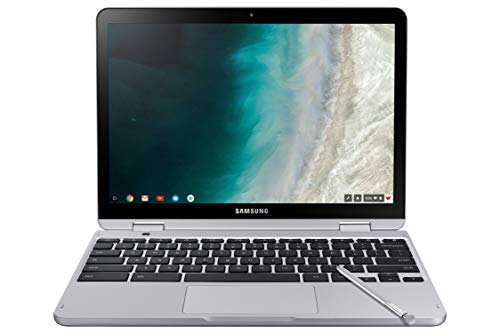
Samsung Chromebook Plus V2 2-in-1 Laptop (XE520QAB-K03US) 13.0" Light Titan
SAMSUNG
Premium
HP Chromebook X360 11 G2 EE 11.6" 2-in-1
HP
Mid-Range
HP Chromebook x360 14b 2-in-1 laptop
HP
Premium
HP 14" Convertible Chromebook with 360° touchscreen
HP
Premium
Dell Latitude 3190 11.6" 2-in-1 Touchscreen Laptop
Dell
Mid-Range
Lenovo 300e 11.6" 2-in-1 Chromebook with stylus
Lenovo
Premium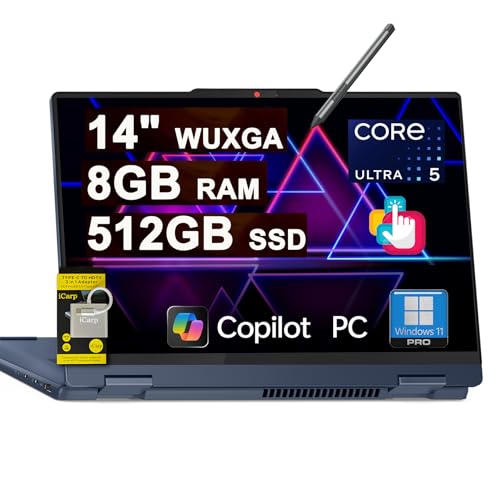
Lenovo IdeaPad Flex 5i 14" 2-in-1 Laptop with 12-core Intel, 8GB RAM, 512GB SSD
Lenovo
Premium
Dell Latitude 3189 Convertible 11.6" Laptop (Renewed)
Dell
Mid-Range
Lenovo Chromebook 300e Yoga 11.6" 2-in-1 touch Chromebook
Lenovo
Premium
CHUWI MiniBook X 2-in-1 10.51" laptop with 16GB/512GB
CHUWI
Premium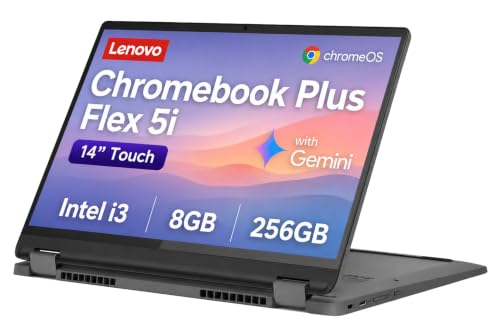
Lenovo IdeaPad Flex 5i Chromebook 14" 2-in-1
Lenovo
Premium
Lenovo IdeaPad Flex 5i 2-in-1 Laptop 14\" WUXGA Touch
Lenovo
Premium
HP Chromebook Pro X360 Fortis 11 2-in-1 Laptop
HP
Premium
8-inch 2-in-1 mini laptop with rotatable touchscreen
KOOFORWAY
Premium
Lenovo IdeaPad Flex 5i 2-in-1 14" Laptop, 12-core Intel, 8GB RAM, 2TB SSD
Lenovo
Premium
ASUS Chromebook CM30 Detachable 2-in-1 laptop tablet
ASUS
Premium
Acer Spin 511 Chromebook 11.6" 2-in-1
acer
Premium
Lenovo 500e Chromebook 2-in-1 11.6" HD Touch
Lenovo
Mid-Range
Samsung Chromebook Plus V2 12.2" 2-in-1 Laptop
ME2 MichaelElectronics2
Premium
HP Envy X360 Laptop 14 2-in-1 with Ryzen 5 8640HS
HP
Premium
Microsoft Surface Pro 2-in-1 with Windows 11 Copilot+
Microsoft
Premium
VGKE 2-in-1 Touchscreen Laptop with 12.3" 3K IPS Display
VGKE
Premium
Lenovo Chromebook C340-15 15.6" 2-in-1 Touchscreen Laptop
Lenovo
Premium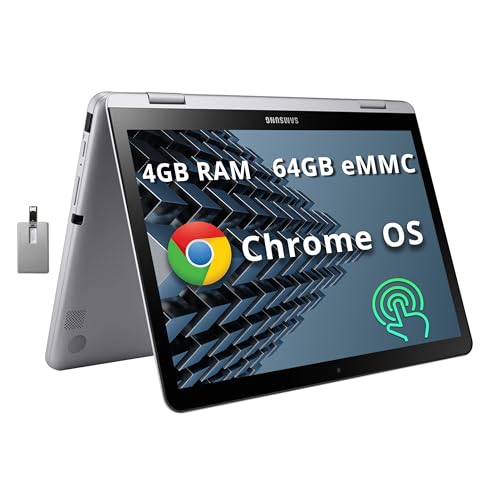
Samsung Plus V2 12.2" 2-in-1 Chromebook with Stylus
Samsung
PremiumRoundups
Frequently Asked Questions
How do I choose the right laptop for my needs (work, gaming, or portability)?
Match the CPU, RAM, storage, and GPU to your primary use: productivity and web tasks usually need a dual- or quad-core CPU, 8–16 GB RAM, and SSD storage; gaming or video editing benefits from a discrete GPU, a high-performance CPU, and 16–32 GB RAM; ultraportables prioritize thinness, weight under ~3 lbs, efficient processors, and 8–16 GB RAM for battery life and portability
What are the most important specs to compare when shopping for a laptop?
Prioritize processor model and generation, RAM size and type, storage type (SSD vs. HDD) and capacity, display resolution and panel type, battery capacity and estimated runtime, and whether a discrete GPU is included for graphics-intensive work
How much should I expect to spend for different laptop categories?
Budget laptops for basic tasks commonly fall under a few hundred dollars, mainstream productivity and student laptops typically range from mid-hundreds to around $1,000, and gaming or high-performance mobile workstations commonly start around the low thousands, with an average price in this category near (price varies)
What size and resolution display should I choose?
Choose 13–14 inch screens for portability, 15–16 inches for a balance of screen space and portability, and 17 inches for desktop-replacement use; opt for at least Full HD (1920×1080) for general use and higher resolutions (e.g., 2560×1440 or 4K) if you need finer detail for content creation or high-end media consumption
How much RAM and storage do I need and can they be upgraded later?
8 GB RAM is adequate for basic multitasking, 16 GB is recommended for most users and creators, and 32 GB+ is for heavy multitasking or professional workflows; SSDs are preferred for speed, and many laptops allow upgrading storage and sometimes RAM, but ultraportable models may have soldered components—check the specific model's serviceability before buying
What battery life can I expect and how can I extend it?
Typical battery life varies widely by configuration and use but ranges from a few hours under heavy load to 8–12 hours for efficient ultraportables; extend battery life by lowering screen brightness, using power-saving modes, closing unnecessary apps, and disabling unused wireless radios
What should I consider about ports, connectivity, and expandability?
Ensure the laptop has the ports you need (USB-A, USB-C/Thunderbolt, HDMI, SD card) and support for Wi‑Fi standards and Bluetooth; consider docking or hub options if the laptop has limited ports, and check whether the model supports external GPUs or memory/storage upgrades if future expandability matters