Mac Game Controllers
Mac Game Controllers covers wired and wireless controllers, gamepads, and dongles designed for macOS gaming and emulation, with mid-range pricing (about $34–$85, avg $58). The 23-product category averages a 4.20 rating and features brands like 8BitDo among several third-party makers
Top Products

Corsair K65 RGB Mini 60% Mechanical Keyboard
Corsair
Mid-Range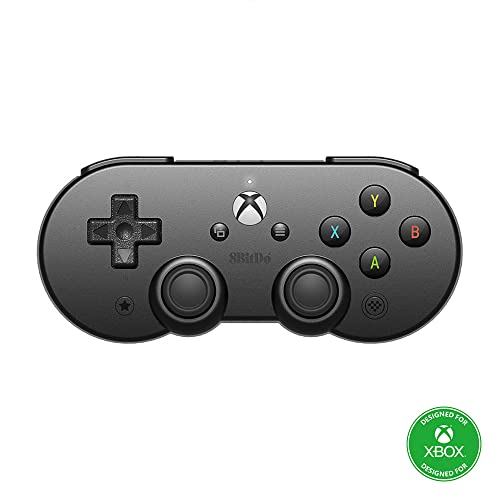
8Bitdo Sn30 Pro Bluetooth Controller for Android & Apple devices
8Bitdo
Mid-Range
QRD N5 Wireless Controller for PS4/PS3/PS2/PC
QRD
Mid-Range
AXYBCOOL wireless switch controller with charger dock
AXYBCOOL
Budget
Hyperkin Admiral BT Controller for N64 (Black)
Hyperkin
Mid-Range
8Bitdo Lite SE Bluetooth Gamepad for Switch and Apple devices
8Bitdo
Budget
8BitDo Ultimate 3-Mode Controller (Jade) — Hall Effect Sticks, Pro Back Buttons
8BitDo
Mid-Range
Kuitmor Hello Kitty Switch Controller
Kuitmor
Mid-Range
UGAME Wired Xbox Controller for Series X|S, One, PC, PS4, Switch
UGAME
Mid-Range
NBCP wired PS5 controller with turbo and hall-effect triggers
NBCP
Mid-Range
Hyperkin Cap'n Crunch Wireless Bluetooth Controller for Switch and more
Hyperkin
Mid-Range
8BitDo Pro 3 Bluetooth Controller for Switch, Windows, Android
8BitDo
Mid-Range
8BitDo Ultimate 3-Mode Controller
8BitDo
Mid-Range
8BitDo Ultimate 3-Mode Controller for Xbox/PC/Apple
8BitDo
Mid-Range
ZAMPAM USB Wireless Game Controller for Switch, PC, Android
ZAMPAM
Budget
PB TAILS Switch controller with TMR joysticks
PB TAILS
Mid-Range
Huye Flight Sim HOTAS Desk Mount for multiple controllers
HUYE
Mid-Range
Gulikit KK3 MAX Wireless Controller for Windows/Switch/Android/iOS/macOS/Steam Deck
AKNES
Mid-Range
KK3 Max wireless controller for Switch, PC, Android, iOS, Mac, Steam Deck
GAMEROOM
Mid-Range
KK3 Max Wireless Controller for Switch/PC/Devices
GAMEROOM
Mid-Range
GuliKit KK3 MAX Wireless Controller for Windows/Switch/Android/iOS/macOS/Steam Deck
GuliKit
Mid-Range
AKNES Gulikit KK3 MAX Controller with Back Button, 1000Hz, Hall Joysticks & Triggers
AKNES
Mid-Range
SIXSIR Haute42 Leverless Arcade Controller
SIXSIR
Mid-RangeRoundups
Frequently Asked Questions
How do I ensure a game controller is compatible with my Mac?
Check that the controller supports macOS or standard input protocols (Bluetooth HID or USB HID). Look for explicit macOS compatibility in product specs and whether drivers or firmware updates are required; many controllers that work with Windows or consoles also function on Mac via USB or Bluetooth HID
Do Bluetooth and wired controllers differ on Mac in latency or reliability?
Wired USB controllers generally offer lower latency and more consistent connectivity, while Bluetooth controllers provide wireless convenience but can be subject to pairing issues or slightly higher latency depending on Mac model and Bluetooth version. Choose wired for competitive play and Bluetooth for casual use
Which features should I prioritize when choosing a Mac game controller?
Prioritize platform compatibility (macOS support), input layout (Xbox vs PlayStation style), analog stick and trigger quality, programmable buttons or profiles, and build durability. Also consider battery life for wireless models and whether software or firmware updates are available
What price range should I expect for Mac game controllers?
Mac game controllers typically range from budget options under $50 to midrange controllers around $50–$100, with premium or specialty controllers above that; average prices cluster near the midrange depending on features and brand
Can I remap buttons or use controller customization on macOS?
Some controllers include companion macOS software or firmware that enables button remapping, sensitivity adjustments, and profiles; otherwise you can use third-party macOS utilities that support HID controllers for remapping and calibration
How do I care for and maintain a Mac game controller to prolong its life?
Keep the controller clean of dust and moisture, store it in a cool dry place, avoid dropping it, charge batteries per manufacturer guidance for wireless units, and update firmware when available to address bugs and improve performance
Will a controller work with both Steam and non-Steam games on my Mac?
Many controllers using standard HID profiles work across Steam and non-Steam games, but some titles or platforms may require additional configuration or mapping. Steam has built-in controller support and configuration tools that can help standardize behavior across games