Mini Computers
Mini computers — compact desktop PCs and barebones systems for home, office, media and edge computing — offered across budget through premium price tiers. The category aggregates 1,017 indexed products with an average rating of 4.48; top brands include HP, Beelink and Lenovo
Top Products

Yxk S15 UItra Mini PC with 12th Gen Alder Lake-N100
Yxk
Mid-Range
ACEMAGIC Vista V1 N97 Mini PC
ACEMAGIC
Premium
GEEKOM Air12 Lite Mini PC with 12th Gen Alder Lake-N150
GEEKOM
Premium
Vista V1 Mini PC with 16GB RAM and 256GB SSD
ACEMAGIC
Premium
Beelink Mini S13 mini PC – Twin Lake N150, 16GB RAM, 500GB SSD
Beelink
Premium
Mac mini with M1 chip (2020) - 8GB RAM, 512GB SSD, renew
Apple
Premium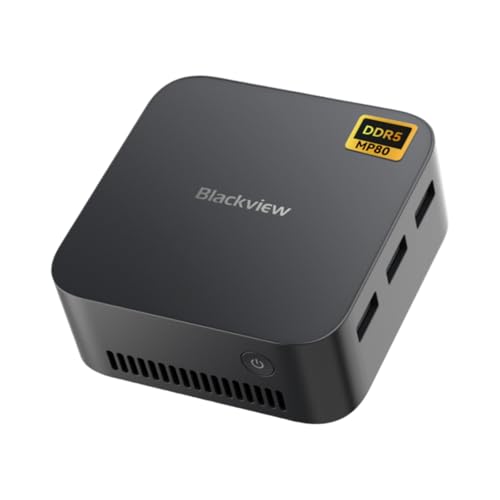
Blackview MP80 Mini PC with 16GB RAM and 512GB SSD
Blackview
Premium
GMKtec Mini PC with Intel Twin Lake N150, 16GB RAM, 512GB SSD
GMKtec
Premium
MeLE Quieter 4C N100 Fanless Mini PC, 8GB/128GB
MeLE
Premium
Beelink EQR5 Mini PC with Ryzen 5 5650U, 8GB/500GB NVMe, WiFi 6
Beelink
Premium
PELADN Mini PC N100 with 16GB/512GB SSD, 4K/60Hz triple-display
PELADN
Mid-Range
Trycoo WI6 Mini PC with N100, 16GB RAM, 512GB SSD
Trycoo
Mid-Range
GEEKOM Air12 Lite Mini PC with 12th Gen Intel Twin Lake N150
GEEKOM
Premium
HP EliteDesk 800 G1 Tiny PC i5-4590T, 8GB, 256GB SSD, WiFi, Windows 10 Pro (Renewed)
HP
Mid-Range
KAMRUI Essenx E2 Mini PC with N150 16GB RAM 256GB SSD
KAMRUI
Premium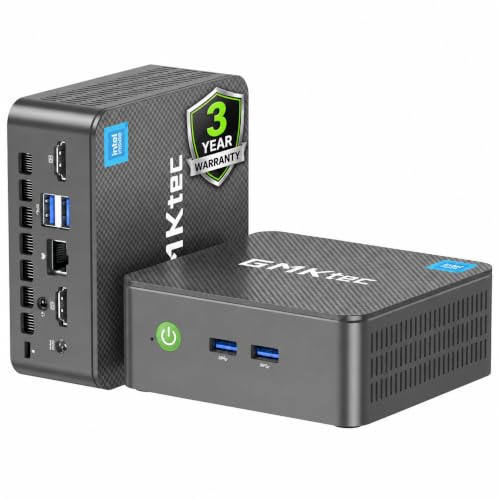
GMKtec Nucbox G3 Plus Mini PC with 16GB RAM, 1TB NVMe
GMKtec
Premium
Beelink Mini S13 Pro PC with 13th Gen Intel N150
Beelink
Premium
ACEMAGIC Mini PC with 16GB RAM and 512GB SSD
ACEMAGICIAN
Premium
ACEMAGIC Vista Mini V1 Mini PC (Twin Lake N150) 16GB RAM 1TB SSD
ACEMAGIC
Premium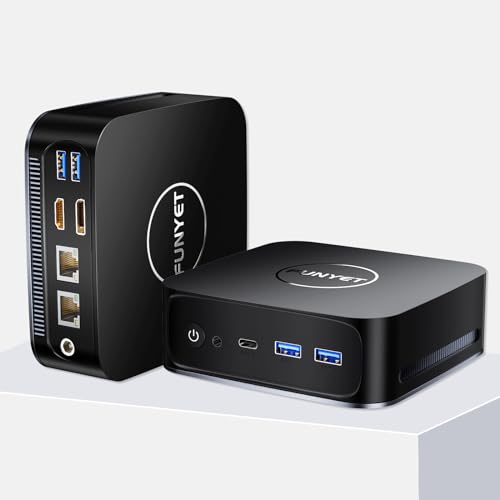
Mini PC Gaming PC with Intel Alder Lake N95, 8GB RAM, 256GB SSD
FUNYET
Mid-Range
AWOW AK10 Pro Mini PC with Intel N100
AWOW
Premium
Beelink MINIS 12 PRO Mini PC with N100, 16G/1TB, W-11 Pro
Beelink
Premium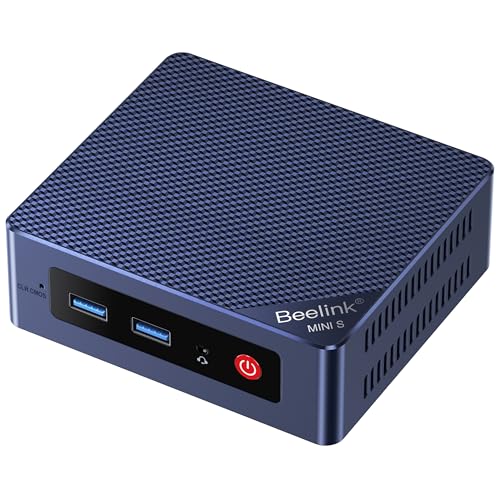
Beelink EQ14 Mini PC with 16GB RAM and 500GB NVMe
Beelink
Premium
BOSGAME Mini PC Ryzen 5 3550H 16GB RAM 512GB SSD
BOSGAME
PremiumRoundups
Frequently Asked Questions
How do I choose the right mini computer for my needs?
Match the processor class (Celeron/Atom for basic tasks, i3/i5/i7 or Ryzen 3/5/7 for heavier multitasking and light content creation), RAM (8GB minimum for general use, 16GB+ for multitasking or virtual machines), storage type (SSD for speed, NVMe preferred), and required ports/connectivity (USB, HDMI/DisplayPort, Ethernet, Wi‑Fi standard) to your workflows
What performance differences should I expect between low‑end and high‑end mini PCs?
Lower‑end models typically use low‑power Celeron/Atom chips and integrated graphics suitable for web browsing, media streaming, and office apps, while higher‑end models use Intel Core or AMD Ryzen processors with more cores, higher clock speeds, better integrated or optional discrete GPUs, and faster storage for demanding tasks like video editing, gaming, or virtualization
Are mini computers good for gaming or video editing?
Some mini PCs with higher‑end CPUs and discrete or strong integrated GPUs can handle light to moderate gaming and 1080p video editing; for high‑frame competitive gaming or heavy 4K video workflows, a desktop or specialized workstation with a full‑size GPU is typically better
What should I consider about connectivity and expandability?
Check the number and types of USB ports, video outputs (HDMI/DisplayPort), Ethernet speed, Wi‑Fi and Bluetooth versions, and whether the model allows RAM or storage upgrades (SODIMM slots, M.2 slots) to ensure future needs and multi-monitor setups are supported
How reliable and quiet are mini computers, and what affects that?
Reliability and noise depend on cooling design, chassis size, and component thermal output; fanless or low‑TDP designs are quieter but may throttle under sustained load, while active‑cooled high‑performance models run cooler but can be noisier under heavy use
What operating systems and software compatibility should I check?
Verify whether the mini PC ships with Windows, Linux, or no OS; ensure driver support for the chosen OS and compatibility with essential applications, peripherals, and virtualization or container software if you plan to run those environments
How do warranty and service options vary for mini PCs?
Warranty periods and service levels vary by manufacturer and reseller; look for details on standard warranty length, options for extended coverage, and the ease of obtaining spare parts or support in your region before purchasing