Network Attached Storage Enclosures
Network Attached Storage (NAS) enclosures for home and small-business networking, offering bays for HDDs/SSDs, RAID support, and LAN connectivity for centralized file sharing and backups. Catalog spans budget through premium options (28 products, average rating 4.45) with brands such as TERRAMASTER among the top names
Top Products

Yxk Zero1 2-Bay Desktop NAS with 2.5GbE
Yxk
Mid-Range
Synology 2-Bay NAS DS223 (Diskless)
Synology
Premium
ICC Fiber Optic Wall Mount Enclosure 2 Slots for LGX Panels
ICC
Mid-Range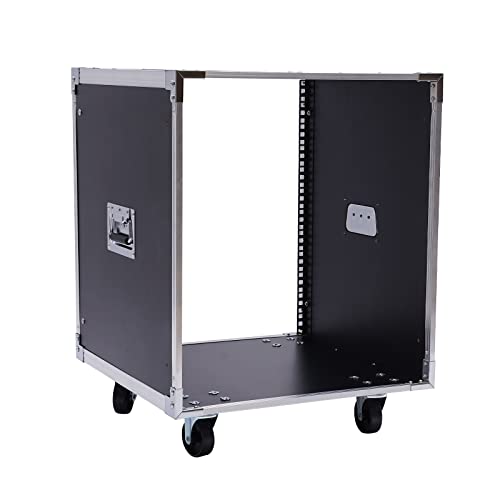
12U AV rack case with wheels and handles
YSHUSTGY
Mid-Range
12V 10A Power Supply for Synology NAS (8ft) for DS423+ DS925+ DS1525+ DS425+ DS725+ DS923+ DS1522+ DS723+ DS920+ DS1520+ DS916+ DS918+
SAYSOLAK
Budget
NavePoint 9U Deluxe IT Wallmount Cabinet Enclosure, 19-inch Rack with Locking Glass Door
NavePoint
Premium
ICC Fiber Optic Wall Mount Enclosure 4 Slots (LGX Compatible) ICFODE41WM
ICC
Mid-Range
QNAP TR-004 4 Bay USB-C DAS with hardware RAID (Diskless)
QNAP
Premium
UGREEN NASync DXP4800 4-Bay Desktop NAS
UGREEN
Premium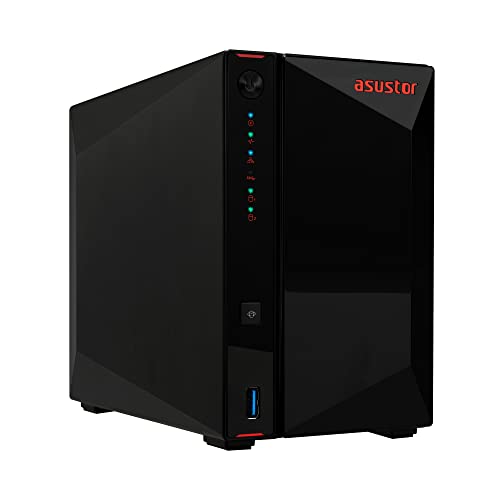
Asustor 2-Bay NAS with Quad-Core CPU & 4x NVMe slots
Asustor
Premium
NavePoint 18U IT Wallmount Cabinet Enclosure 19-in Rack with Locking Glass Door
NavePoint
Premium
QNAP TS-216G-US 2-Bay Desktop NAS with 2.5GbE
QNAP
Premium
Synology 4-Bay Rackmount NAS RackStation RS422+ (Diskless), Black
Synology
Premium
TERRAMASTER F4 SSD NAS 4-Bay 8GB DDR5 5GbE
TERRAMASTER
Premium
Synology BeeStation Plus 8TB Personal Cloud Storage
Synology
Premium
Asustor AS5404T NAS, 4 bays, 2x 2.5GbE, NVMe slots, 4GB RAM
Asustor
Premium
TERRAMASTER F6-424 NAS 6-Bay Storage
TERRAMASTER
Premium
TERRAMASTER F4-424 NAS 4-Bay Network Storage
TERRAMASTER
Premium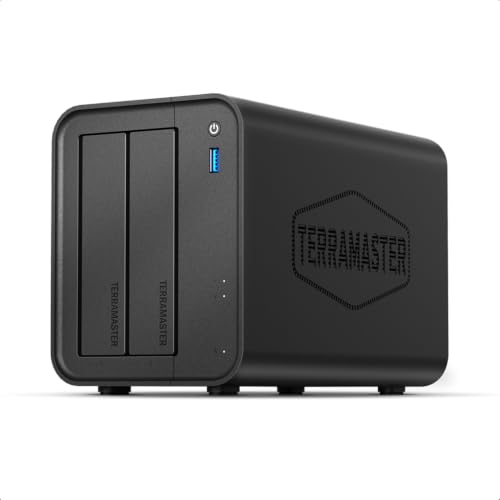
TERRAMASTER F2-425 2-Bay NAS Storage
TERRAMASTER
Premium
TERRAMASTER F4-425 4-Bay NAS Enclosure with 2.5GbE
TERRAMASTER
Premium
LincStation N2 6-Bay NAS Storage - Intel N100, 10GbE, 16GB
LincPlus
Premium
TERRAMASTER F8 SSD Plus NAS – 8-Bay NAS with 10GbE, 16GB DDR5
TERRAMASTER
Premium
TERRAMASTER F4-424 Pro NAS Storage 4-Bay Core i3-N305
TERRAMASTER
Premium
UGREEN NASync DXP480T Plus 4-Bay NAS with 10GbE, Wi-Fi 6, 8GB RAM
UGREEN
PremiumRoundups
Frequently Asked Questions
How do I choose the right NAS enclosure for my home or small office?
Match the number of drive bays to your current and foreseeable storage needs, check supported RAID levels for redundancy, ensure the device supports the drive types and capacities you plan to use (3.5" vs 2.5" and single vs multi-terabyte drives), and verify network interfaces (Gigabit vs multi-gig or 10GbE) and CPU/RAM specs for the applications you intend to run
What’s the difference between a NAS enclosure and a complete NAS system?
A NAS enclosure is a chassis that holds hard drives and provides networking and basic controller functions but may require you to supply drives and sometimes RAM; a complete NAS system typically ships pre-configured with drives or a tested configuration and may include vendor-installed software and support
How much should I expect to pay for a NAS enclosure?
Prices vary with bay count, CPU, and features: small 2–4 bay enclosures are generally lower-cost while 5+ bay and business-grade units with multi-gig or 10GbE and more powerful processors are higher; average prices in this category are several hundred dollars, with premium models costing more
Which network connectivity should I choose: Gigabit, link aggregation, multi-gig, or 10GbE?
Choose Gigabit for basic home use; consider link aggregation or multi-gig (2.5/5Gb) if multiple users will access the NAS concurrently or you need faster single-client transfers; opt for 10GbE for high-performance workloads like large media editing or virtualization where single-client throughput matters
How important is CPU and RAM in a NAS enclosure?
CPU and RAM determine the NAS’s ability to handle file transfers, simultaneous users, on-device apps (media server, virtualization, backups), and encryption; lightweight file storage can run on modest hardware, while media transcoding, heavy virtualization, or many simultaneous clients require a faster CPU and more RAM
What maintenance and care do NAS enclosures require?
Regularly update the NAS firmware, monitor drive health with SMART or manufacturer tools, schedule backups of critical data to an independent location, keep the unit in a ventilated, dust-free area, and replace failing drives promptly to maintain RAID redundancy
How do RAID levels affect capacity and data protection when choosing an enclosure?
RAID levels trade storage capacity for redundancy: RAID 0 maximizes capacity but offers no redundancy, RAID 1 mirrors drives for protection, RAID 5/6 provide space-efficient redundancy across multiple drives (tolerating one or two failures respectively), and some enclosures support proprietary or flexible RAID that changes usable capacity and fault tolerance