Numeric Keypads
Numeric keypads are standalone or USB/Bluetooth numeric input devices for laptops and desktops, useful for data entry, accounting, and shortcuts. This electronics & gadgets niche includes wired and wireless models across budget through premium price tiers (avg ~(price varies)), with brands like Keychron represented among 60 indexed products averaging a 4.40 rating
Top Products

HoRiMe Backlit Bluetooth Number Pad with 7-Color LEDs, 34-Keys Aluminum Numeric Keypad
HoRiMe
Mid-Range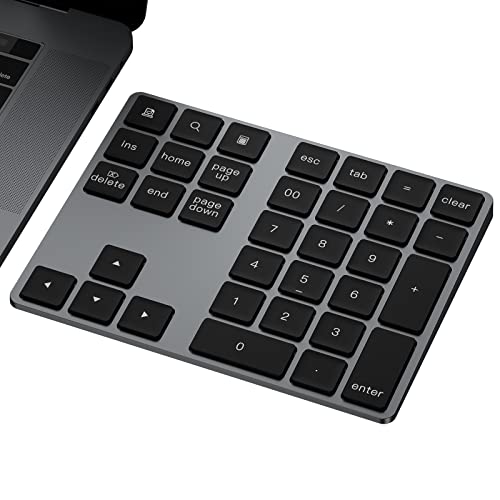
Bluetooth numeric keypad with 34 keys, aluminum rechargeable
JOYEKY
Budget
HoRiMe wireless numeric keypad with dual Bluetooth
HoRiMe
Budget
Lekvey Bluetooth numeric keypad, aluminum wireless 34-keys for Mac and Windows
Lekvey
Mid-Range
Lekvey Bluetooth Numeric Keypad – aluminum, rechargeable, 34-key Numpad
Lekvey
Mid-Range
Doohoeek Backlit Bluetooth Numeric Keypad 34 Keys
Doohoeek
Budget
HoRiMe Bluetooth numeric keypad (34-keys) aluminum
HoRiMe
Budget
Mechanical Wireless Numpad with Poron Foam, 19 Keys
KZZI
Mid-Range
8Bitdo 18-key retro mechanical numpad with calculator mode
8Bitdo
Mid-Range
Mechanical Numpad 34-key, hot-swappable, wired USB, white backlit with PBT keycaps
Kisnt
Budget
Mechanical Numpad 34-key Wired USB with Gateron/Brown switches
Kisnt
Budget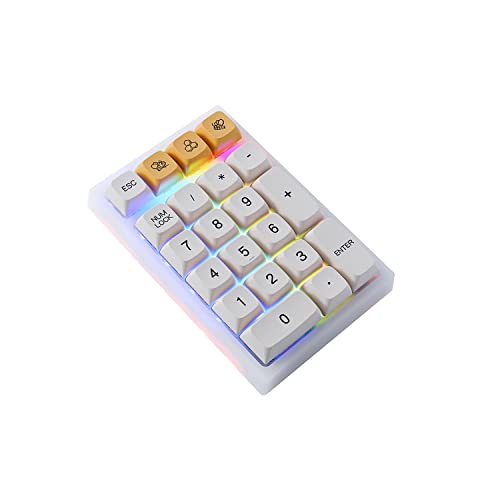
BOYI TD21 21-key hot-swap numpad with Bluetooth/2.4G/wired
BOYI
Mid-Range
Wireless 34-key numeric keypad with 2.4GHz wireless
Kisnt
Budget
Doohoeek Bluetooth & 2.4G Numeric Keypad, 34 Keys, Backlit
Doohoeek
Mid-Range
BOYI TD21 Hot Swappable Numpad 21 Keys Bluetooth/2.4G/Wired
BOYI
Mid-Range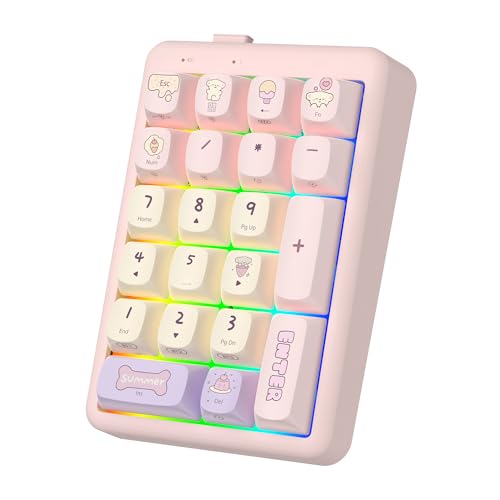
NumberPad 21Keys Numpad with Bluetooth 5.0/2.4G/Type-C
FOPATO
Mid-Range
Mechanical Numpad with hot-swappable switches, 34 keys, USB wired keypad
Kisnt
Budget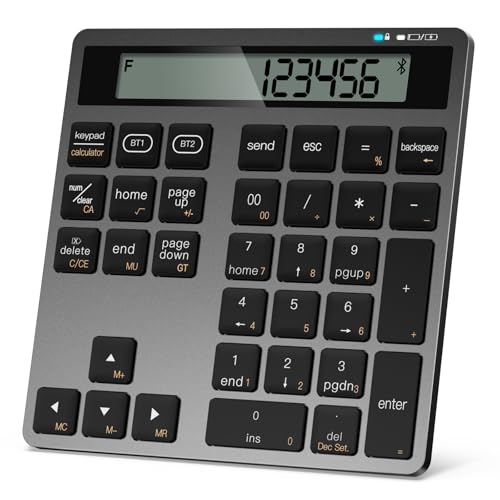
Rechargeable wireless numeric keypad with dual Bluetooth
YoFeW
Budget
Foloda Bluetooth numeric keypad 34-key wireless for laptop
Foloda
Budget
Gasket Creamy Mechanical Numpad with Macro Keypad
TISHLED
Budget
Macally Bluetooth numeric keypad for laptop
Macally
Mid-Range
Macally Bluetooth numeric keypad with aluminum design
Macally
Mid-Range
Satechi Slim Aluminum Bluetooth Keypad - 18 Key Numpad (Space Gray)
Satechi
Mid-Range
Satechi Slim Aluminum Bluetooth Keypad
Satechi
Mid-RangeRoundups
Frequently Asked Questions
How do I choose the right numeric keypad for my use case?
Decide whether you need a wired or wireless connection, the switch type (mechanical vs membrane) for tactile preference, layout and key count compatibility with your workflow, and whether features like programmable keys or backlighting matter for your productivity
What are the typical price ranges and what should I expect at each level?
Numeric keypads commonly range from budget models under $30 with membrane keys and basic wired connections, mid-range units around $30–$80 offering mechanical switches or wireless options, and higher-end models above that with premium switches, programmability, and build materials; averages in this category are around the mid-range
What switch types and keycap materials should I consider?
Mechanical switches provide distinct tactile or linear feedback and longer lifespan, while membrane switches are quieter and cheaper; keycaps are usually ABS (softer, shine over time) or PBT (more durable, textured), so choose based on feel and durability preferences
How important is compatibility and connectivity with my devices?
Check for OS compatibility (Windows, macOS, Linux), whether the keypad supports USB-A/USB-C or Bluetooth, and if any drivers or software are needed for programmability; confirm the connection type matches your computer or docking setup before buying
Are programmable keys and macros worth it for a numeric keypad?
Programmable keys add value if you perform repetitive tasks or need custom shortcuts for spreadsheets, accounting, or software macros—otherwise a standard numeric layout suffices for basic data entry
What should I know about battery life and charging for wireless numeric keypads?
Battery life depends on wireless technology and backlighting; expect multi-day to multi-week runtimes for non-backlit units and shorter for illuminated models; look for rechargeable lithium-ion batteries and USB charging for convenience
How do I maintain and extend the life of a numeric keypad?
Keep the keypad clean by removing surface dust and using compressed air between keys, avoid spilling liquids, use a keycap puller for deep cleaning if mechanical, and follow manufacturer guidelines for firmware updates and safe charging to prolong lifespan