PC Game Controllers
This category covers PC game controllers and related input devices, from wired and wireless gamepads to racing wheels and flight sticks, with mid-range to premium pricing (average $105). Indexed products average a 4.39 rating across 35 listings and include brands like 8BitDo among others
Top Products

Xbox Wireless Controller (2025) Deep Pink for Windows Android iOS
Microsoft
Mid-Range
SN30 Pro Wireless Bluetooth Gamepad (Hall Effect Joysticks) Jade Green
8Bitdo
Mid-Range
8BitDo Ultimate Wireless Controller with Dock (Purple)
8BitDo
Mid-Range
Elgato Stream Deck MK.2 Studio Controller
Elgato
Mid-Range
8BitDo Ultimate 2C Wireless Controller for Windows & Android
8BitDo
Budget
Elgato Stream Deck MK.2 White Studio Controller
Elgato
Mid-Range
MSI FORCE GC300 Wireless Controller (White) 2.4GHz & Bluetooth
MSI
Mid-Range
8BitDo Ultimate 2 Wireless Controller with TMR Joysticks
8BitDo
Mid-Range
8BitDo Ultimate 2 Wireless Gaming Controller
8BitDo
Mid-Range
8BitDo Ultimate 2 Wireless Controller with TMR Joysticks
8BitDo
Mid-Range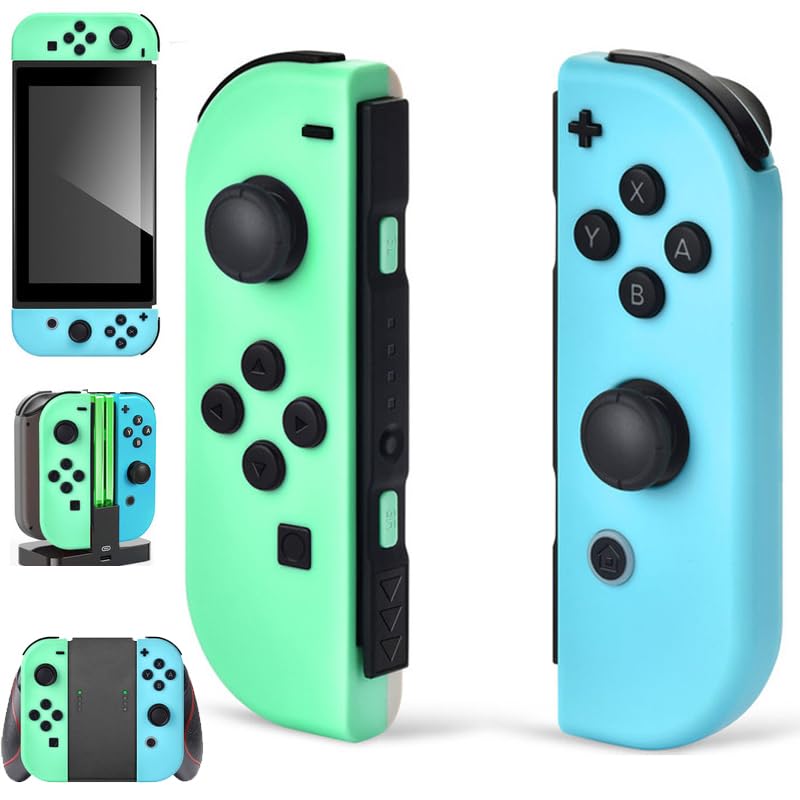
Switch controller replacement with wireless gamepad for Switch OLED/Lite
SWTOTK
Mid-Range
LED Arcade DIY 2x USB Encoder + 2x 8-Way Joysticks + 20 LED Buttons
Easyget
Mid-Range
Multi-Platform Wireless PC Controller
Boowen
Mid-Range
8Bitdo Ultimate 2 Wireless Controller with Dock
8Bitdo
Mid-Range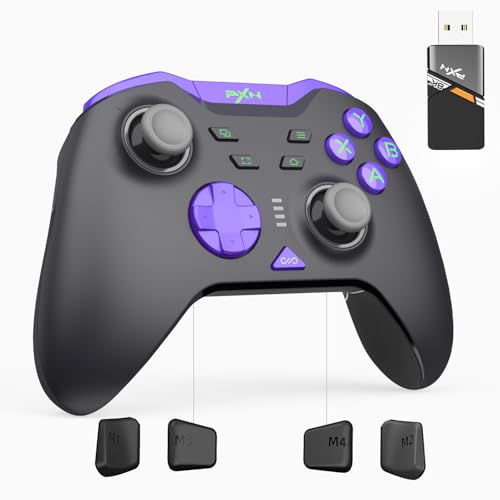
PXN P5 8K Wireless Gaming Controller with Capacitive Joystick
PXN
Mid-Range
TrackIR 5 Head Tracking System for PC gaming
TrackIR
Mid-Range
8Bitdo Ultimate 2 Wireless Gamepad (TMR Joystick Update) Purple
8Bitdo
Mid-Range
PS5 controller with hydro-dip customization by BABY CUDDLE BOX
BABY CUDDLE BOX
Mid-Range
8BitDo Ultimate 2 Wireless Controller with TMR Joysticks
8Bitdo
Mid-Range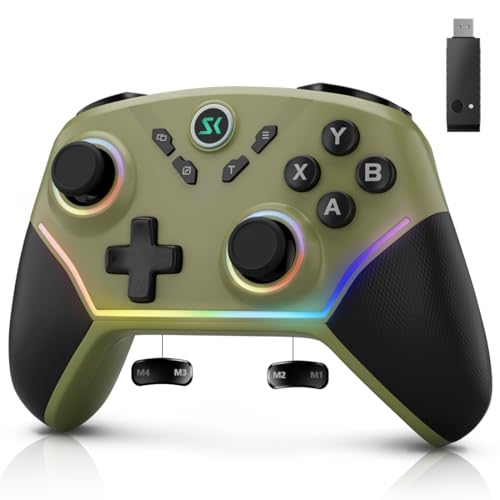
Multi-Platform Wireless Controller
Boowen
Mid-Range
8BitDo Ultimate 2 Wireless Controller
8Bitdo
Mid-Range
Multi-Platform Wireless PC Controller with 2.4G/BT and USB-C
Boowen
Mid-Range
Tokyo Ghhoul PS-5 Controller with Hydro-Dip by BABY CUDDLE BOX
BABY CUDDLE BOX
Mid-Range
Baby Cuddle Box Red Geometric PS-5 Controller (Hydro-dip) wireless
BABY CUDDLE BOX
Mid-RangeRoundups
- Best PC Game Controllers for Motion-Controlled Games (2026)
- Best PC Game Controllers for Android Gaming (2026)
- Best PC Game Controllers for Pc Gaming (2026)
- Best PC Game Controllers Under $200 (2026)
- Best PC Game Controllers Under $100 (2026)
- Best PC Game Controllers Under $50 (2026)
- Best PC Game Controllers (2026 Guide)
Frequently Asked Questions
How do I choose the right PC game controller for the types of games I play?
Match controller layout and input type to game genre: gamepads or console-style controllers work best for action, platformers, and racing; controllers with extra buttons or paddles suit fighting and competitive shooters; flight and simulation games may benefit from HOTAS, joysticks, or wheel+pedal setups. Also check button mapping/customization and whether the controller supports the PC connection you prefer (USB wired, Bluetooth, or proprietary wireless)
What connectivity and compatibility should I look for with PC controllers?
Look for controllers that explicitly support Windows (and macOS/Linux if needed) and list connection methods—USB wired for lowest latency, Bluetooth for wireless convenience, or a 2.4 GHz USB dongle for lower-latency wireless. Confirm driver or software requirements and whether the controller supports XInput and/or DirectInput for broad game compatibility
How much should I expect to spend and what features change by price?
Prices vary widely; budget gamepads and entry-level joysticks are commonly under $50, mid-range controllers with better build quality and extra features are often $50–$150, and premium wheels/HOTAS can be several hundred dollars. Higher-priced models typically add stronger motors/haptics, metal components, adjustable tension, programmable buttons, and more robust software for customization
Which ergonomics and build-quality factors matter for long gaming sessions?
Choose a controller with a comfortable grip size for your hands, textured or rubberized surfaces to reduce slipping, and balanced weight to avoid fatigue. Durable materials (reinforced plastics or metal components in key stress points), responsive analog sticks and triggers, and replaceable parts (thumbsticks or trigger modules) improve longevity for extended use
Do PC controllers require special drivers or software to customize buttons and profiles?
Many controllers work plug-and-play for basic input, but manufacturers often provide optional drivers or configuration software to remap buttons, create profiles, adjust dead zones, and update firmware. If you need advanced customization, verify that the brand offers maintained software compatible with your OS
How do I maintain and clean a game controller to extend its lifespan?
Keep controllers dry and store them away from direct sunlight; clean the exterior with a microfiber cloth and isopropyl alcohol (lightly applied) and use compressed air to remove dust from crevices. Avoid opening the controller unless you’re comfortable with electronics, and replace worn thumbstick caps or batteries/charging cables when performance degrades
What warranty and return considerations should I check before buying?
Check the manufacturer warranty length and what it covers (defects versus wear-and-tear), whether firmware updates are provided, and the seller’s return window in case of dead-on-arrival or compatibility issues. Keep proof of purchase and register the product if required to access support or warranty service